
A customer messages a business on WhatsApp late in the evening and asks whether there is an appointment available tomorrow. Instead of waiting until somebody opens the inbox the next morning, the customer receives an immediate response, chooses the service they need and provides a few basic details. If the request is straightforward, the conversation moves forward automatically. If something more complicated comes up, the chat is passed to a member of the team.
That is a simple example of what a WhatsApp bot can do. The bot is not there to replace every customer conversation or make people believe they are speaking with a human. Its job is usually much more practical: handle repetitive questions, collect information, move customers through predictable steps and involve an employee when the conversation needs real judgment.
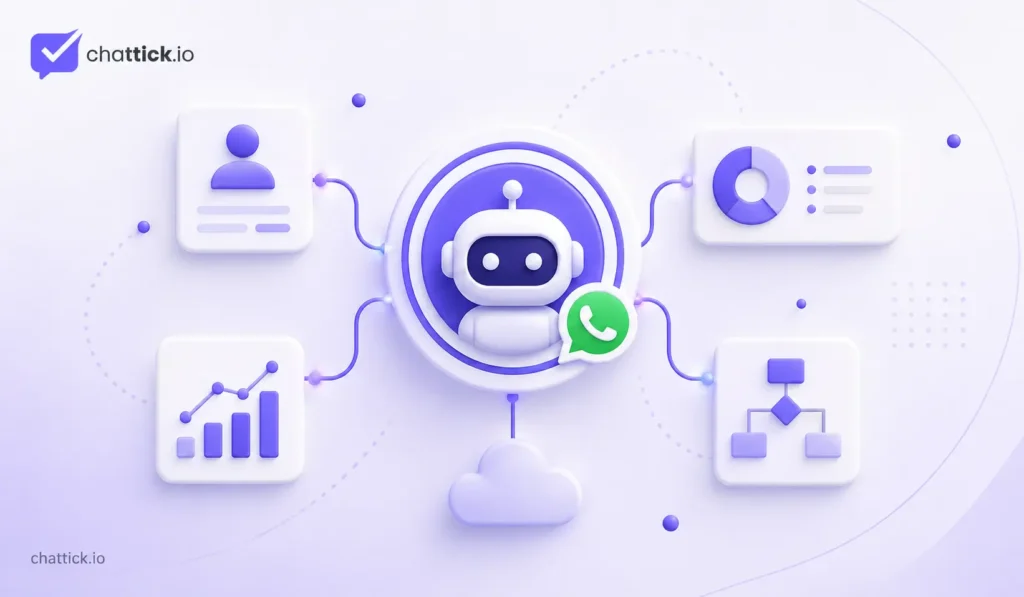
Modern WhatsApp bots can also work with other business systems. A bot may check a booking calendar, create a lead inside a CRM, look up an order, trigger a follow-up or route the conversation to a particular employee. The customer still sees one WhatsApp chat, but several systems may be working behind it.
That is where the value comes from. A good bot does not simply send more automatic messages. It makes the conversation easier for the customer and removes work the team should not need to repeat manually.
What Is a WhatsApp Bot?
A WhatsApp bot takes care of the repetitive parts of a customer chat, so your team does not have to answer the same basic questions again and again. It might start by asking what the person needs, for example sales help, support or an appointment, and then move the conversation in the right direction.
In a more connected setup, the bot can also use information the business already has. It may recognize a returning customer, pull details from the CRM or change its response based on the customer’s previous activity. The idea is simple: let the bot handle the routine steps and bring in a real person when the conversation needs one.
The important part is that the bot works inside a defined business process. It should know what it is expected to handle and when it should stop. A bot designed to answer five common support questions reliably is often more useful than one that tries to answer everything and regularly gets things wrong.
WhatsApp Bot and WhatsApp Automation Are Related, but They Are Not the Same
A chatbot is mainly concerned with what happens inside the conversation. WhatsApp automation is broader and includes actions happening behind the scenes.
Suppose a new lead messages the business and the bot asks which service they are interested in. After the customer replies, an automation may create the lead in the CRM, assign it to a salesperson and schedule a follow-up. The customer sees the questions and replies, while the internal workflow happens quietly in the background.
This distinction helps when planning a system because many businesses say they need a chatbot when the problem is actually something else. They may need better lead routing, CRM integration, appointment reminders or follow-up automation. A bot can be part of the solution, but it does not have to control the entire process.
How Does a WhatsApp Bot Work?
A normal bot interaction starts when a customer sends a message to the business. The messaging system receives that message and passes it to whatever software is responsible for the bot. That software checks what the customer said, looks at any available context and decides what should happen next.
In a simple setup, the decision may be based on a button or keyword. In a more advanced setup, the system may loo69% aa raha hai because structure abhi bhi kaafi neat aur predictable hai. Isko thora less polished, more natural business-writing style mein aise use karo:
The bot can check a few things before it replies. It might look up the customer in the CRM, see where an order is up to, or use AI to understand a less obvious question. At the same time, it can quietly update the contact record or leave something for the team to follow up on later.
A typical flow can be as simple as:
- Someone messages the business on WhatsApp.
- The bot looks at the request and decides what needs to happen next.
- If there is useful information already on file, such as an order or CRM record, it can use that instead of asking the customer again.
- Sometimes the next step is just a quick reply. In other cases, the bot may need one more detail before it can continue.
- Anything useful collected during the conversation can be saved for the team.
- If the request is routine, the bot can finish it there.
- If it starts getting complicated, the chat moves to a real person.
There may be quite a bit happening in the background, but none of that should become the customer’s problem. They should be able to send a message, get a useful answer, and carry on without thinking about APIs, webhooks, or whatever else is connecting the systems.
Rules-Based WhatsApp Bots
A rules-based bot follows predefined paths. The business decides what options are available and what should happen after each choice.
A service company, for example, might show four options: Get a Quote, Existing Customer Support, Book an Appointment and Speak to Someone. A customer choosing Get a Quote could be asked for the service they need, their location and their preferred contact time. Once those details are collected, the lead is sent to sales.
This type of bot is predictable, which can be a major advantage. The business knows exactly what the customer can choose and what the bot will do next. Testing is also easier because there are fewer unexpected outcomes.
Rules-based bots work particularly well when customer journeys are already structured. Appointment requests, lead qualification, order checks and department routing often do not need AI at all.
AI-Powered WhatsApp Bots
An AI-powered bot can work with less structured customer language. Instead of selecting a button that says Opening Hours, a customer might type, “Are you open this Saturday afternoon?” The bot can interpret the request and respond appropriately.
That flexibility is useful when customers ask similar questions in many different ways. AI can also help classify enquiries, summarize longer conversations or search approved business information before answering.
The risk is that AI can misunderstand a request or respond with information that is incomplete or incorrect. For that reason, businesses need to decide what the AI is allowed to handle. Questions about opening hours are very different from refunds, account changes or other actions that can affect a customer directly.
AI works best when the business gives it clear boundaries, reliable information and a straightforward route to human support.
A Hybrid Bot Can Be More Practical
Many businesses do not need to choose between a fully rules-based bot and a completely open AI chatbot. A hybrid setup often works better.
The conversation can begin with a few structured choices so the system understands what the customer needs. Once the customer reaches the correct area, AI can help with more natural questions. This gives the customer flexibility without asking the AI to interpret everything from the first message.
A support bot could first ask whether the issue relates to Billing, Account Access or Technical Support. After the customer chooses Technical Support, they can describe the problem normally. AI helps interpret the message while the structured first step keeps the conversation focused.
The result can feel more natural without giving the bot unlimited freedom.
Do You Need a Separate WhatsApp Bot Number?
A business does not normally need a special “bot number” just because automation is being added. The bot can operate through a WhatsApp business number that customers already use.
Many companies allow the bot and employees to share the same customer-facing number. The bot handles the first part of the conversation, then an employee takes over when needed. This is often easier for customers because they do not have to remember separate numbers for automated and human support.
Larger companies may choose different numbers for different markets, departments or business units, but that is an operational decision rather than a chatbot requirement.
If customers already recognize one business number, there should be a good reason before introducing another one.
Can the WhatsApp Business App Run a Bot?
The WhatsApp Business app includes useful features such as greeting messages, away messages and quick replies. For a small business, these tools may already solve several repetitive communication problems.
They are not the same as a full chatbot, though. An advanced WhatsApp bot usually needs the WhatsApp Business Platform along with software, a provider or a custom system that manages the conversation logic.
This difference matters because businesses sometimes overbuild simple problems. If the only requirement is to tell customers that the team will respond after 9 AM, an away message is enough. There is no need to build an AI assistant.
A bot becomes more useful when several steps inside the conversation are repetitive and predictable.
Start With Real Customer Conversations
Before choosing chatbot software, look at the conversations the business already receives. That is usually where the best bot ideas come from.
Customer messages often reveal obvious patterns. People keep asking for pricing, appointment availability, order updates, service areas or support. Employees repeatedly ask the same qualifying questions, and some conversations are forwarded internally before reaching the right team.
Those are useful automation opportunities because the problem already exists.
A business might discover that most incoming WhatsApp conversations fall into only four groups:
- New sales enquiries
- Appointment requests
- Order or delivery questions
- Existing customer support
That is enough to design a useful first version of the bot. There is little value in creating ten extra menu options simply because the software allows it.
Lead Qualification Is a Strong Use Case
New leads often begin with very little information. Someone sends “Hi, I’m interested,” and the salesperson then has to ask several basic questions before deciding what to do next.
A bot can collect some of those details before sales becomes involved. A consultancy might ask which service the person wants, where they are based and when they hope to begin. An automotive business could ask for the vehicle make, model and type of service required.
The salesperson then receives a lead with enough context to have a useful conversation immediately.
The bot should not turn this into a long application form. Three useful questions are normally better than ten questions that frustrate the customer before they ever speak with a person.
A Bot Can Route Customers to the Right Team
One WhatsApp number may receive sales enquiries, billing questions, support issues and appointment requests. Without routing, somebody has to read each conversation and work out who should handle it.
A bot can deal with that first step.
Someone asking for a quotation can be sent to sales. An existing customer reporting an issue can go to support. Billing questions can reach the finance team. Appointment enquiries can go to reception or the booking workflow.
The bot does not need to solve every conversation itself. In many businesses, simply getting the customer to the correct person faster is already a meaningful improvement.
Routing can become even smarter when WhatsApp is connected with a CRM. An existing customer may already have an account manager, so the system can send the conversation directly to that person instead of placing it into a general queue.
Appointment Booking Works Naturally With Bots
Booking an appointment usually requires predictable information: service, date, time and customer details. That makes it a good use case for a chatbot.
A bot can collect the required information and, if connected with a booking system, use real availability rather than waiting for an employee to check a calendar manually. Once the appointment is confirmed, another workflow can send reminders or handle rescheduling.
This works well for clinics, salons, consultants, education providers, automotive services and other appointment-based businesses.
The important part is that the bot should not pretend a time is available unless it has access to the actual schedule. If there is no live calendar integration, it is better to collect the preferred time and let the team confirm it.
WhatsApp Flows Can Make Structured Tasks Cleaner
Some chatbot conversations are really forms taking place one message at a time. If the business needs several structured details, asking for each one separately can create unnecessary back-and-forth.
WhatsApp Flows can make these interactions more organized. A customer may be able to select options, provide information and complete a structured task without leaving WhatsApp.
A bot and a Flow can also work together. The bot first identifies what the customer wants, then directs them into the appropriate Flow. Once the information is submitted, an automation can update the CRM or notify the team.
This is especially useful for lead capture, appointment requests and other processes where the same information is required every time.
Support Bots Should Focus on Repeatable Problems
Customer support is one of the most common chatbot use cases, but it is also an area where businesses can automate too aggressively.
Some questions are easy for a bot to handle. Customers may ask about opening hours, delivery areas, password resets or order status. These questions usually have clear answers or can be solved through a simple system lookup.
Other issues need more judgment. A complicated billing dispute, repeated service failure or unusual account problem is unlikely to improve because the customer has to work through a long chatbot flow first.
A useful support bot removes repetitive questions from the queue while making it easy for complicated conversations to reach a person.
Order Status Is More Useful When the Bot Uses Real Data
“Where is my order?” is a common question for ecommerce companies. A chatbot can answer it well only if it has access to accurate order information.
If the bot is connected with the ecommerce or order-management system, it can identify the customer and retrieve the relevant status. That is much more useful than sending a generic response saying the order is being processed.
The same principle applies to many chatbot use cases. When an answer depends on customer-specific information, the bot should retrieve that information from the system that already owns it.
Creating another disconnected database usually creates more problems later.
Product Discovery Can Work, but It Should Stay Selective
A WhatsApp bot can also help customers narrow down products. Someone may ask for an item within a certain budget, a particular size or an option suitable for a specific need.
The bot can ask one or two questions and recommend relevant choices. If the customer needs advice, the conversation can move to a salesperson.
The experience becomes less useful when the bot starts sending large product lists without understanding what the customer wants. WhatsApp works well because conversations are focused and personal.
A good commerce bot narrows the choice.
It should not reproduce an entire online store inside the chat.
Sales Bots Should Support Salespeople
Some parts of a sales process are easy to automate. A bot can answer common questions, collect initial information, qualify a lead and book a consultation.
The conversation often becomes less predictable as the customer gets closer to buying. They want comparisons, ask about exceptions, negotiate or explain a situation that does not fit neatly into a predefined option.
That is where a salesperson becomes valuable.
A strong sales bot removes repetitive work before the human conversation begins. It should help employees spend more time discussing the customer’s actual needs rather than collecting information the system could have gathered automatically.
CRM Integration Gives the Bot Context
A disconnected bot may treat every person as a new customer. That quickly becomes frustrating when someone has already bought from the business or spoken with the team several times.
Connecting WhatsApp with a CRM can provide useful context. The system may know who owns the account, which service the customer previously asked about and whether there is already an active sales opportunity.
Information can also move back into the CRM. A new lead can be created, qualification answers can be stored and conversation outcomes can trigger follow-up tasks.
This turns the bot into part of the existing business process rather than another separate communication tool.
Do Not Ask Customers for Information You Already Have
Repetition is one of the fastest ways to make automation feel frustrating.
If the customer already gave their name, company and service interest during a previous conversation, the bot should not automatically ask for all three again unless there is a reason to confirm them.
The customer does not care whether one piece of information lives in WhatsApp and another lives in the CRM. From their perspective, they are dealing with one company.
A connected system should behave accordingly.
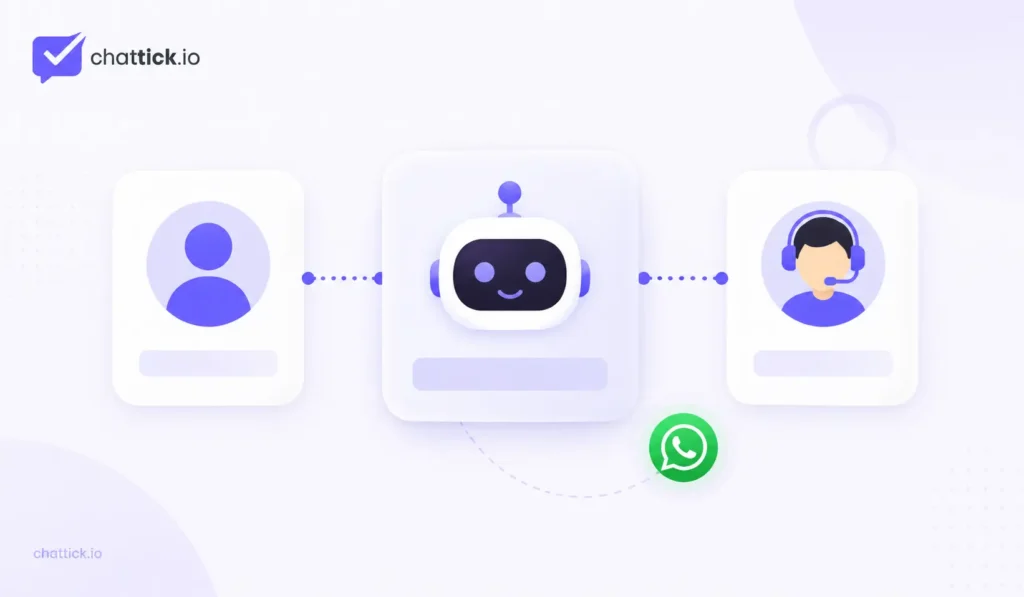
Human Handoff Should Be Planned Early
Every bot eventually receives a message it cannot handle. That is normal.
The important question is what happens next.
A handoff may be needed when the customer asks for an employee, the bot fails to understand the request, the issue involves a complaint, a payment problem needs review or a salesperson needs to take over.
The employee should receive the context already collected during the automated part of the conversation. If the bot asked for the customer’s service, location and budget, those answers should be visible when the person joins.
A handoff that forces the customer to repeat everything is not really a good handoff.
Customers Need a Simple Way to Reach a Person
Some chatbot experiences become frustrating because the system appears determined to stop the customer from reaching a human.
The person types “agent.”
The bot sends another menu.
They type “human.”
The same response appears again.
That design may increase the percentage of conversations handled automatically, but it does not improve the customer experience.
Give people a clear way out. This could be a button, a keyword or an automatic rule that transfers the conversation after the bot fails to resolve the request.
The route to a person should be tested as carefully as the automated paths.
Give the Bot a Clear Job
A vague instruction such as “answer anything customers ask” makes a bot difficult to control and test.
A more useful scope is specific: answer common service questions, collect lead information and book a consultation. The business immediately knows what information is required, where integrations are needed and when a human should become involved.
Once that narrow process works reliably, the bot can expand.
Starting small also makes mistakes easier to find. If a bot is trying to handle sales, support, billing, product advice and account management from the first day, diagnosing poor conversations becomes much harder.
An AI Bot Needs Reliable Information
AI can generate natural language, but it still needs a trustworthy source of business information.
If the company website lists one price, an old PDF lists another and the CRM contains outdated service information, the bot cannot reliably decide which source is correct.
Clean up the information before connecting it to AI.
The business should know where approved details such as pricing, opening hours, locations, service descriptions and policies live. Those sources should also be reviewed when information changes.
A bot that sounds confident while giving old information is worse than one that simply says it needs to check with a person.
Sensitive Actions Need Extra Control
Not every action should be completed automatically.
Providing store hours is low risk. Issuing a refund, changing important account details or making a consequential booking change is different.
Businesses should decide which actions the bot can complete directly, which require customer confirmation and which should always involve an employee.
This does not make the automation weaker.
It makes it safer and easier to trust.
Webhooks and APIs Connect the Bot With the Rest of the Business
A bot becomes much more useful when WhatsApp can communicate with other systems. APIs and webhooks often make those connections possible.
A customer books an appointment and the booking system updates. An order ships and the ecommerce platform records the new status. A lead moves to another CRM stage. These events can trigger WhatsApp actions automatically.
Information can move the other way as well. A customer reply may update a CRM field or start a new workflow.
The customer sees a simple conversation.
Behind it, the business may have several connected systems keeping the process moving.
Common WhatsApp Bot Mistakes
Most poor chatbot experiences do not fail because the technology is unavailable. They fail because the conversation was designed badly.
Common problems include:
- Asking too many questions before handing over to a person
- Creating long menus customers do not want to read
- Giving generic answers when real customer data is available
- Hiding the human-support option
- Using AI without reliable business information
- Asking customers for information already stored in the CRM
- Automating sensitive actions without enough control
- Sending unnecessary follow-up messages
- Building the chatbot separately from the sales or support process
- Testing only perfect customer conversations
A technically advanced bot can still be unpleasant to use. Customers judge the interaction they experience, not the software behind it.
How to Plan a WhatsApp Bot
Start with one customer journey rather than trying to automate the entire inbox.
Suppose the problem is lead qualification. The first version may be very simple:
- Customer starts the WhatsApp conversation.
- Bot identifies the service they need.
- Two or three useful details are collected.
- CRM contact is created or updated.
- Lead is assigned to the correct salesperson.
- Customer is told what happens next.
- Employee takes over.
That workflow is small enough to test properly and useful enough to save time.
Once it is working reliably, the business can decide whether another part of the conversation is worth automating.
How to Set Up a WhatsApp Bot
The technical tools will vary depending on whether the business uses a provider, an automation platform or custom development. The planning process is more consistent.
1. Choose one problem
Do not begin with “we need an AI chatbot.” Decide what should improve. Faster lead qualification, easier appointment booking or fewer repetitive support questions are much clearer goals.
2. Map the conversation
Write down what customers normally ask, what information is required and what a successful outcome looks like. Remove unnecessary questions before building anything.
3. Identify the systems involved
Work out where customer information, orders, appointments and sales records currently live. The bot should connect with the systems that already hold the correct data.
4. Connect WhatsApp
Set up the appropriate WhatsApp Business Platform connection and the software that will receive and send messages.
5. Build the conversation logic
Use rules when choices are predictable. Use AI when language genuinely needs interpretation. A hybrid approach can use both.
6. Design human handoff
Decide when the bot should stop and who receives the conversation.
7. Connect backend actions
Create the CRM updates, assignments, booking actions, notifications or other workflows the conversation needs.
8. Test situations customers will actually create
Try spelling mistakes, incomplete answers, unexpected questions and requests for a person. Also test what happens if an external system is unavailable.
9. Launch with a narrow scope
Start with one process or team rather than every conversation at once.
10. Review real chats
Customers will use the bot differently from the people who built it. Review actual conversations and simplify anything that causes confusion.
What Happens When a Connected System Fails?
A chatbot may depend on a CRM, calendar, ecommerce platform or another API. Those services will not work perfectly forever.
If the calendar cannot be reached, the bot should not invent an available appointment. If an order lookup fails, it should not pretend the order does not exist. If a CRM update fails, the team needs a way to know that the lead was not stored correctly.
Fallback behaviour should be part of the original design.
Sometimes the right response is to retry automatically. Sometimes the customer should be told that the information cannot be checked right now. In other cases, the safest option is to hand the conversation to a person.
The important thing is that failure has a defined next step.
WhatsApp Bot Use Cases by Business Type
The technology may be similar across companies, but the best use case depends on the business.
A clinic might use a bot to answer basic treatment questions, collect appointment requests and route customers to reception. An ecommerce company may focus on product enquiries, order tracking and customer support. A property business could collect location, budget and property requirements before passing a lead to an agent.
An automotive workshop could ask for the vehicle make, model and service required. A consultancy may qualify leads and book discovery calls. A software company might use the bot to identify the product involved and route technical issues to the right support team.
The useful workflow comes from the business process.
Not from copying another company’s chatbot.
How Much Does a WhatsApp Bot Cost?
There is no single price because a chatbot can be anything from a small rule-based flow to a custom AI system connected with several platforms.
Costs may include the messaging setup, chatbot software, a provider subscription, CRM or automation tools, custom development, AI usage and ongoing maintenance.
A small company using an existing platform may have a relatively predictable monthly cost. A larger organization building a custom system may spend more during implementation but gain much greater control.
Price should be compared with the problem being solved.
A cheap bot that creates extra work for employees is not really cheap.
Should a Small Business Use a WhatsApp Bot?
A small business does not automatically need a chatbot.
If only a handful of customers message each day and those conversations are different every time, manual replies may still work perfectly well.
The case becomes stronger when repetition starts appearing. Employees ask the same questions repeatedly, leads wait too long for an initial response, appointments take several messages to arrange or customers keep requesting information that another system already has.
Those are practical signs that a small bot could help.
The first version does not need to be complicated. One useful workflow can be enough.
How Do You Know Whether the Bot Is Working?
Counting how many messages the bot sends is not enough.
A better question is whether it improved the process.
Useful measures may include:
- Faster first response
- More qualified leads reaching sales
- More appointments completed
- Fewer repetitive support questions
- Lower customer drop-off during the flow
- Less manual data entry
- Faster routing to the right employee
- Fewer failed or misunderstood conversations
- Better conversion after qualification
A bot that handles fewer conversations but handles the right ones well may create more value than a bot trying to automate everything.
WhatsApp Bot Best Practices for 2026
Keep the opening simple. Customers should understand what they can do without reading a long introduction first. If the bot needs information, ask for it as the conversation moves along rather than collecting everything at the start.
For straightforward choices, buttons and fixed options usually work well. AI is more useful when people are likely to explain things in their own words. And if the business already knows something about the customer from the CRM, there is little reason to ask for it again.
The real test comes after people start using the bot. Customers will type things you did not expect, skip questions, change direction halfway through a chat and sometimes ask for a person straight away. Watch those conversations closely. They usually show very quickly where the bot is helping and where it is getting in the way.
Most importantly, do not judge the system by how much it automates. Judge it by whether customers get useful help faster and whether employees spend less time repeating routine work.
Frequently Asked Questions
What does a WhatsApp bot actually do?
It handles parts of a WhatsApp conversation automatically. Depending on the setup, that might mean answering a common question, collecting lead details, checking an order, booking an appointment or sending the customer to the right employee.
Can a WhatsApp bot answer messages automatically?
Yes. That can be as simple as a fixed reply or as advanced as checking customer information before responding. The useful part is not simply replying instantly; it is giving the customer the right response for the situation.
Is a WhatsApp bot the same as a chatbot?
In everyday business use, people normally mean the same thing. “WhatsApp chatbot” simply makes it clear that the bot is communicating with customers through WhatsApp.
Do I need a different phone number for the bot?
Usually not. A bot can work on the same business number customers already use, with employees taking over when necessary. Separate numbers may make sense for different departments or countries, but the bot itself does not require one.
Can a WhatsApp bot work with my CRM?
It can if the systems are connected. The CRM may help the bot recognize an existing customer, store lead information or route the conversation to the correct salesperson. The exact behaviour depends on the integration rather than WhatsApp alone.
Can customers book appointments through a WhatsApp bot?
Yes, especially when the bot is connected to the company’s actual booking system or calendar. Without that connection, it is safer for the bot to collect a preferred date and let the team confirm availability.
Does a WhatsApp bot need AI?
No. A lot of useful chatbot work can be handled with rules, buttons and normal system integrations. AI becomes more useful when customers need to type questions naturally rather than follow a fixed path.
Can someone leave the bot and speak with a person?
They should be able to. A good chatbot makes that transition easy and passes the information already collected to the employee, so the customer does not have to start the conversation again.
Is a WhatsApp bot worth it for a small business?
It can be when there is obvious repetition. If employees answer the same questions every day, repeatedly collect the same lead details or spend too much time arranging simple bookings, even a small chatbot can reduce that workload.
How can I tell if my business needs one?
Look through your existing WhatsApp conversations. If the same questions, qualification steps or routing problems appear again and again, there is probably something worth automating. If every conversation requires personal judgment, a chatbot may add more complexity than value.
Final Thoughts
A WhatsApp bot works best when it has a clear job. It might answer common questions, collect a few lead details, help arrange an appointment or move a customer to the right department. None of those tasks requires the bot to behave like a human or control the entire conversation.
The strongest setups usually combine several things. The bot handles the predictable part, automation manages the work happening behind the scenes and employees step in when the customer needs judgment or personal help.
Start with the conversation your business already has. Look for the part employees keep repeating and build around that first.
A small company may only need one simple bot flow. A larger business may connect WhatsApp with its CRM, ecommerce platform, booking system, AI tools and support inbox. The technology can grow as the operation grows.
From the customer’s side, though, it should still feel uncomplicated.
They ask for help, get a useful response and reach a real person when they need one.
That is a much better goal than trying to automate every message.