

A new lead messages your business on WhatsApp after seeing an ad. A salesperson replies, answers two questions and agrees to follow up the next morning. The conversation is useful, but Salesforce still shows little more than the lead’s name and phone number. Unless somebody remembers to update the CRM, the rest of that conversation effectively lives somewhere else.
That gap becomes expensive as a team grows. Sales reps copy information between tools, support teams cannot easily see what happened before a case reached them, and managers struggle to tell whether WhatsApp conversations are actually creating opportunities. A Salesforce WhatsApp integration is meant to close that gap by bringing the messaging channel and customer record into the same operating process.
In 2026, there is more than one way to do this. Salesforce has its own WhatsApp capabilities, including enhanced WhatsApp channels and Unified Messaging. Businesses can also use Salesforce AppExchange products, WhatsApp solution providers, automation middleware or custom API integrations. The right route depends less on which option sounds most advanced and more on what your team actually needs WhatsApp to do.
What Is Salesforce WhatsApp Integration?
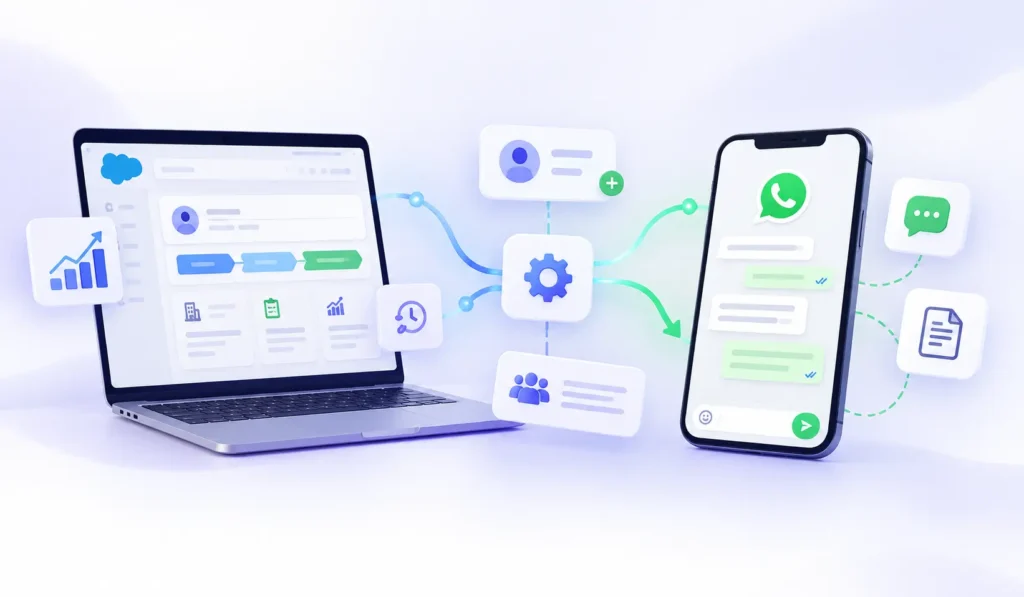
Salesforce WhatsApp integration connects WhatsApp business messaging with Salesforce so conversations can become part of CRM workflows rather than remaining separate chats. Depending on the setup, teams can send and receive messages, associate conversations with Salesforce records, route enquiries, trigger automations, create or update leads, handle support cases and report on activity from inside the Salesforce environment.
For a sales team, that might mean a WhatsApp enquiry automatically becomes a Lead and is assigned to the right rep. For customer service, an incoming message may become part of a support workflow and reach the right queue. Marketing may use customer data to send approved WhatsApp communication and then see how those interactions relate to other customer activity.
Salesforce’s own WhatsApp setup can also bring conversations into the Service Console. Depending on the configuration, teams can manage messaging, routing, transfers, notifications and other customer-service activity without treating WhatsApp as a completely separate inbox.
The value is not simply that WhatsApp appears inside Salesforce. The real value comes when the conversation can influence the CRM record and the CRM record can influence what happens next in WhatsApp.
There Are Several Ways to Connect Salesforce and WhatsApp
One reason this topic becomes confusing is that the phrase Salesforce WhatsApp integration can describe very different systems.
Native Salesforce WhatsApp
Salesforce provides native WhatsApp capabilities through its messaging products. Enhanced WhatsApp channels can support service use cases, while Unified Messaging can help bring marketing and service interactions into a more connected setup.
This route usually makes sense when Salesforce is already central to the company’s service or marketing operation and the team wants WhatsApp to behave like another Salesforce-managed channel rather than another external inbox.
AppExchange or a WhatsApp Provider
Another option is to install a Salesforce application or use a provider that already connects WhatsApp with Salesforce. This can be easier for businesses that want a ready-made inbox, chatbot, sales workflow or automation layer without building the connection internally.
The depth of these integrations varies. One connector may mainly log conversations against Leads and Contacts, while another may include campaign tools, bots, templates, automation and shared inbox functionality.
That is why “Salesforce integration” by itself does not tell you much. The useful question is what the integration actually does once a customer sends a message.
Custom WhatsApp Business Platform Integration
Businesses with development resources can build a custom connection using the WhatsApp Business Platform and Salesforce APIs. WhatsApp events can be passed into an integration layer or Salesforce, while Salesforce data can trigger outbound messaging and internal workflows.
This route gives the company more control over matching, custom objects, routing and automation. The trade-off is that the business also takes responsibility for development, monitoring, error handling and maintenance.
None of these approaches is automatically the best. They solve different problems.
Native Salesforce WhatsApp Is More Than a Simple Chat Connector
It is easy to think of native WhatsApp support as a chat box added to Salesforce, but that misses much of the operational value.
For service teams, WhatsApp conversations can become part of the same environment where agents already manage customer issues. Conversations can be routed, transferred and handled according to the company’s existing service process instead of creating another isolated support channel.
Businesses using both marketing and service should also pay attention to Unified Messaging. The idea is to make messaging activity less fragmented when a customer moves from a marketing interaction into a sales or service conversation.
That matters because customers do not think in departments. They see one company and one WhatsApp conversation.
Start by Deciding What Salesforce Should Own
Before configuring the integration, decide what Salesforce should actually be responsible for.
Some companies only want WhatsApp conversations recorded against CRM contacts. Others want salespeople to send and receive messages directly from Salesforce. A support operation may need queues, routing, transfers and case handling, while marketing may care about campaign activity, templates and consent.
Those requirements lead to very different implementations.
A B2B sales team may only need an incoming WhatsApp enquiry to match the correct Lead or Contact and notify the record owner. A large support operation may need queue management, escalation rules and supervisor visibility.
Write the desired process down before choosing the technology. Otherwise, the team can spend a lot of time configuring an integration that solves the wrong problem.
Prepare the WhatsApp Business Account and Phone Number
A Salesforce WhatsApp setup normally involves connecting the relevant WhatsApp Business Account and business phone number.
The phone number deserves more attention than it usually receives. It may already appear on the company website, social profiles, advertisements, invoices and customer records. Customers may have saved it for years.
If the business already uses WhatsApp through another provider, migration should therefore be planned carefully rather than automatically replacing the number.
The goal is to change the infrastructure without unnecessarily changing the customer-facing experience.
Decide How WhatsApp Contacts Match Salesforce Records
This is one of the most important parts of the implementation.
An incoming WhatsApp message usually starts with a phone number. Salesforce now needs to determine who that number belongs to.
Is it already attached to a Lead? A Contact? A Person Account? What happens if the same number appears on two records? What if an existing customer messages from another number?
If these rules are not defined, integrations can start creating duplicate records very quickly.
A practical setup should decide which Salesforce objects are checked first, how phone numbers are formatted and normalized, and what happens when no match exists. The business should also decide whether an unknown conversation creates a Lead immediately or only after basic information has been collected.
This may sound like database housekeeping, but it affects the customer experience. An existing customer should not repeatedly be treated like a brand-new lead because record matching is weak.
Consent Should Live With the Customer Record
WhatsApp permission should not exist only in someone’s memory or an old spreadsheet.
The WhatsApp Business Messaging Policy places requirements around business-initiated communication, opt-in and how businesses use WhatsApp to contact customers.
From a Salesforce perspective, the useful approach is to make consent part of the customer record and workflow. If somebody opts out, the system should not depend on an employee remembering not to contact them again.
That preference should be stored somewhere the automation can actually check before another message is triggered.
Message Templates Need a Proper Operating Process
WhatsApp templates can become difficult to manage as the company grows.
A business may eventually have separate templates for appointment reminders, order updates, event notifications, lead follow-ups and marketing communication. If those templates are created without naming rules or ownership, the library quickly becomes confusing.
Someone should own the template process.
Use consistent names, document what each template is for and remove old versions when they are no longer needed. This becomes especially important once different teams start creating templates for different parts of the customer journey.
A template library should make the system easier to operate, not become another place where nobody knows which version is current.
Salesforce Flow Is Where the Integration Becomes Much More Useful
Connecting WhatsApp is only the foundation. Salesforce Flow is where many teams can begin turning messaging into an actual CRM workflow.
Imagine an Opportunity reaching a stage where the customer needs an appointment confirmation. A record-triggered Flow can begin the relevant process. A Case changes status and the customer receives an update. A lead replies and a follow-up task is created for the record owner.
The temptation is to automate everything once the first workflow works, but that usually creates unnecessary complexity. A good automation should have a clear trigger, a clear reason for running and a clear condition for stopping.
For example, a follow-up workflow should not continue sending reminders after the customer has already replied.
Automation should reduce repetitive work. It should not create strange conversations that employees then have to repair manually.
A Simple Sales Automation Can Be Surprisingly Powerful
Consider a business where website and advertising leads already enter Salesforce.
Without WhatsApp integration, the salesperson sees the Lead, copies the phone number, opens another application and sends the first message manually. If the prospect responds, the conversation may never make it back into the CRM.
With the systems connected, the process becomes cleaner. Salesforce receives the lead, checks the relevant information, starts the appropriate WhatsApp workflow and keeps ownership connected with the CRM record.
If the lead replies positively, sales can continue. If they ask for a person, the salesperson can take over. If the message fails, the team can see that something needs attention.
That is a meaningful integration.
Simply adding a WhatsApp button to a Contact record is not the same thing.
Customer Service Has Different Requirements
Sales conversations are often owned by a specific salesperson. Support conversations may need to move between queues, departments or available agents.
A customer may begin with a simple question and later need technical support, billing assistance or another team. The conversation should not lose its history every time ownership changes.
If automation or a chatbot is used at the beginning, the human agent should also receive whatever information has already been collected.
A customer who told the bot their name, issue and account number should not have to provide all three again when a person takes over.
The handoff is part of the integration, not an afterthought.
WhatsApp Flows Can Collect Structured Information
Some customer journeys are awkward when every detail is collected through separate messages.
Appointment booking may require a date, location and service. Lead qualification may need several fields. Support may require structured information before the request can be handled.
WhatsApp Flows can make these interactions more organized by collecting information through a structured experience inside WhatsApp.
That information can then be used in the Salesforce workflow.
The customer stays inside WhatsApp while Salesforce receives cleaner, more useful data.
This can reduce unnecessary back-and-forth, especially when the same information is required for every customer.
Marketing and Service Should Not Behave Like Two Different Companies
A customer may first interact with the business through a marketing campaign and later need customer support.
From their perspective, it is still the same company.
The experience becomes frustrating when the support team cannot see what happened during the earlier marketing or sales conversation, or when the customer has to explain everything again.
A better Salesforce WhatsApp setup keeps enough context available as the customer moves between teams.
Marketing can generate the conversation, sales can continue it and service can later help the same customer without treating each stage as a completely separate relationship.
Record Ownership Should Be Designed Before Launch
Every incoming conversation needs an owner or a clear route to one.
A shared inbox alone does not solve this.
Who owns a new sales enquiry? What happens if the account owner is unavailable? Where does an unknown customer go? Should a high-value account bypass the general queue? What happens if nobody responds within the expected time?
A smaller business may use simple round-robin assignment. A larger organization may route based on country, language, product or Salesforce ownership.
The exact model can vary.
What matters is that the team knows who is responsible.
An expensive CRM integration cannot compensate for customer conversations that nobody owns.
Migration Needs Planning if WhatsApp Is Already in Use
Many companies researching Salesforce WhatsApp integration already have WhatsApp running somewhere else.
That makes the project different from setting up a new number.
A migration plan should include the phone number, existing templates, workflows, integrations, consent information and current agent processes. The team should decide what can move, what must be recreated and how incoming customer conversations will be handled during the change.
This is also why migration should not be scheduled casually during a major campaign or the busiest sales period.
The technical switch may be small.
The operational impact may not be.
Native Salesforce vs Third-Party Connector vs Custom Build
For many businesses, this is the real decision.
Native Salesforce can make sense when the company already relies heavily on Salesforce for service or marketing and wants WhatsApp to become part of that same environment.
A third-party connector may be attractive when the business wants faster implementation, a particular inbox or features designed around a specific sales process.
A custom build gives the most flexibility. It can work with custom Salesforce objects, company-specific rules and external systems that a standard connector may not support.
The downside is ownership.
Somebody has to build, monitor and maintain it.
The better question is not “Which integration type is best?” It is “Which parts of this system do we genuinely want to manage ourselves?”
Be Careful With the Phrase “Two-Way Sync”
It sounds reassuring, but it can mean almost anything.
One provider may call its system two-way because WhatsApp messages appear in Salesforce and Salesforce can send messages back. Another may also synchronize customer fields, record ownership, lead status and campaign activity.
Ask exactly what moves in each direction.
Can an incoming message update a Contact? Can a customer response change a CRM field? Can an Opportunity stage trigger WhatsApp? Where is conversation history stored? What happens if the same phone number belongs to multiple records?
The quality of the integration is often hidden inside these details.
Reporting Should Measure More Than Messaging Activity
Knowing how many WhatsApp conversations took place is useful.
Knowing what those conversations achieved is much more useful.
Sales teams may want to measure leads created, qualification rates, meetings booked and opportunities generated. Service teams may care about response time, queue volume, resolution and escalation.
Marketing may want to know which campaigns created useful conversations rather than simply how many messages were delivered.
Salesforce becomes valuable when WhatsApp activity can be connected with the same business records and outcomes the company already reports on.
A manager should be able to move beyond “we sent thousands of WhatsApp messages.”
The better question is what those conversations changed.
Cost Depends on the Architecture
There is no useful single price for Salesforce WhatsApp integration.
A native Salesforce setup may require particular products or messaging capabilities. A third-party connector may charge by user, phone number, message volume or feature level. A custom implementation introduces development and ongoing maintenance costs.
WhatsApp messaging costs may also sit alongside the Salesforce or provider costs.
That makes simple starting-price comparisons misleading.
Ask for pricing based on the system you actually intend to deploy: number of users, number of WhatsApp numbers, expected messaging volume, integrations and automation requirements.
A cheap connector that requires employees to fix things manually every day can end up costing more than a better system that looked expensive at first.
Common Salesforce WhatsApp Integration Mistakes
Most problems appear after the integration technically works.
The number connects, a test message arrives and everybody assumes the project is finished. Then real customers begin using it.
Duplicate Leads appear because record matching was never defined. Conversations reach a queue without ownership. Automations continue after customers reply. Template libraries become messy. Consent information exists somewhere the workflow never checks.
A production-ready implementation needs more than one successful test message.
Before launch, test an existing Contact, a completely new customer, duplicate phone numbers, an opted-out contact, an after-hours enquiry, a failed message and a conversation that needs human handoff.
Real scenarios reveal whether the workflow is actually ready.
Salesforce WhatsApp Integration Best Practices for 2026
Keep Salesforce as the main source of customer context if it is already the company’s primary CRM. Avoid creating another disconnected customer database unless there is a clear reason for doing so.
Design record matching before live conversations start arriving. Make consent available to the automations that need it, and decide who owns phone numbers, templates, queues and routing rules.
Start with a few workflows that solve obvious manual problems. Lead assignment, appointment reminders and customer updates are easier to test than one enormous automation covering the entire customer journey.
Human handoff should also be simple. If automation collects useful customer information, make sure the Salesforce user sees it when they take over.
Finally, measure business outcomes. The goal of a Salesforce WhatsApp integration is not simply to increase WhatsApp activity. It is to make customer communication more useful, easier to track and better connected with the work already happening inside Salesforce.
Frequently Asked Questions
Can Salesforce integrate directly with WhatsApp?
Yes. Salesforce has native WhatsApp capabilities, and businesses can also use third-party connectors or custom integrations depending on their requirements.
Can Salesforce send WhatsApp messages automatically?
Yes. Automation can be built around Salesforce workflows so certain CRM events can start the relevant WhatsApp messaging process.
Can WhatsApp conversations appear inside Salesforce?
Yes, depending on the setup. Native messaging and third-party integrations can bring WhatsApp conversations into Salesforce environments so employees can work with them alongside customer records.
Can WhatsApp create Leads in Salesforce?
Yes. An integration can be designed to match incoming conversations with existing records or create a new Lead when no suitable customer record exists.
Can Salesforce use WhatsApp for customer support?
Yes. WhatsApp can be used as a customer-service channel, with conversations routed to the appropriate employees or queues depending on the Salesforce setup.
Does Salesforce support WhatsApp Flows?
WhatsApp Flows can be used to collect structured information during a conversation, and that information can become part of Salesforce workflows where the setup supports it.
Do WhatsApp messages need approved templates?
Business-initiated WhatsApp communication may require approved templates depending on the messaging situation and current WhatsApp rules.
Can an existing WhatsApp number be moved to Salesforce?
Many businesses can continue using or migrate existing business numbers, although the exact process depends on how the number is currently configured.
Is native Salesforce WhatsApp better than a third-party integration?
Not automatically. Native Salesforce may suit companies already heavily invested in Salesforce, while a third-party platform may provide a quicker or more specialized workflow. Custom development is another option when greater control is needed.
What should I check before choosing a Salesforce WhatsApp integration?
Look at record matching, CRM objects, conversation ownership, automation, consent, template management, reporting, migration and how employees will actually use the system each day.
Final Thoughts
The best Salesforce WhatsApp integration is not the one that simply proves Salesforce and WhatsApp can exchange messages.
That part is only the connection.
The more important work is deciding what happens once a customer sends a message. Salesforce needs to know who the person is, which record matters, who should own the conversation and whether another workflow needs to begin.
For some businesses, Salesforce’s own messaging tools will provide the right architecture. Others may reach the desired workflow faster through a connector or provider. Companies with more unusual requirements may choose to build around the WhatsApp Business Platform and Salesforce APIs.
Whichever route you choose, build around the customer journey rather than the technology alone. A WhatsApp message should not become another isolated piece of customer data.
It should become useful context inside Salesforce.