
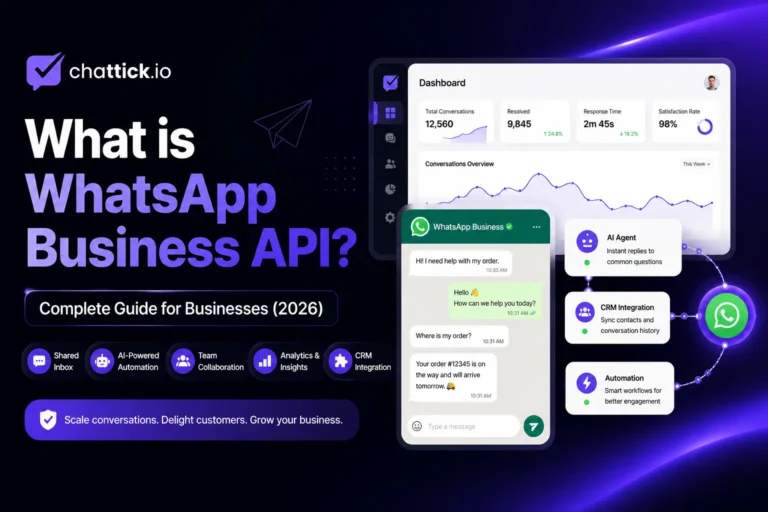
Customer communication has changed dramatically over the past few years. Today, customers expect businesses to respond instantly, provide personalized support, and remain available across multiple channels. Since WhatsApp is one of the world’s most widely used messaging platforms, businesses are increasingly using it to connect with customers in a faster and more convenient way.
This is where WhatsApp Business API becomes valuable.
Unlike the standard WhatsApp Business App, WhatsApp Business API is built for growing businesses that need automation, multiple team members, CRM integration, AI-powered conversations, and the ability to manage thousands of customer interactions efficiently.
In this guide, you’ll learn everything you need to know about WhatsApp Business API, including how it works, its key features, pricing, benefits, and how businesses can get started.
What is WhatsApp Business API?
WhatsApp Business API is Meta’s enterprise messaging solution designed for medium and large businesses that need to communicate with customers at scale.
Instead of relying on a single mobile device, the API allows businesses to integrate WhatsApp into their existing systems such as CRM software, customer support platforms, help desks, sales tools, and automation platforms.
With WhatsApp Business API, businesses can:
- Manage conversations from multiple team members
- Automate replies using AI chatbots
- Connect WhatsApp with CRM software
- Send approved notification templates
- Route conversations to the right department
- Monitor team performance
- Scale customer support without compromising response quality
Unlike the regular WhatsApp Business App, the API is not a standalone application. It works through an official WhatsApp Business Solution Provider like Chattick, which provides the interface, automation tools, integrations, analytics, and user management businesses need.
Why Businesses Choose WhatsApp Business API
As customer expectations continue to rise, businesses need more than just a messaging app. They need a communication platform that improves response times, supports collaboration, and automates repetitive tasks.
WhatsApp Business API helps businesses:
Improve Customer Support
Customers prefer messaging over waiting on phone calls or sending emails. Businesses can provide quick, convenient support directly through WhatsApp.
Increase Sales
Sales teams can answer inquiries faster, qualify leads, follow up with prospects, and guide customers through the buying journey using one familiar communication channel.
Automate Conversations
Routine questions like pricing, order status, appointment booking, FAQs, and lead qualification can be handled automatically using AI-powered workflows.
Scale Operations
Whether your business handles hundreds or thousands of conversations daily, WhatsApp Business API makes it easier to manage communication efficiently.
How Does WhatsApp Business API Work?
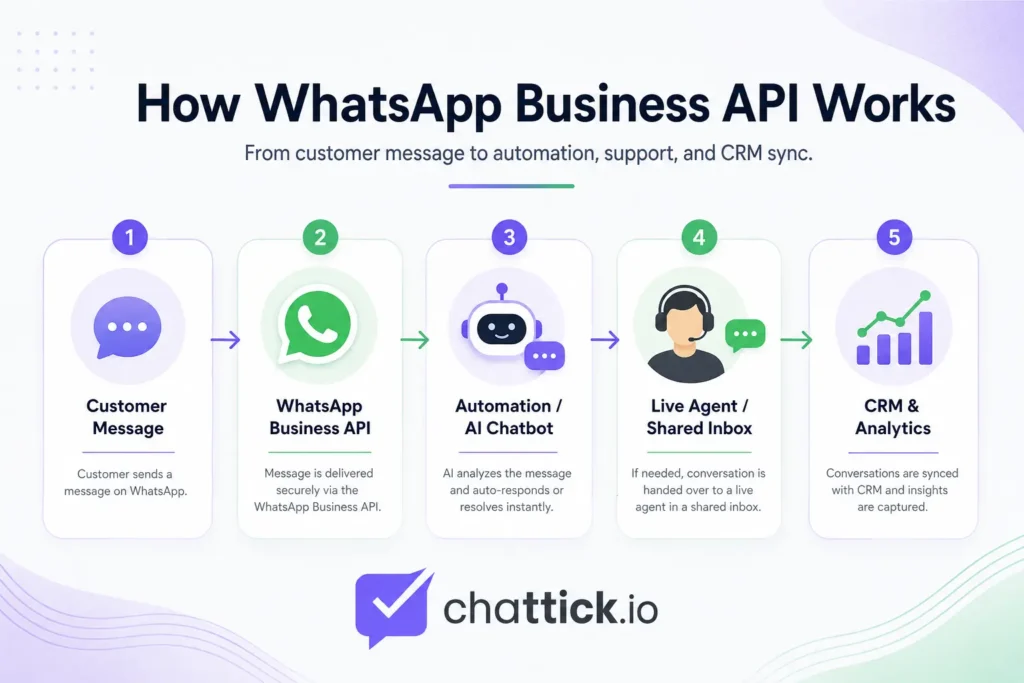
Unlike the standard WhatsApp Business App, the API does not have its own mobile interface.
Instead, it works through an official business communication platform like Chattick.
The process is simple:
- A customer sends a WhatsApp message.
- The message reaches your Chattick inbox.
- AI automation or your support team responds instantly.
- Conversations can be assigned to different departments.
- Customer information is synchronized with your CRM or business software.
- Managers can monitor conversations, reports, and team performance from a single dashboard.
This approach allows businesses to provide a consistent customer experience while improving operational efficiency.
Who Should Use WhatsApp Business API?
WhatsApp Business API is suitable for businesses of all sizes, especially those that receive a high volume of customer messages.
It is commonly used by:
- E-commerce businesses
- Healthcare providers
- Educational institutions
- Financial services
- Insurance companies
- Travel agencies
- Automotive businesses
- Real estate companies
- SaaS companies
- Customer support teams
If multiple employees need access to the same WhatsApp number, WhatsApp Business API is generally a better choice than the standard app.
WhatsApp Business API vs WhatsApp Business App
| Feature | WhatsApp Business App | WhatsApp Business API |
|---|---|---|
| Multiple Agents | ❌ | ✅ |
| AI Automation | ❌ | ✅ |
| CRM Integration | ❌ | ✅ |
| Shared Team Inbox | ❌ | ✅ |
| Advanced Analytics | ❌ | ✅ |
| Workflow Automation | ❌ | ✅ |
| Enterprise Scalability | Limited | Unlimited |
For small businesses with very few daily conversations, the WhatsApp Business App may be enough. However, businesses planning to grow often benefit from the flexibility and scalability offered by WhatsApp Business API.
Key Features of WhatsApp Business API
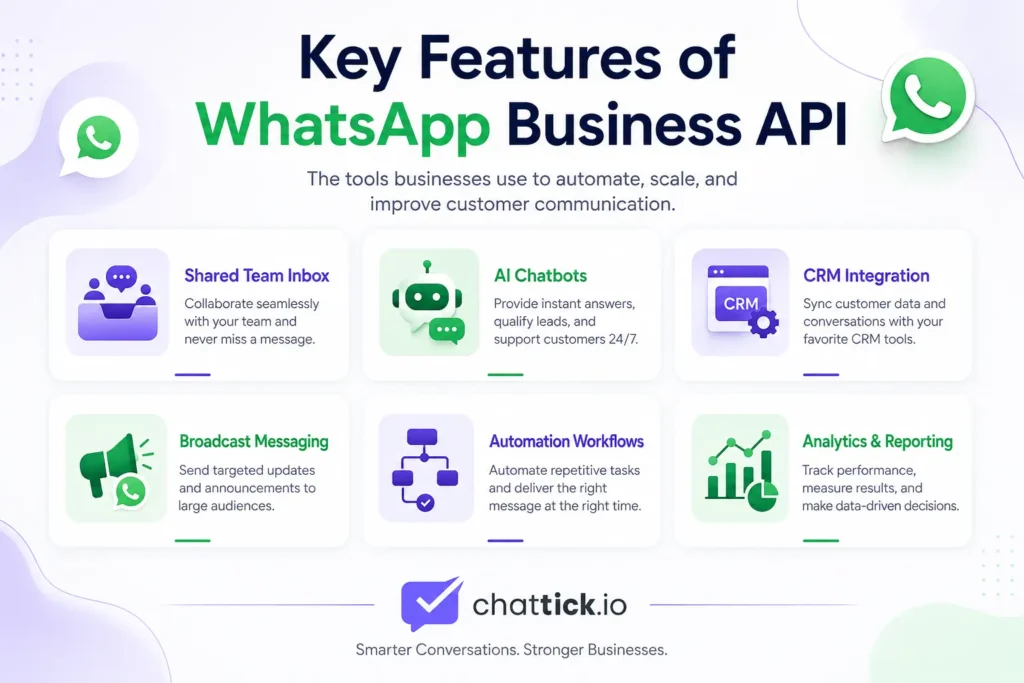
WhatsApp Business API offers far more than basic messaging. It provides businesses with powerful communication tools that improve customer service, automate repetitive tasks, and help teams work together efficiently.
Here are some of the most valuable features.
1. Multi-Agent Team Inbox
One of the biggest limitations of the WhatsApp Business App is that it is designed for a single business account with limited team collaboration.
With WhatsApp Business API, multiple agents can manage customer conversations from the same WhatsApp number simultaneously.
Benefits include:
- Assign chats to team members
- Department-based routing
- Faster response times
- Improved customer experience
- No shared phone required
Platforms like Chattick provide a shared inbox where sales, support, and customer success teams can collaborate without confusion.
2. AI-Powered Automation
Businesses receive many repetitive questions every day.
Examples include:
- What are your business hours?
- Where is my order?
- How much does this cost?
- Can I book an appointment?
- How do I track my shipment?
Instead of replying manually, businesses can automate these conversations using AI.
AI automation can:
- Answer frequently asked questions
- Qualify new leads
- Collect customer information
- Route conversations
- Book appointments
- Escalate complex issues to human agents
This improves customer satisfaction while reducing workload for support teams.
3. CRM Integration
Businesses often use CRM platforms to manage customers.
WhatsApp Business API can integrate with CRM systems so customer information stays organized in one place.
Popular integrations include:
- Salesforce
- HubSpot
- Zoho CRM
- Microsoft Dynamics
- Custom CRM platforms
This allows agents to see customer history before replying, leading to faster and more personalized conversations.
4. Broadcast Messaging
Businesses can send approved WhatsApp message templates to customers for:
- Appointment reminders
- Payment confirmations
- Shipping updates
- Order notifications
- Promotional campaigns
- Event reminders
Unlike spam messaging, WhatsApp Business API follows Meta’s official messaging policies to maintain customer trust.
5. Conversation Routing
Instead of every message reaching the same employee, businesses can automatically route conversations.
For example:
- Sales inquiries → Sales Team
- Billing questions → Finance
- Technical support → Support Team
- Complaints → Customer Success
This reduces wait times and ensures customers reach the right person quickly.
6. Analytics and Reporting
Businesses need data to improve performance.
WhatsApp Business API platforms provide insights such as:
- Response time
- Resolution time
- Customer satisfaction
- Agent productivity
- Conversation volume
- Team performance
Managers can identify bottlenecks and continuously improve customer support.
Benefits of WhatsApp Business API
The real value of WhatsApp Business API comes from how it transforms customer communication.
Here are some of the biggest advantages.
Faster Customer Responses
Customers expect immediate replies.
With automation and shared team inboxes, businesses can respond within seconds instead of hours.
Faster replies lead to:
- Better customer experience
- Higher satisfaction
- Increased trust
- More conversions
Better Team Collaboration
Instead of sharing one phone among employees, every team member works from the same platform.
Managers can:
- Monitor conversations
- Assign chats
- Review performance
- Maintain service quality
This creates a more organized support process.
Higher Sales Conversions
WhatsApp is often the final communication channel before customers make a purchase.
Businesses can use WhatsApp Business API to:
- Answer product questions
- Send quotations
- Follow up on leads
- Recover abandoned carts
- Recommend products
These interactions help convert more prospects into paying customers.
Reduced Operational Costs
Automation reduces the number of repetitive conversations handled manually.
Instead of hiring additional support staff, businesses can automate common workflows while allowing human agents to focus on complex issues.
Stronger Customer Relationships
Customers appreciate personalized communication.
With CRM integration and conversation history, agents can greet customers by name, understand previous interactions, and provide relevant assistance.
This creates long-term customer loyalty.
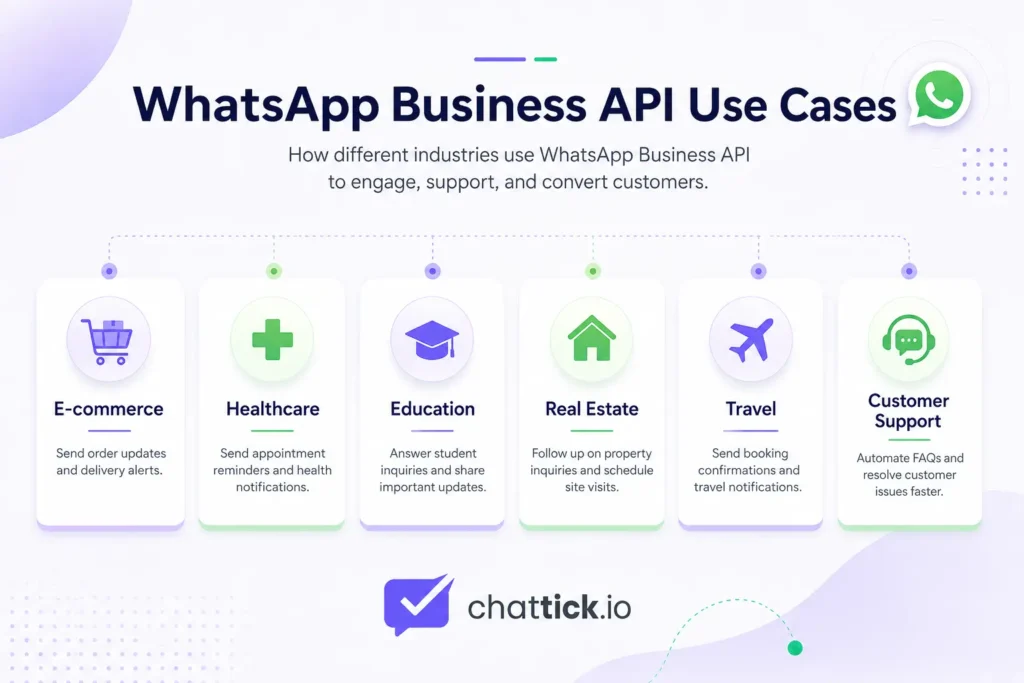
Industries That Benefit from WhatsApp Business API
Almost every industry can improve customer communication using WhatsApp Business API.
E-commerce
- Order confirmations
- Shipping updates
- Product recommendations
- Cart recovery
Healthcare
- Appointment reminders
- Prescription notifications
- Patient support
- Follow-up messages
Education
- Student inquiries
- Course updates
- Admission support
- Fee reminders
Real Estate
- Property inquiries
- Viewing appointments
- Lead qualification
- Client follow-ups
Financial Services
- Account notifications
- Payment reminders
- Customer verification
- Secure communication
Travel
- Booking confirmations
- Travel updates
- Customer assistance
- Itinerary sharing
Real-World Example
Imagine an online store receiving hundreds of WhatsApp messages every day.
Without WhatsApp Business API:
- One employee manages everything.
- Customers wait for replies.
- Leads are missed.
- Sales opportunities are lost.
With Chattick + WhatsApp Business API:
- AI answers common questions instantly.
- Sales leads go directly to the sales team.
- Support tickets reach customer service.
- Managers monitor performance through one dashboard.
- Customers receive faster and more accurate responses.
The result is a smoother customer experience and a more efficient business operation.
How to Get WhatsApp Business API
Getting started with WhatsApp Business API is easier than many businesses think. Unlike the WhatsApp Business App, the API is designed to be used through an official platform that manages setup, messaging, automation, and integrations.
Here’s how the process typically works.
Step 1: Choose an Official WhatsApp Business Solution
The first step is selecting a trusted platform like Chattick to manage your WhatsApp Business API.
Instead of building your own infrastructure, Chattick provides everything you need in one place, including a shared inbox, AI automation, CRM integrations, analytics, and conversation management.
Step 2: Verify Your Business
To use WhatsApp Business API, your business may need to complete Meta’s business verification process. This helps build trust and ensures your business complies with WhatsApp’s policies.
During this step you may need:
- Business name
- Business website
- Email address
- Phone number
- Business registration details (when required)
Step 3: Connect Your WhatsApp Number
Once verification is complete, connect your business phone number to the platform.
From there you can start receiving customer conversations from a single shared inbox.
Step 4: Configure Your Workspace
Most businesses configure:
- Team members
- Departments
- AI chatbot
- Quick replies
- CRM integration
- Automation workflows
- Message templates
Once everything is configured, your team is ready to manage customer conversations efficiently.
WhatsApp Business API Pricing
One of the most common questions businesses ask is:
How much does WhatsApp Business API cost?
The answer depends on several factors.
Pricing generally includes:
- Your platform subscription
- Meta conversation charges (where applicable)
- Optional AI or automation features
- Additional integrations
The total cost varies depending on your business size, monthly conversation volume, and selected features.
The best approach is to choose a platform with transparent pricing and scalable plans that grow with your business.
Common Myths About WhatsApp Business API
Many businesses delay adoption because of outdated information. Let’s clear up a few common myths.
Myth 1: WhatsApp Business API is Only for Large Enterprises
Not true.
Today, startups, small businesses, and growing companies also use WhatsApp Business API to improve customer communication.
Myth 2: You Need Developers to Use It
Years ago, businesses often needed custom development.
Modern platforms like Chattick provide an easy-to-use interface, making it possible to manage conversations without writing code.
Myth 3: Automation Replaces Human Agents
AI is designed to assist your team, not replace it.
Automation handles repetitive questions while complex conversations can be seamlessly transferred to human agents.
This creates a better customer experience while improving team efficiency.
Myth 4: Customers Don’t Like Automated Messages
Customers dislike irrelevant or slow responses—not automation itself.
When implemented correctly, AI-powered replies help customers get accurate information faster and reduce waiting times.
Best Practices for Using WhatsApp Business API
To maximize results, businesses should follow a few proven practices.
Respond Quickly
Fast responses improve customer satisfaction and increase conversion rates.
Use AI for Repetitive Questions
Automate frequently asked questions while allowing human agents to handle more complex conversations.
Personalize Every Conversation
Use customer names, previous conversation history, and CRM data to make interactions more relevant.
Organize Your Team
Assign conversations to the correct departments instead of allowing everyone to respond randomly.
Monitor Performance
Regularly review analytics such as:
- First response time
- Resolution time
- Conversation volume
- Agent productivity
Small improvements in these metrics can have a significant impact on customer satisfaction.
Why Choose Chattick for WhatsApp Business API?
Choosing the right platform is just as important as choosing WhatsApp Business API itself.
Chattick is designed to help businesses simplify customer communication while improving productivity.
With Chattick, businesses can:
- Manage WhatsApp conversations from a shared inbox
- Automate replies using AI
- Connect with CRM systems
- Assign chats to the right team members
- Monitor performance through detailed analytics
- Scale customer communication as the business grows
Instead of switching between multiple tools, your team can manage customer conversations from one centralized platform.
Whether you’re a startup or an established business, Chattick provides the flexibility to grow with your communication needs.
Is WhatsApp Business API Right for Your Business?
If your business:
- Receives a high volume of WhatsApp messages
- Has multiple support or sales agents
- Wants to automate repetitive conversations
- Needs CRM integration
- Wants faster customer response times
- Plans to scale customer communication
Then WhatsApp Business API is likely the right solution.
Even businesses with modest message volumes often benefit from improved collaboration and automation as they grow.
Frequently Asked Questions About WhatsApp Business API
1. What is WhatsApp Business API?
WhatsApp Business API is Meta’s official business messaging solution that enables companies to manage customer conversations at scale. It supports multiple agents, AI automation, CRM integrations, analytics, and advanced messaging capabilities.
2. Is WhatsApp Business API free?
No. While businesses use Meta’s official platform, costs generally include platform subscription fees and Meta conversation charges where applicable. Pricing varies depending on your provider and usage.
3. What is the difference between WhatsApp Business App and WhatsApp Business API?
The WhatsApp Business App is designed for small businesses managing conversations manually from a single device. WhatsApp Business API is built for growing businesses that require multiple users, automation, CRM integrations, analytics, and scalable communication.
4. Can multiple employees use the same WhatsApp number?
Yes. One of the biggest advantages of WhatsApp Business API is that multiple team members can manage customer conversations from the same WhatsApp number using a shared inbox.
5. Can I automate customer replies?
Yes. Businesses can automate FAQs, lead qualification, appointment booking, routing, order updates, and many other repetitive tasks using AI-powered workflows.
6. Which businesses should use WhatsApp Business API?
WhatsApp Business API is suitable for e-commerce stores, healthcare providers, educational institutions, financial services, travel agencies, real estate companies, SaaS businesses, and any organization that manages a significant number of customer conversations.
7. Is WhatsApp Business API secure?
Yes. It is part of Meta’s official business messaging ecosystem and supports secure communication while following WhatsApp’s business policies.
8. Can WhatsApp Business API integrate with CRM software?
Yes. It can integrate with many popular CRM platforms, allowing businesses to manage customer data and conversations more efficiently.
9. How long does it take to get started?
The setup process depends on business verification and platform configuration. Once approved, businesses can start managing customer conversations through their chosen platform.
10. Why should I choose Chattick for WhatsApp Business API?
Chattick provides businesses with a unified platform to manage WhatsApp conversations, automate customer interactions, collaborate through a shared inbox, connect CRM systems, and monitor performance using real-time analytics.
Conclusion
Customer expectations continue to evolve, and businesses need communication tools that can keep up. WhatsApp Business API enables organizations to deliver faster responses, automate repetitive tasks, collaborate across teams, and provide a better customer experience.
Whether your goal is to improve customer support, generate more sales, or streamline communication, WhatsApp Business API provides the flexibility and scalability needed for modern business operations.
By choosing the right platform, businesses can unlock the full potential of WhatsApp while maintaining efficient, personalized, and professional customer interactions.
Ready to Get Started?
If you’re looking for a simple and scalable way to use WhatsApp Business API, Chattick helps businesses centralize customer conversations, automate workflows with AI, integrate CRM systems, and empower teams through one unified communication platform.
Ready to begin? Follow our complete guide on how to get WhatsApp Business API.
Explore Chattick’s WhatsApp Business API solution to discover how your business can improve customer engagement and communication.