
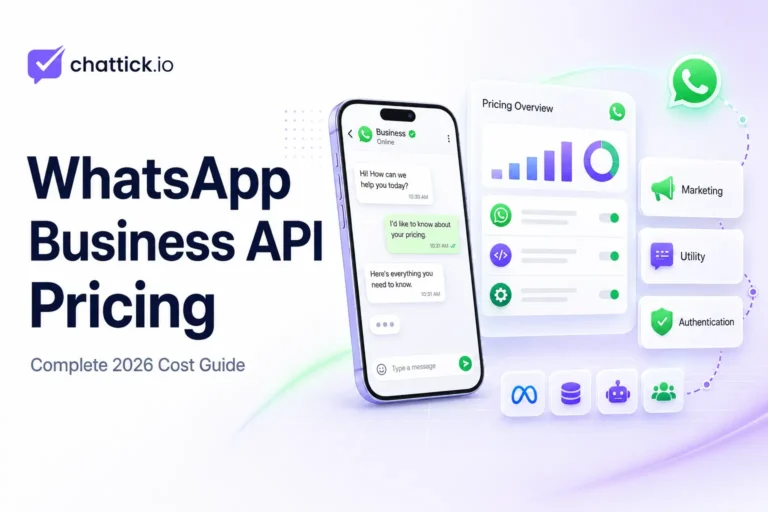
WhatsApp Business API pricing can appear complicated because there is no single fixed monthly price for every business. Your final cost depends on the type of messages you send, the recipient’s country, monthly messaging volume, the platform you use, and any automation or integration services you require. New to the platform? Read our complete guide explaining what WhatsApp Business API is, how it works, and which businesses should use it.
Meta currently charges businesses on a per-delivered-message basis for applicable template messages. This means you are charged when an eligible message is successfully delivered, rather than simply when it is sent. The rate also varies according to the message category and the recipient’s market. Understanding WhatsApp Business API pricing before choosing a provider helps businesses avoid unexpected platform, messaging, and integration costs.
This guide explains how WhatsApp Business API pricing works in 2026, which messages are free, what additional provider fees may apply, and how to estimate your monthly cost.
Quick Answer: How Much Does WhatsApp Business API Cost?
The WhatsApp Business API does not have one universal price.
Your total monthly cost may include:
- Meta message charges
- WhatsApp platform or BSP subscription fees
- Team inbox or agent fees
- Chatbot and automation costs
- CRM integration or development costs
- Initial setup and onboarding charges
Meta’s rates depend mainly on the recipient’s country and whether the message is categorized as marketing, utility, or authentication. Service messages are generally free, while certain utility messages can also be free when sent during an active customer service window.
How WhatsApp Business API Pricing Works in 2026
Meta moved the WhatsApp Business Platform to a per-message pricing model on July 1, 2025.
Under this model, businesses are charged for each delivered template message when a charge applies. This replaced the previous system in which many charges were based on 24-hour conversation categories.
The WhatsApp Business API pricing structure separates Meta’s messaging charges from any subscription or service fees charged by a platform provider.
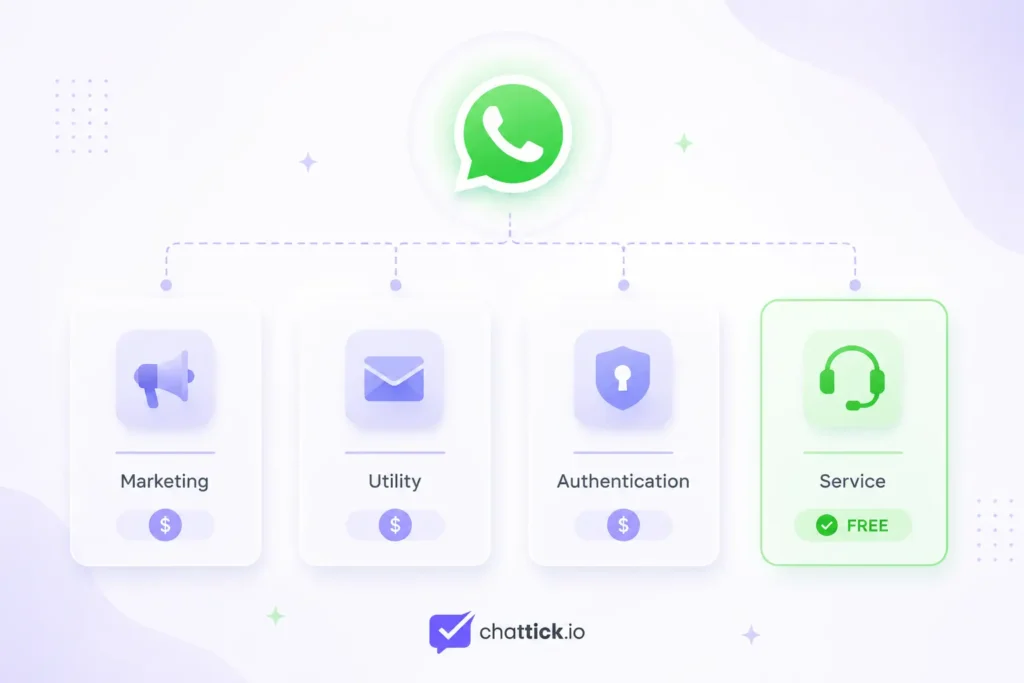
The current pricing model includes four main message categories:
| Message category | Typical purpose | Meta charge |
|---|---|---|
| Marketing | Offers, promotions and product recommendations | Charged per delivered template |
| Utility | Orders, appointments and account updates | May be charged or free |
| Authentication | One-time passwords and verification codes | Charged per delivered template |
| Service | Customer-initiated support conversations | Free from Meta |
The exact rate can vary by country, category, currency and volume tier.
1. Marketing Message Pricing
Marketing messages are used to promote products, services, offers or campaigns.
Examples include:
- Promotional discounts
- Product launches
- Abandoned-cart reminders
- Limited-time offers
- Event promotions
- Product recommendations
- Customer re-engagement campaigns
Marketing templates are generally charged for each message Meta successfully delivers to the customer.
For example, if a business sends 10,000 marketing messages but only 9,500 are delivered, the Meta message charge is generally calculated on the 9,500 delivered messages.
Marketing rates vary depending on the country associated with the recipient’s WhatsApp number.
2. Utility Message Pricing
Utility messages provide customers with information related to an existing transaction, service or request.
Examples include:
- Order confirmations
- Delivery updates
- Appointment reminders
- Payment confirmations
- Account updates
- Booking details
- Service notifications
Utility template messages sent outside an active customer service window may be charged per delivered message.
However, utility messages sent in response to a customer during an open service window can be free from Meta charges.
This makes customer-initiated conversations particularly valuable for businesses that provide support, appointment management or order updates through WhatsApp.
3. Authentication Message Pricing
Authentication messages help businesses verify a user’s identity.
They commonly include:
- One-time passwords
- Account verification codes
- Login confirmation messages
- Password recovery codes
- Transaction verification
Authentication templates are charged per delivered message according to the recipient’s market.
Meta also offers volume-based pricing for qualifying utility and authentication messages. Businesses sending higher monthly volumes may unlock lower rates for messages falling within the relevant volume tiers.
4. Service Message Pricing
A service conversation begins when a customer sends a business a message and the business responds within the customer service window.
Businesses can use these conversations for:
- Answering questions
- Resolving customer problems
- Providing order support
- Handling booking requests
- Responding to product inquiries
- Connecting customers with a live agent
Meta does not charge for regular service messages. Non-template messages sent within the open customer service window can generally be used without a Meta message fee.
This does not necessarily mean the entire platform is free. Your software provider may still charge a monthly subscription or agent fee.
Which WhatsApp Messages Are Free?
Several messaging situations can reduce or remove Meta charges.
Customer-Initiated Service Messages
When a customer contacts your business, you can respond during the open customer service window without paying Meta for normal service messages.
Utility Messages During the Service Window
Utility templates sent during an active customer service conversation can also be free from Meta charges.
Free Entry-Point Conversations
When a user starts a conversation through certain eligible entry points, such as a click-to-WhatsApp advertisement or Facebook Page call-to-action button, messages across eligible categories can be free for a 72-hour window.
Your WhatsApp provider may still charge its own software or service fees during these free Meta messaging windows.
What Determines Your WhatsApp API Cost?
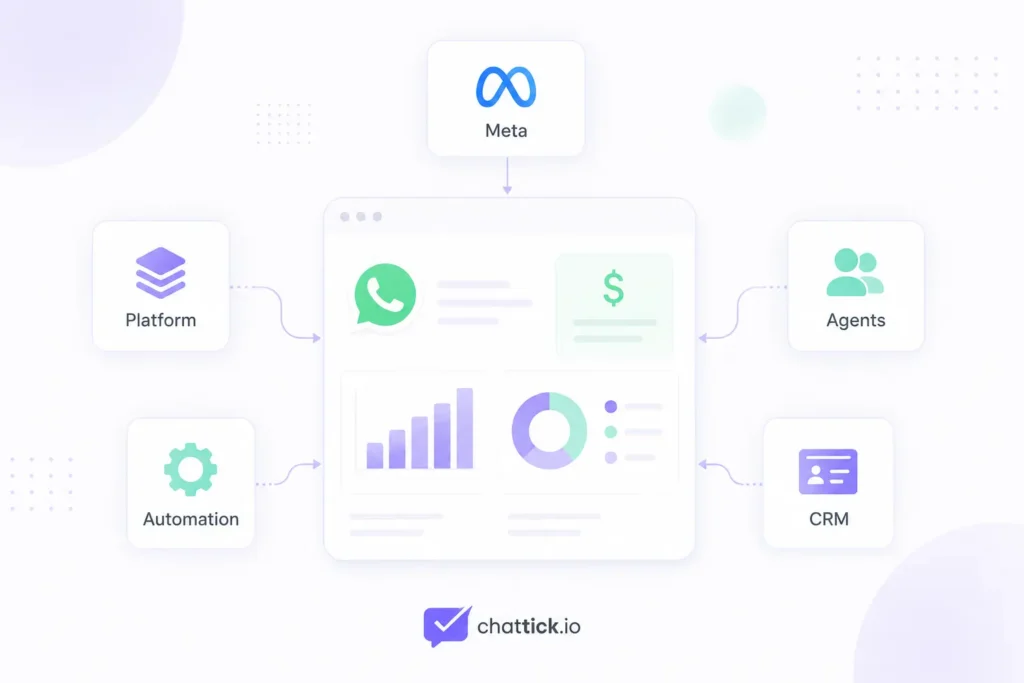
Your final WhatsApp Business API cost depends on several factors. Your WhatsApp Business API pricing estimate changes according to the recipient’s market, message category, delivery volume, and selected provider.
Recipient’s Country
Meta calculates the message rate according to the recipient’s country or calling code, not necessarily the location of the business sending the message.
A business in the United States messaging customers in multiple countries may therefore pay different rates for different recipients.
Message Category
Marketing, utility and authentication templates can have different rates.
Marketing messages are often more expensive because they are designed to generate demand or sales, while utility and authentication messages support transactions and account activity.
Number of Delivered Messages
Meta charges applicable template messages when they are delivered.
Failed or undelivered messages are generally not included in Meta’s delivered-message charge.
Monthly Messaging Volume
Utility and authentication messages can qualify for volume tiers.
As the qualifying message volume increases, the price applied to messages in higher tiers may decrease.
Platform Provider
A Business Solution Provider or WhatsApp platform may add its own charges, including:
- Monthly subscription
- Team-member seats
- Shared inbox access
- Automation workflows
- Chatbot usage
- Campaign tools
- Reporting dashboards
- Customer support
- API or integration services
Always separate Meta message charges from the provider’s platform charges when comparing plans.
Meta Charges vs Platform Provider Fees
Many businesses assume that the price shown by a WhatsApp software provider is the complete WhatsApp API cost. A clear WhatsApp Business API pricing comparison should show Meta charges and provider fees separately.
In reality, there may be two separate charges.
Meta Message Charges
These are based on:
- Message category
- Recipient’s market
- Delivered messages
- Applicable volume tier
Platform Charges
These depend on the software provider and may include:
- Monthly subscription
- Number of agents
- Contact limits
- Message limits
- Automation features
- Chatbot access
- CRM integrations
- Reporting tools
One provider may offer a low monthly plan but add a markup to Meta messaging charges. Another may pass Meta rates directly but charge more for automation or agent seats.
Always request a complete cost breakdown before choosing a provider.
WhatsApp Cloud API vs BSP Pricing
Businesses can access the WhatsApp Business Platform through the Cloud API or through a platform provider.
Using Cloud API Directly
Direct Cloud API implementation may suit businesses with their own developers and technical infrastructure. Developers planning a direct implementation can review the official WhatsApp Cloud API documentation before estimating infrastructure and development costs.
You may still need to pay for:
- Meta message charges
- Development time
- Database and hosting services
- Automation infrastructure
- Dashboard development
- System maintenance
- Technical support
It can offer greater control, but it usually requires more technical work.
Using a WhatsApp Platform or BSP
A platform provider normally offers ready-to-use features such as:
- Shared inbox
- Campaign management
- Chatbots
- Automation builder
- CRM integration
- Analytics
- Agent management
- Technical support
This is easier to operate but commonly includes a monthly software fee.
The cheaper option depends on your team, technical resources and communication requirements.
How to Calculate WhatsApp Business API Cost
You can estimate your monthly WhatsApp API cost using this formula:
Meta message charges + platform subscription + agent fees + automation or integration costs = estimated monthly cost
To calculate WhatsApp Business API pricing accurately, estimate each chargeable message category before adding software, agent, automation, and integration fees.
For example, imagine a business sends:
- 8,000 marketing templates
- 5,000 utility templates outside the service window
- 2,000 authentication templates
- 4,000 free service messages
The business would multiply each chargeable category by the applicable rate for the recipient’s market. Businesses can check the latest rates by market, currency, and message category on the official WhatsApp Business Platform pricing page.
It would then add:
- Monthly platform fee
- Additional agent seats
- Chatbot or automation fees
- CRM or custom integration costs
The example does not use fixed rates because Meta’s charges vary by market, category, currency and pricing updates.
Potential Hidden Costs to Consider
Before selecting a WhatsApp API provider, check for these possible costs.
Setup Fees
Some providers charge for:
- Meta account configuration
- Number registration
- Business verification support
- Template setup
- Platform onboarding
User or Agent Fees
A basic plan may include only a small number of team members. Additional sales or support agents may cost extra.
Automation Limits
Some plans limit:
- Workflow executions
- Chatbot sessions
- Automated replies
- Campaigns
- Integrations
Message Markups
Certain providers add their own margin on top of Meta’s message rates.
CRM Integration
Connecting WhatsApp with HubSpot, Salesforce, GoHighLevel, Zoho or a custom CRM may require a higher subscription plan or one-time implementation fee.
Number Migration
Moving an existing WhatsApp number from one provider to another may involve migration, configuration or technical-support costs.
How to Reduce WhatsApp Business API Costs
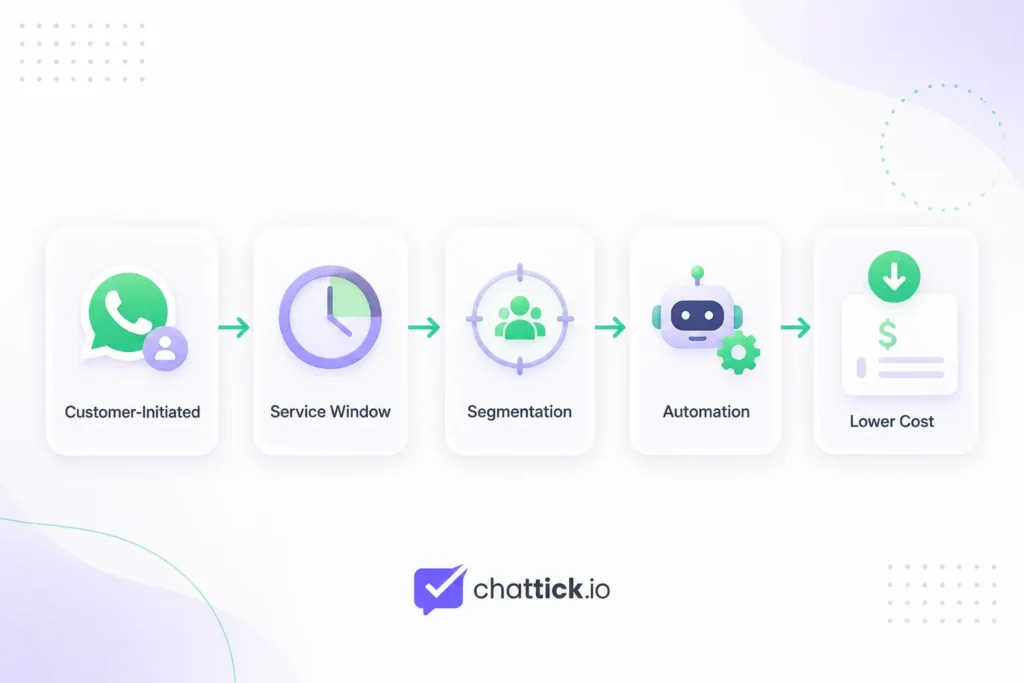
Encourage Customer-Initiated Conversations
Use website buttons, QR codes and click-to-WhatsApp advertisements to encourage customers to start the conversation.
This can create free service windows and, for eligible entry points, longer free messaging periods.
Send Utility Messages During Open Service Windows
When possible, send relevant utility updates while the customer service window is active.
This can reduce Meta charges for eligible utility templates.
Improve Audience Segmentation
Do not send every campaign to your entire contact list.
Segment customers according to:
- Interests
- Purchase history
- Location
- Lead stage
- Customer activity
- Previous engagement
Better targeting can reduce unnecessary marketing messages and improve campaign performance.
Remove Inactive Contacts
Regularly clean your contact list and avoid repeatedly messaging users who do not engage.
This reduces wasted deliveries and protects message quality.
Use Automation Carefully
Automation should reduce manual work, not create unnecessary messages.
Build workflows that send the right message only when a customer action or business event makes it relevant.
Compare Provider Pricing Properly
Do not compare providers using the monthly subscription alone.
Compare:
- Meta rate markup
- Included agents
- Automation limits
- CRM integrations
- Support level
- Contact limits
- Campaign tools
- Setup fees
A slightly higher monthly plan may offer better overall value if it includes essential features.
Is WhatsApp Business API Worth the Cost?
WhatsApp Business API can be worthwhile when customer messaging directly affects sales, service quality or operational efficiency. Before deciding, compare the WhatsApp Business App and WhatsApp Business API to understand which option matches your team size and automation needs.
It is especially valuable for businesses that need:
- Multiple support agents
- Automated lead follow-ups
- Appointment reminders
- Order notifications
- AI chatbots
- CRM synchronization
- Large-scale campaigns
- Detailed reporting
A small business managing a few conversations manually may be better served by the free WhatsApp Business App.
However, a growing company may recover its API costs through faster responses, fewer missed leads, reduced repetitive work and stronger customer engagement.
Frequently Asked Questions
Is WhatsApp Business API free?
The complete solution is not always free. Meta provides free service messages and other free messaging opportunities, but chargeable template messages, platform subscriptions, automation and integration costs may still apply.
Does Meta charge per conversation or per message?
Meta currently charges applicable WhatsApp template messages on a per-delivered-message basis rather than using the previous conversation-based model.
Are incoming WhatsApp messages free?
Customers can message a business without creating a Meta charge for the incoming message. Businesses can respond with service messages during the active customer service window without a Meta service-message fee.
Are utility messages free?
Utility templates can be free when sent during an active customer service window. When sent outside that window, an applicable per-message charge may apply.
Do all countries have the same WhatsApp API rate?
No. Rates vary depending on the recipient’s market, the message category, currency and applicable volume tier.
Does WhatsApp Cloud API have a monthly fee?
The final cost depends on how it is implemented. A direct implementation may avoid a third-party software subscription, but Meta message charges, development, hosting, automation and maintenance costs can still apply.
Do WhatsApp API providers charge extra?
Many providers charge subscriptions, agent-seat fees or additional fees for automation, chatbots, campaigns and integrations.
Where can I check the latest official rates?
Use the official WhatsApp Business Platform pricing page and select the relevant market, currency and message category.
Conclusion
WhatsApp Business API pricing in 2026 is based on more than a simple monthly fee. WhatsApp Business API pricing in 2026 includes more than the cost of sending messages through Meta.
Businesses should consider:
- Meta’s per-message charges
- Message categories
- Recipient markets
- Free customer service windows
- Platform subscriptions
- Agent seats
- Automation tools
- CRM integrations
- Setup and development costs
The most cost-effective solution is not always the provider with the lowest advertised subscription. It is the platform that gives your team the necessary features while keeping messaging, automation and operational costs manageable.
Simplify WhatsApp Business API Pricing with Chattick
Chattick helps businesses manage WhatsApp communication through one connected platform.
With Chattick, your business can:
- Connect WhatsApp Business API
- Manage conversations through a shared inbox
- Build AI-powered chatbots
- Automate customer follow-ups
- Connect CRM and business tools
- Launch targeted WhatsApp campaigns
- Track team and messaging performance
Ready to begin? Follow our complete guide on how to get WhatsApp Business API.
Book a demo with Chattick to explore a WhatsApp solution based on your messaging volume, team size and automation requirements.