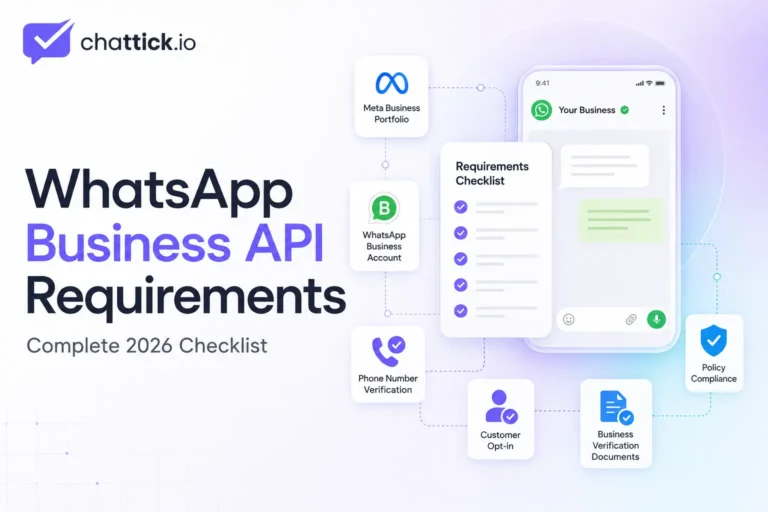
WhatsApp Business API requirements include more than simply owning a phone number. A business needs the correct Meta assets, an eligible business identity, a suitable phone number, accurate profile information, customer consent, and a setup method that supports either direct Cloud API integration or provider-led onboarding.
Preparing these requirements before starting can reduce phone-verification problems, display-name issues, account restrictions, and delays during implementation. If you are new to business messaging, first read our guide explaining what WhatsApp Business API is and how it works.
This guide explains the mandatory and recommended WhatsApp Business API requirements for 2026, including business details, Meta assets, phone-number rules, policies, customer opt-in, technical access, and verification documents.
Quick Answer: What Are the WhatsApp Business API Requirements?
The core requirements are:
- A Meta business portfolio
- A WhatsApp Business Account
- A business phone number
- Access to verify the number
- A business display name
- Accurate business-profile information
- An eligible business use case
- Customer opt-in for business-initiated messaging
- Compliance with WhatsApp policies
- Cloud API access or a compatible WhatsApp platform
Meta’s official Cloud API resources identify three main technical assets required to use the API: a Meta business portfolio, a WhatsApp Business Account, and a business phone number. These assets can also be created during the official onboarding process.
Mandatory vs Recommended Requirements
Not every preparation item has the same status.
| Requirement | Status | Purpose |
|---|---|---|
| Meta business portfolio | Required | Manages business assets and access |
| WhatsApp Business Account | Required | Manages numbers, templates, and messaging assets |
| Business phone number | Required | Sends and receives WhatsApp messages |
| Phone verification access | Required | Confirms number ownership |
| Six-digit two-step verification PIN | Required | Protects and registers the number |
| Eligible business use case | Required | Ensures policy compliance |
| Customer opt-in | Required for business-initiated messages | Confirms permission to contact customers |
| Accurate business profile | Required | Helps customers identify the business |
| Website | Strongly recommended | Supports business identity and credibility |
| Domain-based email | Recommended | Creates consistent business information |
| Business verification documents | May be required | Confirms legal identity when Meta requests verification |
| Privacy policy | Required when collecting or processing personal data | Explains how customer information is handled |
| Technical team | Required for direct custom setup | Manages API, tokens, webhooks, and integrations |
| Technical team for a managed platform | Usually not required | The provider manages most infrastructure |
1. Meta Business Portfolio
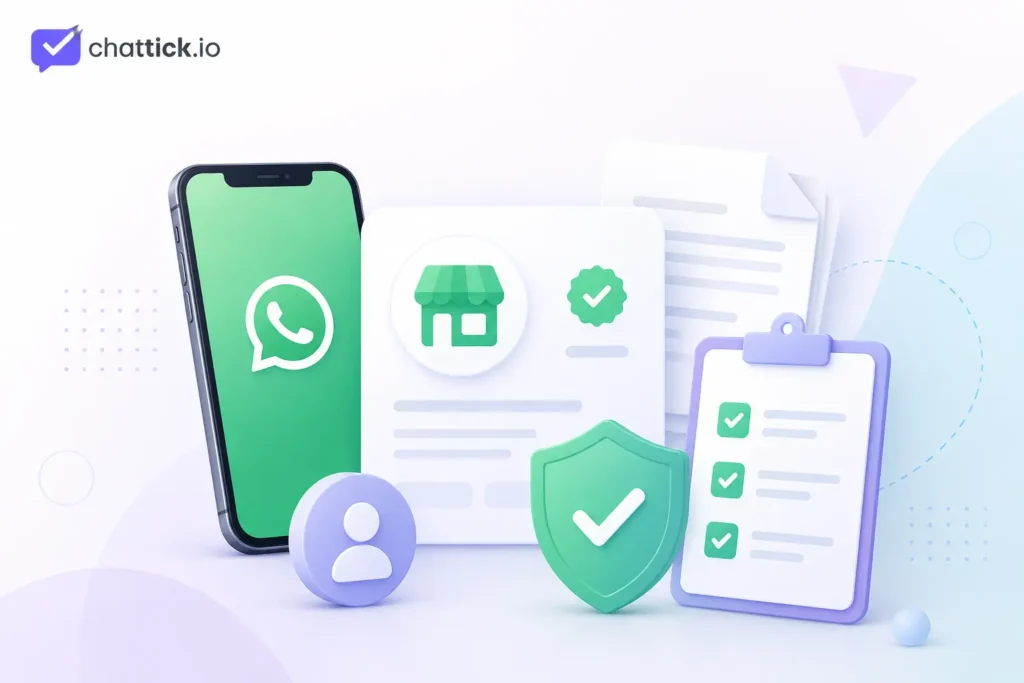
The first WhatsApp Business API requirement is a Meta business portfolio.
This portfolio is used to manage:
- WhatsApp Business Accounts
- Business phone numbers
- Meta applications
- Administrators and team members
- System users
- Permissions
- Business verification
- Billing and connected assets
The portfolio should belong to the company rather than an employee, freelancer, or temporary agency account.
Add accurate information, including:
- Legal business name
- Trading name, if different
- Business address
- Website
- Business phone number
- Professional email address
- Industry
- Registration details when requested
The information should remain consistent across your website, official documents, social profiles, and Meta account.
2. WhatsApp Business Account
A WhatsApp Business Account, commonly called a WABA, is another core requirement.
The WABA manages:
- Business phone numbers
- Message templates
- Business profiles
- Messaging activity
- Quality status
- Connected applications
- User and system permissions
You can create a WABA during Cloud API onboarding or connect an eligible existing account.
Meta’s Business Management API is used to manage WABAs and their associated assets, which are necessary for sending and receiving WhatsApp messages.
Keep a secure record of your:
- Business portfolio ID
- WABA ID
- Phone-number ID
- Meta app ID
These identifiers are often required during technical integration.
3. Eligible Business Phone Number
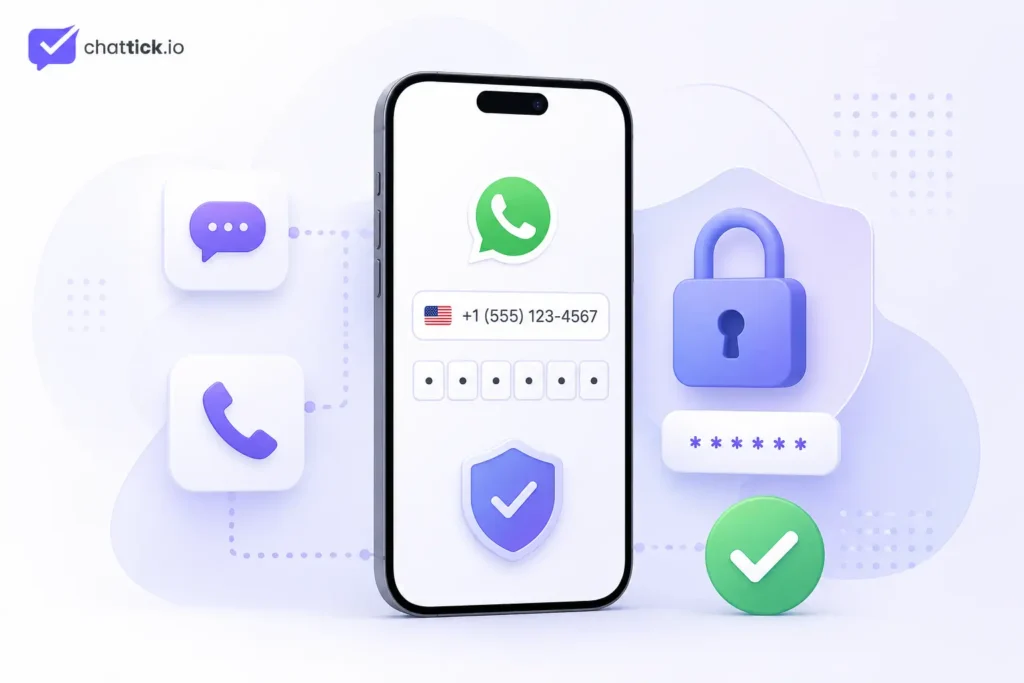
A business phone number is one of the most important WhatsApp Business API requirements.
The number should:
- Be controlled by your business
- Remain available long term
- Be able to receive an SMS or voice call
- Use the correct country code
- Be accessible during verification
- Be recognizable to customers
- Not depend on a temporary employee
Before connecting it, check whether the number is currently registered with:
- Personal WhatsApp
- WhatsApp Business App
- Another WhatsApp API provider
- Another WABA
- An old business integration
An existing registration may require migration, deregistration, or an eligible coexistence process.
Phone Ownership Verification
Before registering a phone number with Cloud API, the business must verify ownership through an SMS or voice code.
Meta also requires two-step verification during registration. The registration process uses a six-digit PIN selected by the business.
Store this PIN securely and limit access to trusted administrators.
4. Business Display Name
Your display name is the business name associated with the WhatsApp phone number.
It should clearly represent your company and match your public business identity.
Use a name that:
- Appears on your website
- Matches your registered or trading name
- Is easy for customers to recognize
- Uses normal capitalization
- Does not imitate another company
- Does not make misleading claims
Avoid:
- Promotional phrases
- Discount language
- Excessive symbols
- Unrelated descriptions
- Misleading affiliations
- Words that falsely suggest official verification
A strong website and consistent social presence can help demonstrate the relationship between the display name and the business.
5. Accurate WhatsApp Business Profile
WhatsApp requires businesses to maintain a clear and accurate business profile.
The profile should include customer-support contact information and at least one of the following:
- Email address
- Website
- Telephone number
Businesses must keep this information accurate and must not impersonate or misrepresent another organization.
A complete profile can include:
- Business name
- Business description
- Profile image
- Operating hours
- Website
- Support email
- Phone number
- Physical address, where relevant
Use your original company logo rather than an unrelated or low-quality image.
6. Website and Professional Business Presence
A website may not always be a technical requirement for creating initial test assets, but it is strongly recommended for a production business account.
Your website should clearly show:
- Business name
- Products or services
- Contact details
- Support information
- Privacy policy
- Terms and conditions
- Business location where applicable
The domain, business name, email address, and Meta account information should be consistent.
Avoid using:
- Empty websites
- Temporary landing pages
- Broken pages
- Websites with no business identity
- Unrelated domains
- Copied company information
A professional domain-based email such as support@yourcompany.com creates a more consistent business identity than a personal email address.
7. Eligible Business Activity
Businesses must comply with the WhatsApp Business Messaging Policy.
WhatsApp may limit or remove access when a business violates its terms, messaging guidelines, technical requirements, or commerce policies.
Before applying, confirm that:
- Your business activity is legal
- Your products and services follow WhatsApp policies
- Your website accurately explains your business
- Your messages will not mislead customers
- Your campaigns will not contain prohibited content
- Any regulated activity follows applicable local rules
Businesses in regulated industries may face additional country, age, licensing, and messaging restrictions.
Being legally registered in a country does not automatically guarantee eligibility for every WhatsApp commerce or messaging use case.
8. Customer Opt-In Permission
Customer permission is a major WhatsApp Business API requirement.
A business may contact someone only when:
- The person has provided their mobile phone number.
- The person has opted in to receive subsequent WhatsApp messages or calls.
Businesses are responsible for collecting consent in a way that complies with applicable law. They must also respect requests to stop, block, or opt out of future communication.
You can collect opt-in through:
- Website forms
- Checkout pages
- Account registration
- Appointment forms
- QR codes
- Click-to-WhatsApp ads
- In-store forms
- Customer-support interactions
Your opt-in statement should explain:
- That messages will be sent through WhatsApp
- Which type of messages the user may receive
- The business sending the messages
- How the customer can opt out
Avoid preselected consent boxes or unclear statements.
Recommended Opt-In Example
I agree to receive appointment confirmations, service updates, and relevant offers from Chattick through WhatsApp. I can opt out at any time.
Separate consent by message category where practical. This helps customers understand whether they are subscribing to transactional updates, marketing messages, calls, or other communication.
WhatsApp recommends setting clear expectations, communicating the value of messages, and providing simple opt-out instructions.
9. Approved Message Templates
When a business starts a conversation outside the active customer-service window, it must use an approved message template.
Templates may be used for:
- Appointment reminders
- Order updates
- Delivery notifications
- Payment confirmations
- Account verification
- Promotions
- Lead follow-ups
WhatsApp can review, approve, reject, pause, or disable message templates. Templates must comply with the platform’s policies and be used for their approved purpose.
A good template should:
- Be easy to understand
- Use the correct category
- Include enough context
- Avoid misleading claims
- Avoid unnecessary variables
- Match the customer’s opt-in
- Provide a clear purpose
Inside the active 24-hour customer-service window, businesses can respond without a template. Outside that window, approved templates are required for business-initiated messages.
10. Privacy Policy and Data Protection
Businesses using WhatsApp must protect customer information and comply with relevant privacy and communication laws.
Your website should have a published privacy policy explaining:
- What information you collect
- Why you collect it
- How it is used
- Which systems or providers process it
- How customers can contact you
- How customers can request changes or deletion
- How consent can be withdrawn
WhatsApp’s Business Messaging Policy states that businesses are responsible for obtaining required notices, permissions, and consent and for maintaining a published privacy policy.
Do not ask customers to send highly sensitive identifiers through ordinary chat unless your use case, systems, and local regulations clearly permit it.
11. Human Support or Escalation Option
Automation is allowed, but customer conversations should not become a dead end.
When using automation during the customer-service window, WhatsApp requires a clear escalation method such as:
- Transfer to a human agent
- Support phone number
- Support email
- Website support page
- Physical business location
- Support form
These escalation routes should be easy for customers to understand and access.
For example, your chatbot can include:
- “Talk to an agent”
- “Call support”
- “Send us an email”
- “Create a support ticket”
12. Direct Cloud API Technical Requirements
Businesses implementing Cloud API directly need technical resources.
The basic technical requirements include:
- Meta developer app
- Cloud API access
- Appropriate access token
- Required permissions
- Secure webhook endpoint
- HTTPS
- Backend system
- Error logging
- Secure credential storage
- Agent inbox or CRM integration
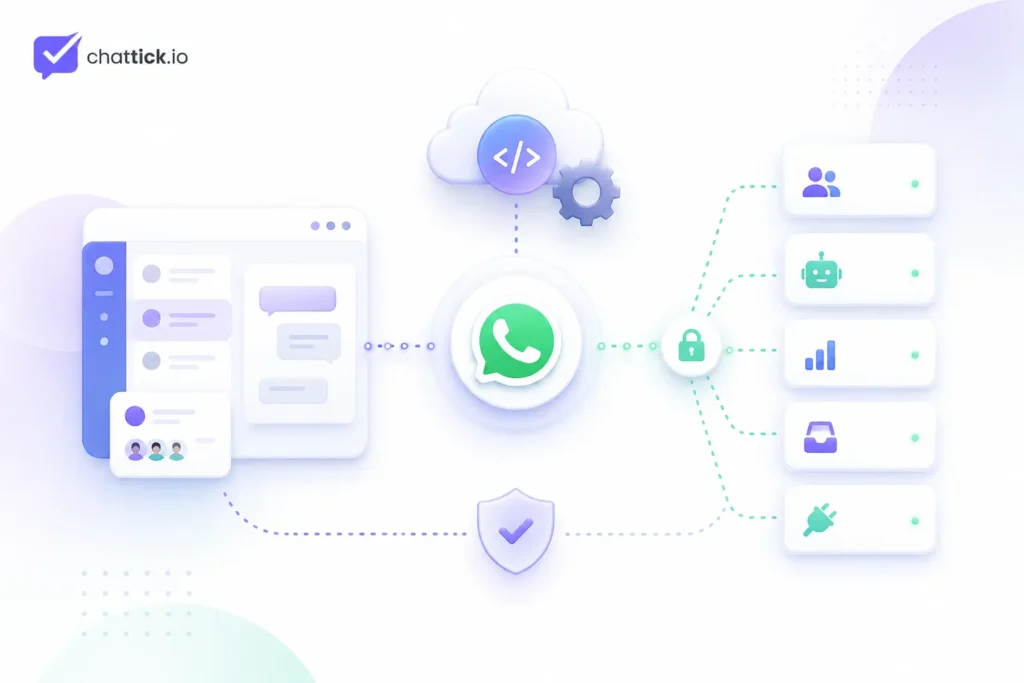
Meta’s official Cloud API is designed to connect WhatsApp messaging with agents, bots, CRMs, and other backend systems.
Common Permissions
A direct integration commonly uses:
whatsapp_business_managementwhatsapp_business_messaging
Provider or partner onboarding may also require additional business-management permissions.
Access Tokens
Temporary user tokens are suitable for testing but should not be treated as permanent production credentials.
Production systems normally require securely managed system-user access tokens, correct asset assignments, and controlled permissions. Meta’s current official Cloud API collection explains that a Meta business portfolio, WABA, phone number, and suitable access token are needed to work with the API.
Webhooks
A webhook is required to receive real-time events such as:
- Incoming messages
- Delivery updates
- Read receipts
- Failed-message notices
- Button interactions
- Template updates
The endpoint should use HTTPS and return successful responses quickly.
13. Requirements for Provider-Led Setup
Businesses using a WhatsApp platform or provider usually need fewer technical resources.
Typical requirements include:
- Meta login with business access
- Meta business portfolio
- WABA
- Business phone number
- Display name
- Website or public business identity
- Phone verification access
- Permission to connect assets
- Billing details
- Customer opt-in process
Many providers use Meta Embedded Signup to guide businesses through onboarding.
Embedded Signup is Meta’s onboarding flow for approved solution partners and technology providers connecting business customers to Cloud API.
Before connecting through a provider, confirm:
- Who will own the WABA
- Who controls the phone number
- Whether your company receives admin access
- Whether you can migrate later
- How Meta charges are handled
- Whether the provider adds message markups
- Which features require higher plans
- How data is stored
- What happens if the subscription ends
Your business should retain appropriate ownership and access to its critical assets.
14. Business Verification Documents
Meta may request business verification depending on your account, access, product features, or business activity.
Prepare documents such as:
- Certificate of incorporation
- Business registration
- Tax registration
- Business bank statement
- Utility bill
- Official address document
- Government-issued company record
The submitted documents should match:
- Legal company name
- Address
- Phone number
- Website information
- Meta business portfolio
Do not edit, manipulate, or create false documents.
Verification problems commonly occur when the company name or address differs across documents and online profiles.
15. Existing WhatsApp Number Requirements
Using an existing number requires extra care. Still deciding whether to migrate? Read our WhatsApp Business App vs WhatsApp Business API comparison before changing your current setup.
Before moving it, identify whether it is connected to:
- WhatsApp Messenger
- WhatsApp Business App
- Another Cloud API account
- Another provider
- Another WABA
Depending on the current setup, you may need:
- Number migration
- Deregistration
- Provider transfer
- Two-step verification PIN
- Access to the existing WABA
- An eligible coexistence setup
Meta’s official registration resources explain that a number must be verified before registration and can be deregistered and registered again when moving between supported setups.
Do not remove a working number before confirming:
- Whether chat history will remain available
- Whether the number can be migrated
- Whether customer conversations will be interrupted
- Who owns the current WABA
- Whether two-step verification is enabled
Complete WhatsApp Business API Requirements Checklist
Once your business meets these requirements, follow our step-by-step guide on how to get WhatsApp Business API.
Use this checklist before starting:
Business Identity
- Business name is final
- Website is live
- Contact details are visible
- Business email is active
- Privacy policy is published
- Terms and conditions are available
- Business activity follows WhatsApp policies
Meta Assets
- Meta business portfolio is accessible
- Administrators use company-controlled accounts
- WhatsApp Business Account is created or available
- Correct permissions are assigned
- Two-factor authentication is enabled
Phone Number
- Business controls the phone number
- Correct country code is confirmed
- SMS or voice verification is available
- Existing WhatsApp registration is checked
- Two-step verification PIN is stored securely
Messaging
- Customer opt-in method is ready
- Opt-out process is clear
- Message templates are drafted
- Template categories are correct
- Human escalation option is available
Technical Setup
- Cloud API or provider has been selected
- Developer is available if using direct Cloud API
- Webhook endpoint is ready
- Access tokens will be stored securely
- CRM or shared inbox is selected
- Testing plan is prepared
Common Reasons Businesses Fail the Requirements Check
Inconsistent Business Information
The name, address, domain, or phone number does not match across Meta, the website, and official documents.
Inaccessible Phone Number
The business cannot receive the SMS or voice verification code.
Unsupported Display Name
The submitted name is promotional, misleading, unrelated, or inconsistent with the public business identity.
Policy-Restricted Business Activity
The business or intended messaging use case conflicts with WhatsApp’s Business Messaging Policy.
Missing Customer Consent
The business plans to upload contact lists and message people who did not opt in.
No Privacy Policy
The website does not explain how customer data is collected, used, or shared.
Unclear Asset Ownership
A former employee, agency, or provider owns the Meta portfolio, WABA, or phone number.
No Human Escalation
The automation does not provide a clear way to reach support.
Temporary Technical Credentials
The production system relies on short-lived testing tokens or unsecured credentials.
Frequently Asked Questions
What are the main WhatsApp Business API requirements?
You need a Meta business portfolio, WhatsApp Business Account, business phone number, verification access, eligible business identity, customer opt-in, and either direct Cloud API integration or a compatible platform.
Is business verification mandatory?
It may not be required for every initial testing step, but Meta can request verification depending on the business, account, feature, or access level. Prepare consistent official documents before starting.
Do I need a website?
A website is strongly recommended because it supports your business identity, display name, customer trust, privacy policy, and contact information.
Can I use a personal mobile number?
A number controlled by the company is safer. Using an employee’s personal number can create ownership, verification, and migration problems later.
Can I use my existing WhatsApp Business App number?
It may be possible through migration or an eligible coexistence setup. Check the current registration and provider requirements before disconnecting the app.
Do I need customer permission before sending messages?
Yes. The recipient should provide their phone number and opt in to receive subsequent WhatsApp messages or calls from your business.
Do I need approved templates?
Approved templates are required for many business-initiated messages sent outside the active 24-hour customer-service window.
Do I need a developer?
A developer is normally required for a custom direct Cloud API implementation. A managed WhatsApp platform can provide onboarding, inbox, automation, and integrations without requiring your company to build everything from scratch.
Can multiple agents use one phone number?
Yes. The API can be connected to a shared inbox or customer-support platform that allows multiple authorized agents to manage conversations.
What documents should I prepare?
Prepare business registration, proof of address, tax or banking documents, website details, and a domain-based business email. Meta may request different documents depending on your business and country.
Conclusion
Meeting the WhatsApp Business API requirements begins with preparing the correct assets and proving that your business can provide a safe, transparent, and useful messaging experience.
Before onboarding, confirm that you have:
- A company-controlled Meta business portfolio
- A WhatsApp Business Account
- An accessible business phone number
- A consistent display name
- Accurate website and contact information
- Customer opt-in
- A privacy policy
- An eligible use case
- A technical integration or compatible platform
- Clear customer-support escalation
Preparing these requirements first can help your business avoid verification problems, rejected templates, lost account ownership, and unnecessary implementation delays.
Check Your WhatsApp Business API Eligibility with Chattick
Chattick helps businesses prepare, connect, and manage WhatsApp Business API through one unified platform.
With Chattick, your team can:
- Review setup requirements
- Connect a business phone number
- Complete guided Meta onboarding
- Manage conversations through a shared inbox
- Add sales and support agents
- Build automated workflows
- Connect CRM and business tools
- Create task-specific chatbots
- Manage approved templates
- Track customer and team performance
Book a demo with Chattick to review your WhatsApp Business API requirements and plan the right setup for your business.