
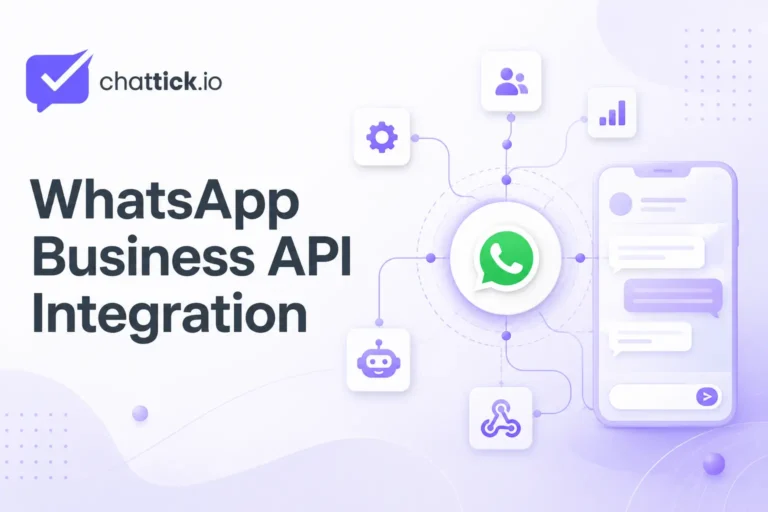
WhatsApp Business API integration connects WhatsApp with the systems your business already uses, including CRM software, shared inboxes, chatbots, websites, appointment calendars, e-commerce stores, databases, help desks, and automated workflows.
Instead of managing every customer conversation manually from one mobile phone, an API integration allows information to move automatically between WhatsApp and your business tools.
A successful WhatsApp Business API integration combines messaging, customer data, automation, and human support in one connected system.
A properly configured integration can help your business:
- Capture and qualify new leads
- Assign conversations to team members
- Create or update CRM contacts
- Send appointment and order notifications
- Trigger automated follow-ups
- Connect customers with chatbots
- Track message delivery and replies
- Transfer complex inquiries to human agents
- Store conversation history
- Measure sales and customer-service performance
Meta’s WhatsApp Business Platform allows businesses to send and receive WhatsApp messages programmatically through connected applications and business systems.
This guide explains how WhatsApp Business API integration works, which systems can be connected, what technical components are required, how CRM and chatbot integrations operate, how webhooks and access tokens are used, common setup methods, security requirements, costs, mistakes to avoid, and how to choose the right integration for your business in 2026.
Quick Answer: What Is WhatsApp Business API Integration?
WhatsApp Business API integration is the process of connecting the WhatsApp Business Platform with another application, platform, database, or business system.
The integration normally works in two directions:
- Customer messages received through WhatsApp are passed to the connected system.
- Replies, notifications, templates, and automated messages are sent from the connected system through WhatsApp.
For example, when a potential customer sends a WhatsApp message:
- WhatsApp receives the customer’s message.
- A webhook sends the event to the connected application.
- The application searches for the customer in the CRM.
- A chatbot or workflow processes the inquiry.
- The conversation is assigned to an available team member.
- The agent replies through a shared inbox.
- The response is delivered to the customer through WhatsApp.
- Delivery and read statuses are returned to the connected system.
- The CRM contact and conversation history are updated.
This makes WhatsApp part of a complete customer-management system instead of a separate messaging application.
The purpose of WhatsApp Business API integration is to make customer communication faster, more organized, and easier to manage at scale.
WhatsApp Business API vs WhatsApp Cloud API Integration
The phrase WhatsApp Business API is still widely used by businesses, agencies, developers, and software providers.
Meta’s official cloud-hosted API is called the WhatsApp Cloud API, which is part of the WhatsApp Business Platform.
In most modern integrations:
- WhatsApp Cloud API provides the messaging infrastructure
- A CRM stores customer and lead information
- A shared inbox gives agents access to conversations
- Webhooks deliver real-time message events
- Automation processes customer actions
- Chatbots answer common questions
- Message templates support business-initiated communication
- Analytics tools track delivery and customer engagement
The API connection itself does not automatically provide every feature a business needs. Companies normally connect WhatsApp Cloud API with a ready-made platform or develop their own inbox, automation, CRM integration, and reporting system.
Businesses that are still deciding between manual messaging and API-based communication should review the complete WhatsApp Business App vs WhatsApp Business API comparison before starting.
How Does a WhatsApp Business API Integration Work?
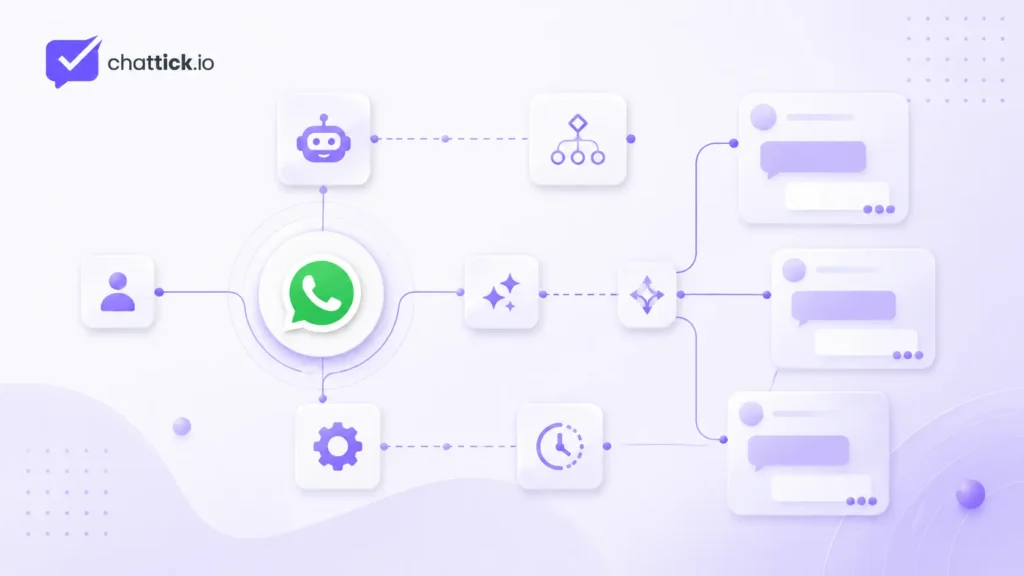
A complete WhatsApp integration normally contains several connected technical and business components.
WhatsApp Business Account
A WhatsApp Business Account, commonly called a WABA, stores and manages important WhatsApp business assets.
These may include:
- Business phone numbers
- Message templates
- Business profile information
- Display names
- Messaging permissions
- Connected applications
- Quality information
- Account status
- Business messaging settings
A business normally needs a Meta business portfolio, a WhatsApp Business Account, and an eligible business phone number before completing a production integration.
Business Phone Number
The business phone number becomes the identity customers use to communicate with the company through WhatsApp.
The connected application uses the Phone Number ID when sending messages through the API.
Before registering a number, confirm that:
- The number is owned or controlled by the business
- The number can receive SMS or voice verification
- The correct international country code is used
- The number is not unexpectedly connected to another WhatsApp account
- The business understands whether migration or coexistence is required
- The number will remain available for long-term business use
- The number matches the company’s customer-support or sales process
Review the full WhatsApp Business API requirements before selecting a production phone number.
Meta Application
A Meta app connects your software with the WhatsApp Business Platform.
The application may be configured to:
- Send WhatsApp messages
- Receive incoming message events
- Receive delivery and read statuses
- Access permitted WhatsApp business assets
- Manage message templates
- Update business profile information
- Support customer onboarding
- Connect with one or multiple WhatsApp Business Accounts
- Subscribe to webhook events
The exact setup depends on whether the business is creating a direct integration or using a managed WhatsApp platform.
Access Token
An access token authenticates API requests and allows the connected application to perform approved operations.
A temporary development token may be useful during testing. A production integration should use securely managed credentials with the correct permissions and asset assignments.
Common permissions may include:
whatsapp_business_messagingwhatsapp_business_managementbusiness_managementfor certain business or onboarding operations
Access tokens must never be:
- Stored in public frontend JavaScript
- Published in screenshots
- Added to public repositories
- Shared through unsecured documents
- Hard-coded into public applications
- Sent to people who do not manage the integration
- Stored in plain text without access restrictions
Production credentials should be stored in secure environment variables or a secrets-management system.
API Endpoint
Outgoing messages are sent through the registered phone number’s /messages endpoint.
The API can be used to send:
- Text messages
- Images
- Documents
- Videos
- Audio
- Locations
- Contacts
- Interactive messages
- Approved message templates
Every outgoing message receives a unique identifier. The business can use that identifier to match the message with delivery, read, or failure events received through webhooks.
Webhook
A webhook is an HTTPS callback that sends real-time information from WhatsApp to the connected application.
Webhook events can notify the system when:
- A customer sends a message
- A message is sent
- A message is delivered
- A message is read
- A message fails
- A customer clicks a button
- A customer selects an interactive option
- A message-template status changes
- A supported account event occurs
To receive events for a WhatsApp Business Account, the application must subscribe to that WABA.
A webhook endpoint should:
- Be publicly accessible through HTTPS
- Use a valid SSL certificate
- Complete Meta’s verification request
- Process incoming events securely
- Avoid duplicate processing
- Return successful responses quickly
- Store useful event logs
- Protect customer data
Systems You Can Connect with WhatsApp Business API
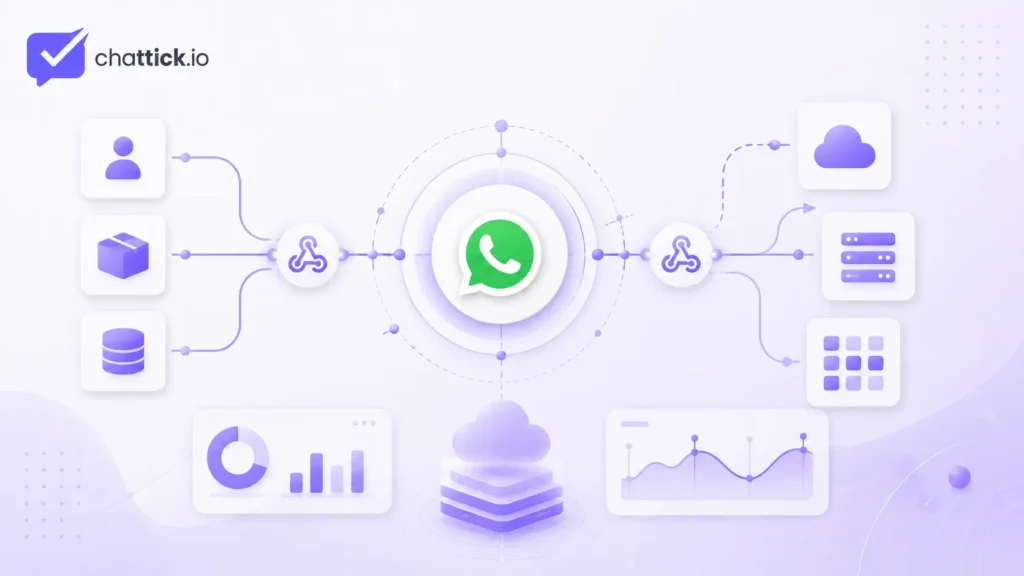
WhatsApp Business API can be connected with many different business platforms and internal systems.
1. CRM Integration
A CRM integration connects WhatsApp conversations with customer and lead records.
When a new customer sends a message, the integration can:
- Search for an existing CRM contact
- Create a new contact
- Save the customer’s phone number
- Record the lead source
- Add a tag
- Create a sales opportunity
- Update a pipeline stage
- Assign a salesperson
- Schedule a follow-up
- Save the last interaction date
- Store conversation notes
- Update appointment details
A typical CRM workflow may look like this:
New WhatsApp Message
→ Search CRM Contact
→ Create or Update Contact
→ Add Lead Source
→ Create Opportunity
→ Assign Salesperson
→ Send Confirmation
→ Start Follow-Up Workflow
CRM integration is particularly valuable when WhatsApp conversations are connected with a longer sales process.
Without integration, important information may remain inside individual chats. With integration, the team can see customer history, previous purchases, appointments, assigned agents, pipeline stages, and future tasks in one place.
CRM integration can also reduce manual data entry and prevent leads from being forgotten.
2. Shared Team Inbox
WhatsApp Cloud API provides messaging infrastructure, but it does not automatically provide a complete employee inbox. A shared inbox is an important part of WhatsApp Business API integration when multiple agents manage the same business number.
A shared inbox allows multiple team members to manage one WhatsApp business number from a central dashboard.
Depending on the connected platform, agents may be able to:
- View new conversations
- Claim or assign chats
- Transfer conversations
- Add internal notes
- Mention team members
- Use saved replies
- View customer details
- Apply tags
- Filter open and closed conversations
- Check previous conversation history
- Monitor response time
- Escalate complex inquiries
- Mark conversations as resolved
- Track agent activity
A shared inbox is useful for:
- Sales teams
- Customer-support teams
- Appointment departments
- Education admissions teams
- Order-management departments
- Real estate agencies
- Clinics
- Travel businesses
- Marketing agencies
A shared inbox helps prevent two agents from replying to the same customer at the same time.
3. Chatbot Integration
A chatbot can respond to common customer questions and guide users through a structured customer journey. WhatsApp Business API integration with a chatbot can automate common questions while keeping human-agent handover available.
Common chatbot questions may include:
- What services do you offer?
- What are your opening hours?
- Where is my order?
- Can I book an appointment?
- Which service is suitable for me?
- Can I speak with an agent?
- What documents are required?
- What are your prices?
- Where is your office located?
- How can I reschedule my appointment?
A chatbot workflow may look like this:
Customer Sends Message
→ Detect Customer Intent
→ Ask Relevant Questions
→ Collect Contact Information
→ Save Data in CRM
→ Provide Answer or Next Step
→ Transfer to Human Agent When Needed
A chatbot can help with:
- Lead qualification
- Frequently asked questions
- Appointment booking
- Order tracking
- Customer onboarding
- Document collection
- Service recommendations
- Support-ticket creation
- Agent routing
A chatbot should not trap the customer in an endless automated loop.
A practical chatbot should include:
- A human-support option
- A fallback response
- A maximum number of failed attempts
- Clear confirmation before important actions
- Accurate business information
- Proper language handling
- An agent handover process
- Opt-out handling
- Error messages
The best setup combines automation with human support.
4. Website Integration
A business website can connect visitors with WhatsApp in several different ways. Website and WhatsApp Business API integration can convert form submissions and website inquiries into automated WhatsApp conversations.
Click-to-WhatsApp Button
A visitor clicks a button and opens a WhatsApp conversation with a pre-filled message.
For example:
Hello, I am interested in your WhatsApp automation services.This helps the business identify which service or page generated the inquiry.
Lead Form to WhatsApp
When someone submits a website form:
- The contact is created in the CRM.
- The lead source is recorded.
- A WhatsApp confirmation is sent.
- The sales team receives an internal notification.
- A follow-up workflow begins.
- The customer receives a booking or consultation link.
This removes the need for the team to send every confirmation manually.
Live Lead Routing
A customer can be routed to the correct team member based on:
- Service interest
- Location
- Language
- Department
- Lead type
- Existing customer status
- Business hours
- Agent availability
- Customer value
- Campaign source
For example, a new sales inquiry can go to the sales department, while an existing order issue can go directly to customer support.
Embedded Signup
Software providers and eligible technology partners can embed Meta’s signup flow into their own website or customer portal.
Embedded Signup can help businesses connect their Meta business portfolio, WhatsApp Business Account, and phone-number assets with the provider’s platform.
The onboarding flow may include:
- Connecting a Meta business portfolio
- Selecting or creating a WABA
- Selecting or adding a business phone number
- Granting required permissions
- Assigning system users
- Registering the phone number
- Creating a PIN
- Subscribing the application to webhook events
- Connecting the account with the platform
Embedded Signup can make customer onboarding faster and reduce manual configuration.
5. Appointment and Calendar Integration
Appointment-based businesses can connect WhatsApp with their booking calendars. WhatsApp Business API integration can connect booking calendars with confirmations, reminders, rescheduling links, and follow-up messages.
A typical appointment workflow may include:
Appointment Booked
→ Contact Created or Updated in CRM
→ WhatsApp Confirmation Sent
→ Internal Team Notification Sent
→ Reminder Sent Before Meeting
→ Join Link Delivered
→ Appointment Status Updated
→ No-Show or Follow-Up Workflow Started
Useful appointment messages include:
- Booking confirmation
- Appointment date and time
- Meeting location
- Video-call link
- Preparation instructions
- Reminder notification
- Reschedule link
- Cancellation confirmation
- Post-appointment follow-up
- Feedback request
Calendar integration can be used by:
- Clinics
- Consultants
- Agencies
- Salons
- Education providers
- Real estate companies
- Travel agencies
- Legal service providers
- Repair businesses
Automated appointment reminders can reduce manual work and help customers remember scheduled meetings.
6. E-Commerce Integration
An e-commerce integration can connect WhatsApp with customer accounts, products, orders, payments, and delivery systems. For online stores, WhatsApp Business API integration can automate order confirmations, shipping updates, and customer-support requests.
Common e-commerce workflows include:
- Order confirmation
- Payment confirmation
- Shipping update
- Delivery notification
- Order-status lookup
- Abandoned-cart follow-up
- Customer-support escalation
- Return request
- Exchange request
- Product recommendation
- Back-in-stock notification
- Review request
A typical workflow may look like this:
Order Created
→ Confirm Customer Opt-In
→ Create or Update CRM Contact
→ Send Order Confirmation Template
→ Update Order Status
→ Send Shipping Update
→ Send Delivery Notification
→ Request Customer Feedback
An integration can also allow customers to request order updates by sending their order number through WhatsApp.
The business remains responsible for following WhatsApp policies and applicable commerce requirements.
7. Help Desk Integration
Connecting WhatsApp with a help desk can turn customer messages into trackable support tickets.
The system can automatically:
- Create a ticket
- Assign a ticket number
- Set the priority
- Categorize the issue
- Route the ticket to the correct department
- Track resolution time
- Notify the customer about progress
- Add agent notes
- Close the ticket after confirmation
- Request customer feedback
A help desk integration is useful when the support team manages WhatsApp alongside:
- Website chat
- Phone support
- Social media
- Customer portals
This creates a more organized support process and prevents customer issues from being lost.
8. Marketing Automation Integration
WhatsApp can become part of a permission-based customer-engagement journey.
Examples include:
- Lead follow-up
- Webinar reminder
- Consultation invitation
- Product announcement
- Re-engagement message
- Event notification
- Offer notification
- Renewal reminder
- Customer-feedback request
- Trial-expiration reminder
- Abandoned-form follow-up
Businesses should only contact people who have provided their phone number and appropriate opt-in permission.
Customer consent should be:
- Clear
- Specific
- Recorded
- Easy to withdraw
- Relevant to the message type
- Compliant with applicable laws
- Collected before promotional communication
The integration should also recognize and process opt-out requests such as:
- Stop
- Unsubscribe
- Do not message me
- Remove me
- Cancel messages
Automation should support the customer journey without creating unwanted or excessive messaging.
9. Database Integration
A custom database connection allows WhatsApp messages to retrieve or update business information.
For example, a customer may request:
- Order status
- Booking details
- Membership status
- Application progress
- Service availability
- Delivery information
- Support-ticket status
- Account information permitted by the business
- Product availability
- Branch location
The integration can search the database and return relevant information without requiring an agent to perform every lookup manually.
A database integration can also update:
- Customer preferences
- Appointment statuses
- Delivery addresses
- Service requests
- Support categories
- Lead qualification answers
Sensitive information should only be displayed after appropriate customer verification.
10. Automation Platform Integration
Businesses can connect WhatsApp with visual workflow-automation platforms instead of developing every integration from the beginning.
A workflow may contain:
Webhook Trigger
→ Validate Incoming Data
→ Search Contact
→ Create or Update CRM Record
→ Apply Business Rules
→ Generate Response
→ Send WhatsApp Message
→ Store Message ID
→ Update Reporting Sheet
Automation platforms can be useful for:
- Small businesses
- Marketing teams
- Agencies
- Appointment workflows
- Simple lead routing
- CRM synchronization
- Customer notifications
- Reporting
- Internal alerts
- Follow-up sequences
This approach can reduce initial development time.
However, high-volume, highly customized, or security-sensitive systems may still require custom backend development.
Common WhatsApp Business API Integration Methods
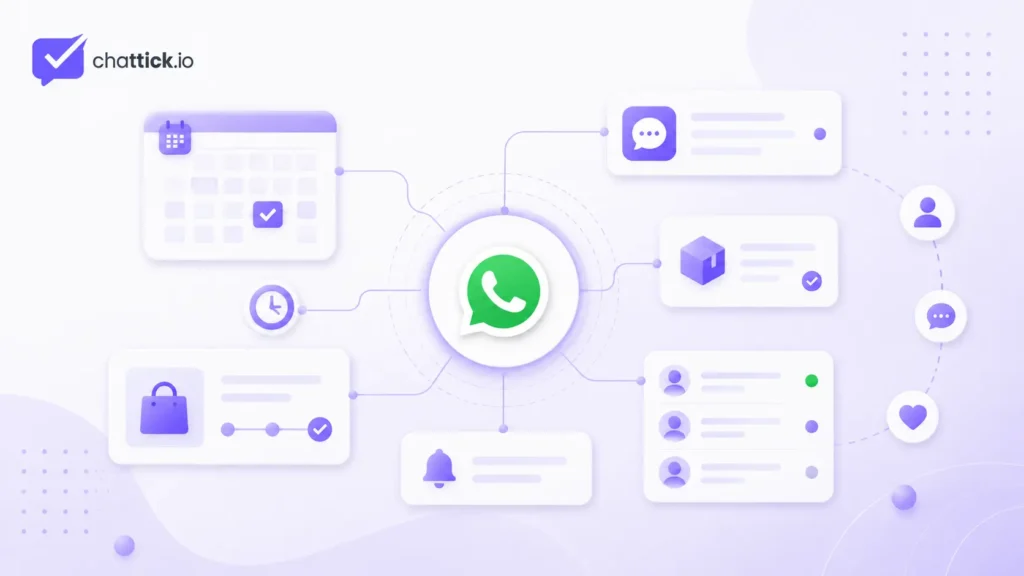
Businesses can choose from several integration methods depending on their technical resources and business requirements.
Direct Cloud API Integration
The business connects directly with Meta’s WhatsApp Cloud API.
Advantages
- Greater technical control
- Custom business logic
- Flexible integrations
- Custom user interface
- Direct access to API events
- Ability to build unique workflows
- Full control over data handling
- Greater customization
Limitations
- A developer is usually required
- A shared inbox must be built or connected
- Webhooks must be configured and maintained
- Credentials must be secured
- Errors and retries must be handled
- Monitoring is the business’s responsibility
- Hosting and maintenance may be required
- Technical changes must be managed internally
Direct integration is best suited to businesses with an experienced technical team or unique system requirements.
Managed WhatsApp Platform
The business connects through a platform that provides onboarding, inbox, automation, analytics, integrations, and agent management.
Advantages
- Faster setup
- Ready-made shared inbox
- Visual workflow builder
- Multi-agent management
- Technical support
- Easier template management
- Less custom development
- Built-in reporting
- Centralized settings
Limitations
- Additional subscription cost
- Feature limitations may apply
- Integration options depend on the platform
- Customization may be restricted
- Data-export options can differ
- Some advanced features may require higher plans
A managed platform is normally more practical for businesses that want to launch quickly without maintaining complete API infrastructure.
Custom Middleware Integration
Middleware sits between WhatsApp and other business systems.
It can:
- Normalize webhook data
- Route events between platforms
- Store message IDs
- Apply custom business rules
- Control retries
- Manage rate limits
- Transform CRM data
- Connect multiple applications
- Prevent duplicate processing
- Centralize error logging
Middleware is useful when a business has several systems that need to exchange WhatsApp data.
For example:
WhatsApp Cloud API
→ Middleware
→ CRM
→ Booking Calendar
→ Customer Database
→ Analytics Platform
The middleware can control which information is passed to each platform.
Complete WhatsApp Business API Integration Process
A successful implementation should follow a clear and planned process.
Step 1: Define the Use Case
Do not begin with technical setup before deciding what the integration must achieve.
Define:
- Who will use WhatsApp?
- Which customers will send messages?
- What types of inquiries will be received?
- Which processes should be automated?
- When should a human agent take over?
- Which business systems need to connect?
- What information must be stored?
- Which notifications should be sent?
- How will customers provide consent?
- Which results will be measured?
- Which department will own the integration?
Examples of clear use cases include:
- Automatically qualifying new leads
- Sending appointment reminders
- Providing order updates
- Routing support inquiries
- Collecting documents
- Sending application-status updates
- Booking consultations
- Following up with website leads
Step 2: Review Eligibility and Requirements
Confirm that the business has:
- An eligible business
- Accurate company information
- A Meta business portfolio
- A WhatsApp Business Account
- A suitable phone number
- A business website
- A business email
- Required verification documents
- A published privacy policy
- Customer opt-in processes
- A compliant business use case
- A clear support process
Follow the complete guide on how to get WhatsApp Business API before beginning integration work.
Step 3: Map the Customer Journey
Document each step the customer will experience.
For example:
Lead Submits Website Form
→ Contact Created in CRM
→ WhatsApp Confirmation Sent
→ Customer Selects Service
→ Qualification Questions Asked
→ Appointment Booked
→ Reminder Sent
→ Customer Speaks with Agent
→ Follow-Up Sent
Clearly identify which steps are:
- Automated
- Agent-managed
- CRM updates
- Message-template sends
- Customer-service replies
- Internal notifications
- Database updates
- Error-handling steps
A documented customer journey helps prevent unnecessary automation and duplicated messages.
Step 4: Configure WhatsApp Assets
Set up or connect:
- Meta business portfolio
- WhatsApp Business Account
- Business phone number
- Meta application
- Required permissions
- Access token
- Business profile
- Display name
- Message templates
- Webhook subscription
Check that the correct business owns and controls every connected asset.
Step 5: Build the Webhook Endpoint
The webhook endpoint should:
- Use HTTPS
- Use a valid SSL certificate
- Complete Meta verification
- Validate incoming requests
- Log events securely
- Process incoming messages
- Process status updates
- Avoid duplicate actions
- Return a successful response quickly
- Route slow tasks to a background process
- Protect customer information
- Generate alerts when processing fails
Webhook events can sometimes be retried. The integration should use unique message or event identifiers to prevent repeated actions.
Step 6: Connect the CRM or Shared Inbox
Map WhatsApp information with relevant CRM fields.
These may include:
- Full name
- Phone number
- Customer ID
- Service interest
- Lead source
- Campaign source
- Assigned agent
- Pipeline stage
- Message status
- Opt-in status
- Last message date
- Appointment details
- Conversation summary
- Customer language
- Customer location
- Support category
Decide which system will be the main source of truth for customer information.
Step 7: Create Message Templates
Create the templates required for business-initiated communication.
Common templates include:
- Appointment confirmation
- Appointment reminder
- Order confirmation
- Delivery update
- Payment reminder
- Application update
- Account notification
- Follow-up message
- Verification code
- Booking cancellation
- Reschedule confirmation
- Feedback request
Templates should:
- Use clear language
- Match the selected category
- Avoid misleading information
- Include relevant variables
- Provide useful context
- Include buttons where appropriate
- Follow WhatsApp’s requirements
Outside the customer-service window, approved templates are generally required for business-initiated outbound messages.
Step 8: Build Automation Logic
Each automation should clearly define:
- Trigger
- Conditions
- Customer data
- Message type
- Delay
- Agent assignment
- Error handling
- Opt-out handling
- Completion status
- Duplicate prevention
- Failure notifications
For example:
New Appointment Created
→ Confirm Customer Phone Number
→ Check WhatsApp Opt-In
→ Send Confirmation Template
→ Wait Until Reminder Time
→ Send Reminder
→ Update CRM Activity
Avoid sending duplicate messages when multiple connected systems update the same customer.
Step 9: Test the Complete Customer Journey
Do not test only one successful message.
Test scenarios such as:
- New customer
- Existing customer
- Invalid phone number
- Missing customer data
- Duplicate webhook event
- Failed CRM update
- Failed message delivery
- Expired access token
- Invalid credential
- Customer opt-out
- Agent handover
- Template rejection
- Appointment cancellation
- Appointment rescheduling
- Multiple simultaneous messages
- Business-hours routing
- Unavailable agent
- Unsupported media type
Also check that the system records errors clearly.
Step 10: Launch and Monitor
After launch, monitor:
- Message delivery rate
- Read rate
- Reply rate
- Average response time
- Failed messages
- Webhook failures
- CRM synchronization failures
- Agent workload
- Booking conversion
- Lead conversion
- Opt-out rate
- Customer complaints
- Template performance
- Automation completion rate
- Human handover rate
Monitoring helps identify issues before they affect a large number of customers.
WhatsApp Business API Integration Costs
The total cost of a WhatsApp Business API integration may include several components.
These can include:
- Meta messaging charges
- WhatsApp platform subscription
- Agent seats
- CRM subscription
- Automation usage
- Hosting
- Database costs
- Custom development
- Technical maintenance
- Chatbot or AI usage
- Integration support
- Monitoring tools
- Middleware costs
WhatsApp Business Platform pricing may depend on:
- Message category
- Recipient market
- Delivered-message volume
- Platform subscription
- Number of agents
- Automation usage
- Integration complexity
- Required support
- Additional software tools
A simple managed setup may cost less to launch than a custom-built platform.
However, a custom integration may provide more control for businesses with unique requirements.
Review the full WhatsApp Business API pricing guide before estimating the total implementation budget.
Common WhatsApp Business API Integration Mistakes
Poor planning can create unnecessary technical and customer-service problems.
Starting Without a Clear Use Case
Connecting every available tool without a defined customer journey creates unnecessary complexity.
Start with one specific business problem, such as appointment reminders, lead capture, or order updates.
Using Temporary Credentials in Production
Temporary development credentials should not become the permanent production authentication method.
Production integrations should use securely managed credentials with the correct asset access.
Ignoring Customer Opt-In
Sending unexpected messages can increase:
- Complaints
- Customer blocks
- Opt-outs
- Poor account quality
- Policy risk
The integration should record when and how customer consent was collected.
No Human Handover
Customers should have a clear way to reach a real team member when automation cannot solve the issue.
A chatbot should not repeat the same response without offering help.
Storing Tokens Insecurely
Access tokens should be stored in:
- Protected environment variables
- A secrets-management system
- Secure server-side configuration
Tokens should not be exposed to agents, customers, or public frontend code.
Processing the Same Webhook Twice
Webhook events may sometimes be retried.
A reliable integration should use message and event IDs to prevent:
- Duplicate CRM contacts
- Repeated messages
- Duplicate orders
- Duplicate notifications
- Multiple appointments
No Error Monitoring
Without alerts, a failed webhook or expired credential may stop messages without the team noticing.
Create alerts for:
- Webhook failures
- Message failures
- CRM errors
- Authentication issues
- Template problems
- Database connection failures
Connecting WhatsApp Without CRM Planning
Before launch, decide:
- Which customer fields will be stored
- Which activities will be recorded
- Which pipeline stages will be updated
- Which system owns the customer record
- How duplicate contacts will be handled
- How conversation history will be saved
Sending Too Many Automated Messages
Automation should help customers, not overwhelm them.
Avoid unnecessary:
- Follow-ups
- Reminders
- Promotional messages
- Repeated notifications
- Duplicate templates
No Opt-Out Workflow
The system must recognize and respect requests to stop communication.
When a customer opts out:
- Update the CRM record.
- Stop relevant workflows.
- Prevent future promotional messages.
- Confirm the request where appropriate.
- Keep the opt-out status synchronized across connected tools.
Security and Compliance Checklist
A production WhatsApp integration should include:
- HTTPS webhook endpoints
- Valid SSL certificate
- Secure access-token storage
- Restricted user permissions
- Logged administrative changes
- Customer opt-in records
- Opt-out processing
- Published privacy policy
- Data-retention rules
- Regular credential reviews
- Webhook monitoring
- Error alerts
- Agent access control
- Secure CRM permissions
- Sensitive-data protection
- Human escalation options
- Duplicate-event protection
- Secure backups
- Access reviews
- Data-deletion procedures
The business should maintain accurate company information, collect appropriate permission, respect opt-out requests, protect customer data, and follow WhatsApp’s business policies.
Only authorized users should be able to access customer conversations and connected systems.
Is WhatsApp Business API Integration Right for Your Business?
The best WhatsApp Business API integration method depends on the company’s technical resources, required features, and customer-message volume. WhatsApp Business API integration is worth considering when:
- Several employees manage customer messages
- Your team receives repetitive inquiries
- Leads need to be saved automatically
- Customers need appointment reminders
- You want CRM-based follow-ups
- You need order or application updates
- You want chatbots with agent handover
- You need message reporting
- Manual work is causing delayed responses
- WhatsApp is an important sales channel
- WhatsApp is an important support channel
- Customer history must be stored centrally
- Multiple departments use one number
A basic WhatsApp Business App may still be sufficient when:
- One person manages the account
- Message volume is low
- No CRM connection is required
- Manual responses are manageable
- Automation is unnecessary
- Reporting is not important
- Multi-agent access is not required
- Customer information does not need to sync with other systems
The correct choice depends on your customer volume, team size, automation requirements, integrations, budget, and growth plans.
Frequently Asked Questions
What Is a WhatsApp Business API Integration?
It is a connection between the WhatsApp Business Platform and another system, such as a CRM, shared inbox, chatbot, website, database, appointment calendar, help desk, or e-commerce platform.
The integration allows information and messages to move automatically between WhatsApp and the connected system.
Can WhatsApp Business API Integrate with a CRM?
Yes. An integration can:
- Create contacts
- Update customer records
- Store conversation activity
- Assign agents
- Create sales opportunities
- Update pipeline stages
- Add tags
- Schedule follow-ups
- Save appointment details
The available actions depend on the CRM and integration method.
Does WhatsApp Cloud API Include a CRM?
No. WhatsApp Cloud API provides messaging infrastructure.
A CRM, shared inbox, customer-support platform, or custom application must be connected separately.
Can Several Agents Use One WhatsApp Number?
Yes. Multiple agents can manage conversations when the WhatsApp number is connected to a multi-agent inbox or customer-support platform.
The platform may also support chat assignment, internal notes, transfers, tags, agent roles, and performance tracking.
Are Webhooks Required?
Webhooks are required for receiving real-time incoming-message and message-status events in a complete two-way integration.
Without webhooks, the connected application cannot reliably receive new messages or delivery updates in real time.
Can WhatsApp Be Connected with a Chatbot?
Yes. A chatbot can:
- Answer common questions
- Collect customer information
- Qualify leads
- Book appointments
- Retrieve order information
- Create support requests
- Transfer customers to human agents
A chatbot should include a clear human-support option.
Can WhatsApp Integrate with Appointment Software?
Yes. An appointment integration can send:
- Booking confirmations
- Appointment reminders
- Meeting links
- Preparation instructions
- Cancellation updates
- Rescheduling options
- Follow-up messages
It can also update appointment statuses inside the CRM or booking platform.
Can I Send WhatsApp Messages Automatically?
Yes, but the business must have appropriate customer permission and follow WhatsApp’s messaging rules.
Business-initiated messages generally require approved templates. Supported free-form replies may be sent during the customer-service window.
Can I Integrate WhatsApp Without Coding?
A managed WhatsApp platform or visual automation system can reduce the amount of custom coding required.
Direct Cloud API implementation normally requires technical configuration, including access tokens, API requests, webhook endpoints, security, and error handling.
What Permissions Are Required?
Sending messages normally uses:
whatsapp_business_messaging
Account and asset-management operations may require:
whatsapp_business_management
Some business-management or onboarding implementations may also require:
business_management
The exact permissions depend on the integration.
How Long Does WhatsApp Business API Integration Take?
The timeline depends on:
- Business verification
- Phone-number readiness
- Message-template approval
- CRM complexity
- Automation requirements
- Developer availability
- Platform onboarding
- Testing requirements
- Number migration
- Custom development
A simple managed setup may be completed faster than a completely custom integration.
Can WhatsApp Integrate with an E-Commerce Store?
Yes. WhatsApp can connect with order, product, payment, and delivery systems.
The integration may send order confirmations, shipping updates, delivery notifications, abandoned-cart reminders, and customer-support messages.
Is WhatsApp Business API Integration Secure?
It can be secure when the business properly protects:
- Access tokens
- Webhook endpoints
- Customer information
- CRM credentials
- Agent permissions
- Connected databases
- Server infrastructure
Security responsibilities are shared between Meta, the business, and any connected platform or provider.
Conclusion
A well-planned WhatsApp Business API integration helps businesses connect conversations with sales, support, CRM, and operational workflows.Chattick helps businesses connect WhatsApp with the tools and workflows they use every day. WhatsApp Business API integration allows businesses to connect WhatsApp conversations with CRM systems, chatbots, websites, appointment calendars, e-commerce stores, support desks, databases, shared inboxes, and automated workflows.
A complete integration can help your business:
- Capture leads automatically
- Respond faster
- Reduce repetitive work
- Manage multiple agents
- Store customer information
- Send important notifications
- Automate follow-ups
- Track message delivery
- Improve sales workflows
- Improve customer support
- Build a more consistent customer journey
However, a successful setup requires more than connecting one API endpoint.
The business must carefully plan:
- WhatsApp account ownership
- Phone-number setup
- Customer consent
- Message templates
- Webhook processing
- CRM data mapping
- Agent handover
- Security
- Error handling
- Reporting
- Ongoing maintenance
- Customer opt-out processes
A direct integration provides greater technical control, while a managed WhatsApp platform can provide a faster route to shared inboxes, automation, CRM connections, and team collaboration.
Integrate WhatsApp with Chattick
With Chattick, your business can:
- Connect WhatsApp Cloud API
- Manage chats through a shared team inbox
- Add multiple sales and support agents
- Create automated customer workflows
- Use task-specific chatbots
- Connect CRM and business tools
- Send confirmations and reminders
- Route leads to the correct team member
- Track conversations and performance
- Provide human support when automation is not enough
Book a free Chattick demo to plan a WhatsApp Business API integration around your CRM, team, customers, and automation requirements.