

A few WhatsApp conversations are easy to manage. Someone sends a message, a person from the team replies, and that is usually the end of it. The problems start later, when WhatsApp becomes one of the places where new leads arrive, customers ask for support, campaigns generate replies and several employees are trying to manage the same inbox.
At that point, the issue is not really WhatsApp anymore. It is everything happening around WhatsApp.
A salesperson needs to know which lead belongs to them. Marketing wants to know where the enquiry came from. Someone has to follow up with people who stopped replying. Existing customers should not be treated like completely new contacts every time they send a message. If the company is doing all of that manually, even a busy week can make the process messy.
That is usually where WhatsApp marketing software becomes useful. It gives the business a way to organize conversations, customer information, campaigns and follow-up without expecting the team to remember every detail themselves.
What Is WhatsApp Marketing Software?
The name can make it sound like software built mainly for sending promotional messages. Some tools do focus heavily on campaigns, but the category is broader than that.
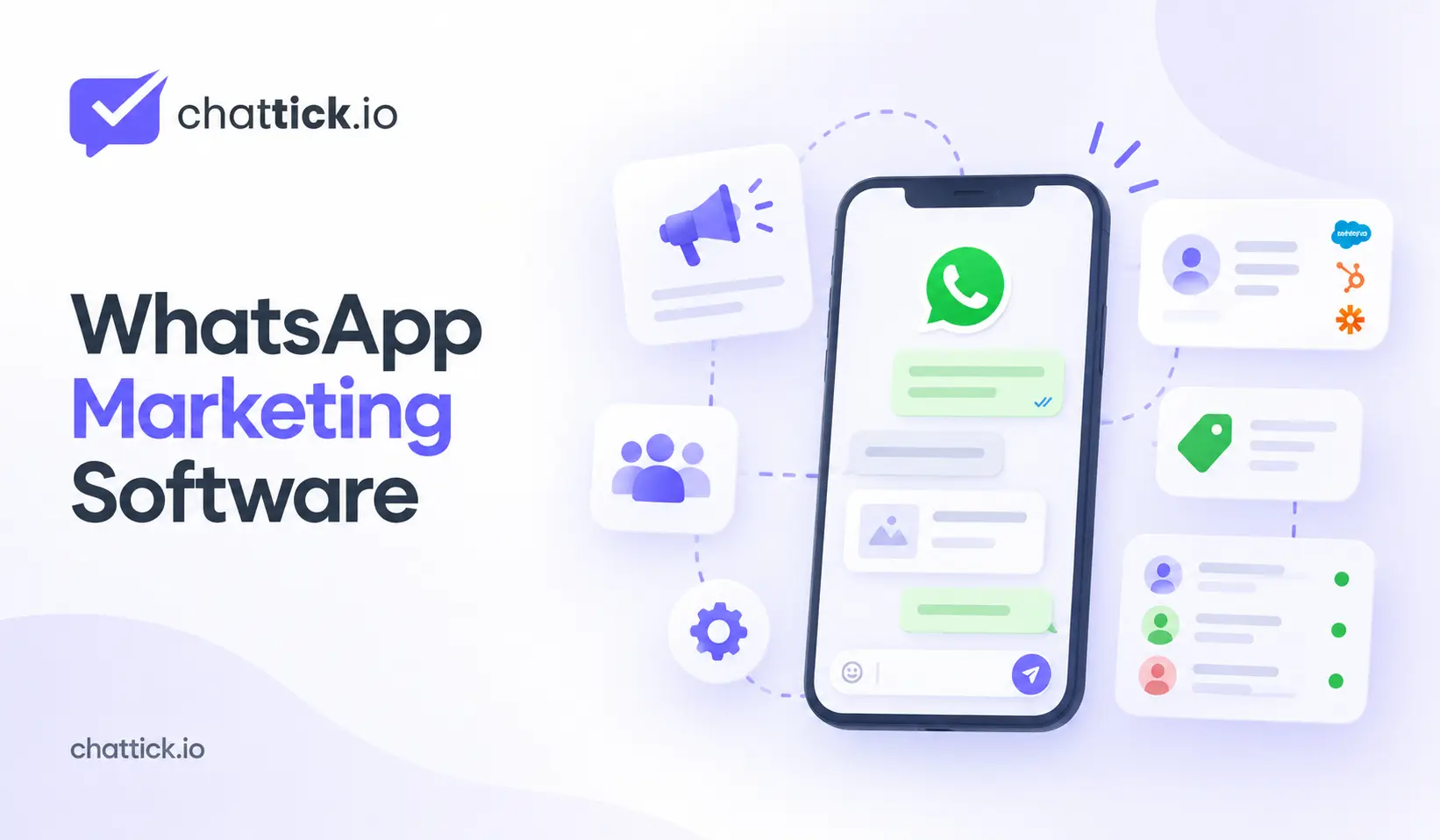
A typical platform may give several employees access to the same WhatsApp setup, keep contact information organized, connect conversations with a CRM and help the team automate routine work. Some products also include campaign tools, chatbots, reporting or integrations with ecommerce and booking systems.
The useful part is not that all of those features exist in one dashboard. It is that the business can finally connect things that were previously happening separately.
A customer might click an ad, start a WhatsApp conversation and later speak with a salesperson. Without a connected setup, marketing sees the ad click, the salesperson sees the chat and the CRM contains another record. Nobody necessarily sees the whole journey.
Good software can help join those pieces together.
You May Not Need It Yet
A small business does not automatically need another platform.
If one person handles WhatsApp and customer volume is still manageable, the WhatsApp Business app may be enough. Adding software too early can create more work than it saves, especially if the team ends up managing another dashboard they barely use.
There are usually clearer signs when something more advanced is needed. Conversations start getting missed. Several employees need access to the same number. Leads are copied manually into a CRM. Nobody remembers which enquiries still need a follow-up. Marketing runs a campaign, gets replies and then loses visibility once sales takes over.
Those are operational problems.
That is the point where software can begin earning its place.
The Shared Inbox Matters More Than It Sounds
The shared inbox is not the most exciting feature on a product page, but it is often the one employees use the most.
Imagine a company where four people can answer sales enquiries. A new WhatsApp message arrives. One person replies, another does not realize the conversation is already being handled, and someone else assumes a follow-up has been scheduled. Small mistakes like this happen easily when ownership is unclear.
A shared inbox can give each conversation an owner and make it obvious who is responsible for the next step. Sales chats can go to one team, customer issues to another and appointment requests somewhere else.
The inbox should also be easy to use. A product may have impressive automation features, but if employees struggle to find conversations or understand who owns them, the platform will become frustrating very quickly.
When comparing software, spend some time looking at the everyday inbox experience rather than only the advanced features.
Segmentation Makes Campaigns Less Random
A database of phone numbers is not much of a marketing strategy. The useful question is what the business knows about those people. One customer may have purchased last week. Another requested a quote months ago and never continued. Someone else may only be interested in one particular service. Sending the same message to all three ignores the context the business already has.
This is where segmentation becomes useful. A company might group contacts by customer status, location, service interest, purchase history or CRM stage. The right segments will depend on the business. A local company may only need a few groups, while a larger ecommerce operation may need much more detail.
There is no prize for having fifty segments.
The point is to create enough structure that the message makes sense to the person receiving it.
Campaign Software Is Only Useful if Replies Go Somewhere
Sending a campaign is the easy part.
The interesting part begins when people respond.
Suppose a business sends an offer and receives 200 replies in a few hours. Some people want to buy. Others have questions. A few existing customers need support instead. If all of those replies arrive in one general inbox with no ownership, the campaign has created work faster than the team can handle it.
A better setup connects the campaign with the conversation process.
Sales enquiries can be assigned to sales. Existing customers can be recognized where the system has enough information. High-intent replies can be handled quickly rather than waiting in the same queue as routine questions.
This is an important difference between software that simply sends messages and software that actually supports marketing operations.
The send button is only the beginning.
Automation Is Most Useful When Nobody Notices It
Automation is often marketed with dramatic examples of bots handling entire conversations. In day-to-day business, the most useful workflows can be much less visible.
A customer replies and the CRM record updates automatically. A lead is assigned to the right salesperson. A follow-up task appears because a quotation has been sitting unanswered. Someone who becomes a customer is removed from a lead-nurture workflow.
None of that needs to appear in the WhatsApp chat.
It simply prevents repetitive work from depending on memory.
That is usually a better place to begin than building a complicated chatbot on day one. Look at what employees keep doing manually and ask whether the software can handle that part reliably.
If it can, the value is easy to understand.
CRM Integration Can Change the Way the Team Uses WhatsApp
A WhatsApp conversation without context can be surprisingly limiting.
An employee sees the phone number and the messages in front of them. What they may not know is that the customer already requested a quotation, spoke with another salesperson two months ago and has an open opportunity in the CRM.
Once the systems are connected, the conversation becomes much easier to understand.
The salesperson may be able to see who the customer is, what they were previously interested in and what needs to happen next. Information collected through WhatsApp can also move back into the CRM instead of being copied manually.
This is why the phrase CRM integration needs more investigation during a software demo.
A basic integration may only create new contacts. A deeper one might update fields, assign owners, trigger workflows or keep sales activity connected.
Those are very different capabilities even though both providers can technically say they integrate with a CRM.
WhatsApp Marketing Software Can Help With Paid Leads Too
Paid ads can generate WhatsApp conversations quickly.
That is useful, but only if the business knows what to do with them afterward.
A person arriving from a specific campaign may already be interested in one service. If that source information disappears as soon as the conversation opens, sales loses useful context and marketing loses part of its reporting.
A more connected setup can keep the enquiry linked with the original source and then pass the lead into the same CRM process used for other opportunities.
That allows the company to ask better questions later.
Which campaign produced conversations that actually qualified? Which creative attracted people who never became real opportunities? Which offer resulted in sales rather than simply more messages?
Without a connection between advertising, WhatsApp and sales data, all of those conversations eventually look the same.
A Bot Can Help Without Running the Whole Conversation
Chatbots are useful when the first part of a conversation is predictable.
A business may repeatedly ask new leads which service they need, where they are located and when they want to start. A bot can collect those details before passing the conversation to the right person.
That can save time.
What tends to frustrate customers is when the bot refuses to let go.
Someone clearly asks to speak with sales and receives another menu. They choose an option and get three more questions. Eventually the automation has created more friction than the original manual process.
A better setup uses the bot for routine steps and makes human handoff easy.
The team should also receive whatever information the bot already collected. Asking the customer the same questions again makes the automation feel pointless.
Marketing Software Should Help You Follow Up Properly
Follow-up is one of those jobs everybody agrees is important and somebody still forgets.
A lead asks for pricing on Monday. A salesperson replies. The customer says they will think about it. Someone plans to check in later in the week, but Thursday becomes busy and the conversation disappears further down the inbox.
Software can help prevent that.
The next action might be an internal task rather than another automatic message. In other cases, a suitable follow-up workflow may make sense, provided the business has the right permission and follows WhatsApp’s current messaging requirements.
The important part is that follow-up becomes part of the process rather than something people are expected to remember individually.
Reporting Should Go Further Than Sent and Delivered
Marketing dashboards naturally focus on things that are easy to count.
Messages sent. Messages delivered. Messages read. Replies received.
Those numbers can be helpful, but they do not tell you whether the campaign did anything useful.
A campaign that receives 500 replies but produces no qualified leads is not automatically better than one that receives 80 replies and creates ten strong opportunities.
The business should eventually connect WhatsApp activity with outcomes that matter to it. That might include appointments, quotations, purchases, qualified leads or repeat customers.
Reading a sample of real conversations can also be valuable. Numbers show what happened. Conversations often explain why.
If customers repeatedly misunderstand an offer, the issue may not be the audience. The message itself may be unclear.
Integrations Should Be Judged by What They Actually Do
Software companies often display large walls of integration logos.
It looks impressive until the business discovers that the integration it needs only performs one basic action.
Instead of counting integrations, test an actual workflow.
If a lead replies on WhatsApp, can the platform find their existing CRM record? Can it update a field? Can it assign the conversation to the salesperson who already owns the account? Can a CRM event trigger a WhatsApp action?
Those questions are much more useful than asking whether a logo appears on an integrations page.
The same applies to ecommerce, booking systems and automation platforms.
A single integration that properly supports the company’s workflow may be more useful than a hundred integrations the team will never touch.
Permissions Become Important Once the Team Grows
Small companies often begin with everybody seeing everything.
Eventually that becomes uncomfortable.
Marketing may need to build campaigns but not view every support conversation. Sales employees may only need their assigned leads. Managers may need reporting without permission to change integrations.
Good software should make that possible without turning access management into a project of its own.
This becomes more important when the platform contains customer details, campaign tools and internal notes in the same place.
The right permission structure depends on the company, but complete access for every employee rarely scales well.
Do Not Ignore Data Ownership
A platform can become deeply embedded in the business after a year or two.
Contacts are stored there. Conversation history builds up. Automations depend on it. Employees get used to the inbox.
That is why migration is worth thinking about before it becomes necessary.
Ask what can be exported. Understand who controls the WhatsApp business assets and phone number. Find out what happens to custom data if the company cancels.
The purpose is not to assume the provider will become a problem.
It is simply easier to understand your options before you become dependent on the system.
Different Businesses Need Different Software
An ecommerce brand may care heavily about purchase data, customer segments and post-purchase communication. It needs the system to understand when someone has already bought something so marketing does not continue treating them like a new prospect.
A local service company may have much simpler needs. A shared inbox, quick lead assignment, CRM connection and reliable follow-up may solve most of the problem.
B2B teams often care about a longer sales cycle. A WhatsApp conversation may need to stay connected with the same account and opportunity for weeks or months rather than being treated like a new lead every time.
Education businesses have their own challenge. Students may need different communication depending on programme, destination, intake or application stage.
These businesses may all use WhatsApp.
They do not necessarily need the same software.
What Features Are Actually Worth Comparing?
The exact list will depend on the business, but a few areas are usually worth checking:
- Shared inbox and assignment
- Contact segmentation
- Campaign management
- CRM integration
- Workflow automation
- Bot-to-human handoff
- Reporting
- Team permissions
- Opt-in and opt-out management
- APIs or webhooks
- Data export
- Technical support
- Full pricing
Do not turn this into a scorecard where every feature gets one point.
Mark which features your team genuinely needs, which would be useful later and which are irrelevant.
A product that does five important things well can be a much better fit than one offering thirty features the business never uses.
Pricing Needs More Than One Number
The monthly subscription is rarely the full cost.
Depending on the provider, a business may also pay for users, numbers, automation, CRM integrations, setup, support, messaging or custom work.
That makes basic pricing comparisons difficult.
Instead of asking for the cheapest plan, describe the actual setup you need.
For example: eight users, one WhatsApp number, CRM integration, campaign functionality and a certain amount of monthly messaging.
Now the providers are quoting the same problem.
That makes the comparison much more useful.
Common Mistakes When Choosing WhatsApp Marketing Software
Businesses often buy the platform first and work out the process later.
That usually creates unnecessary complexity.
The team may build too many workflows, create dozens of customer tags nobody understands or run campaigns before deciding who will answer the replies. Other companies import old contact lists without properly considering whether those people should be receiving the messages.
A few mistakes appear repeatedly:
- Choosing software mainly for bulk sending
- Sending the same campaign to every contact
- Adding automation before the basic process is clear
- Giving campaign replies no clear owner
- Failing to connect WhatsApp activity with the CRM
- Measuring message volume instead of real outcomes
- Ignoring how data can be exported later
The software cannot fix a process the business itself has not worked out.
How to Choose the Right WhatsApp Marketing Software
Start with the current process rather than the product.
Look at what happens when a new WhatsApp enquiry arrives today. Who sees it? Who answers? Where is the customer recorded? What happens if they stop replying? Can the manager tell whether the lead eventually became a customer?
The weak points will usually become obvious.
Then describe how you want that process to work instead.
Maybe all new advertising leads should go into the CRM automatically. Perhaps support conversations should never reach sales. Maybe every lead needs an owner within a few minutes, while marketing needs three useful audience segments instead of a spreadsheet containing thousands of unsorted numbers.
Take those requirements into software demos.
The conversation changes completely.
Instead of asking, “What can your platform do?” you can ask, “Can your platform run this process?”
That makes it much harder to be distracted by features the business does not need.
WhatsApp Marketing Software Best Practices for 2026
Keep the customer experience simple. The business can have complex workflows running in the background, but customers should not feel like they are being pushed through a complicated system.
Use segmentation when it makes the message more relevant. Do not create dozens of groups simply because the software allows it.
Automate tasks that employees keep repeating, but do not automate every conversation. Some customers need judgment, negotiation or personal help, and the system should make it easy to reach a real person.
Keep WhatsApp connected with customer information wherever that helps the team avoid asking for the same details repeatedly.
Finally, measure what happens after people reply. Conversations are useful, but appointments, qualified leads, purchases and customer retention tell the business far more about whether the software is working.
Frequently Asked Questions
What does WhatsApp marketing software do?
It helps businesses organize WhatsApp conversations and marketing activity. Depending on the product, that may include campaigns, customer segmentation, a shared inbox, automation, CRM integration and reporting.
Is it the same as the WhatsApp Business app?
No. The Business app works well for many smaller companies. Dedicated software becomes more useful when several employees, campaigns, CRM connections or more advanced workflows are involved.
Can it connect WhatsApp with a CRM?
Many products can, although the level of integration varies. One tool may only create contacts, while another may synchronize ownership, fields and workflow activity. It is worth testing the exact process your business needs.
Do I need a chatbot as well?
Not necessarily. A lot of businesses get more immediate value from a shared inbox, CRM integration and basic automation. A chatbot is useful when part of the customer conversation itself is repetitive.
Can a team use one WhatsApp number?
This is a common reason businesses move to dedicated software. A shared inbox can allow several employees to work with conversations while keeping ownership and assignment clear.
How much does WhatsApp marketing software cost?
There is no single price. The total may depend on users, WhatsApp numbers, integrations, automation, support and messaging usage. Compare providers using the full setup your company actually needs.
Which WhatsApp marketing software is best?
There is no single option that fits every business. An ecommerce company, local service business and B2B sales team may have completely different priorities. The better choice is the product that handles the workflows your team actually relies on.
Final Thoughts
Good WhatsApp marketing software should solve problems the business already has.
If leads are being missed, it should help organize ownership. If employees keep copying information into the CRM, it should reduce that work. If marketing has no idea what happens after a campaign reply, the platform should make the customer journey easier to follow.
What it should not do is add a complicated layer of software simply because more automation sounds impressive.
Start with the way customers already contact the business. Look at where the process breaks, where employees repeat work and where useful information gets lost.
Then find the platform that cleans up those parts.
The best system is rarely the one with the longest feature list. It is the one the team can actually use without making a simple WhatsApp conversation feel complicated.