

A customer sends a WhatsApp message at 9:40 on Friday night asking whether your company is open tomorrow. Nobody on the team is working, so the message sits there until Saturday morning. That is not a disaster, but it is the sort of small delay businesses deal with every day. Now change the situation slightly. The customer is not asking about opening hours. They have just requested a quotation after seeing an ad. Another person wants to reschedule an appointment. Someone else is waiting for an order update, while an existing customer has sent a support question that needs to reach a specific employee.
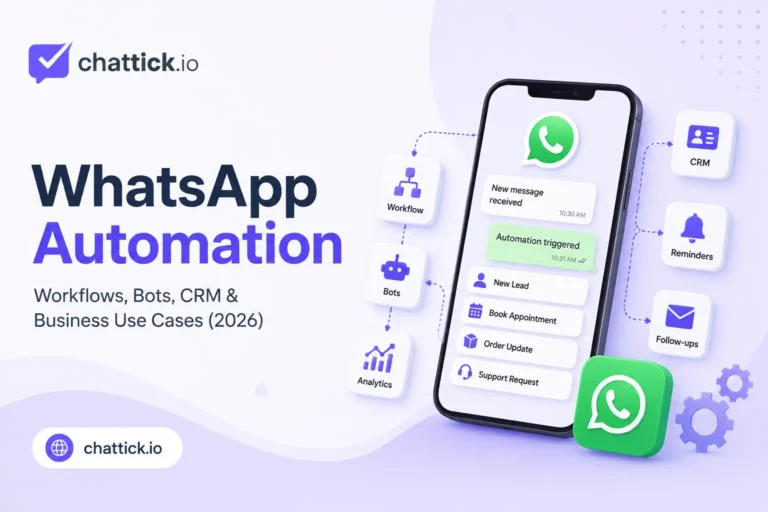
Once enough of these conversations start arriving, managing everything manually becomes less straightforward. That is where WhatsApp automation starts to become useful. Automation does not have to mean replacing every employee with a chatbot. In many businesses, the most valuable automations are much less dramatic. A message can be acknowledged after hours. A new lead can be added to the CRM. An appointment reminder can go out without somebody checking a calendar manually. A support enquiry can reach the correct team, and a salesperson can be reminded when a quotation has not received a reply.
The customer still experiences a normal WhatsApp conversation. The business simply removes some of the repetitive work happening behind it. WhatsApp itself positions the Business Platform for automated messages, customer engagement, conversational flows, CRM connections, marketing and customer support at scale. It also supports customer-initiated conversations as well as business-initiated messaging once the appropriate opt-in and message-template requirements are met. The useful question is therefore not, “How much can we automate?”
It is, “Which parts of our WhatsApp process should not depend on somebody remembering to do them manually?”
What Is WhatsApp Automation?
WhatsApp automation is the use of rules, workflows, integrations or software to handle actions that would otherwise require someone to manage them manually. Sometimes the automation is visible to the customer. An after-hours message is a simple example. A customer writes at midnight and immediately receives a short response confirming that the team will reply the following morning. Other automations happen completely behind the scenes. A new enquiry arrives and a contact is created in the CRM. The conversation is assigned to the sales team because the customer selected “Get a Quote.” A follow-up task is scheduled automatically. None of those actions needs to appear in the chat.
This distinction matters because automation is often confused with chatbots. A chatbot is one type of automation. WhatsApp automation is much broader. A company can automate routing, customer records, reminders, follow-ups, notifications, qualification, reporting and internal tasks without asking customers to talk to a bot at all. That is often the better place to begin.
Start With Work Your Team Is Already Repeating
There is an easy way to make automation unnecessarily complicated: start by looking at what the software can do. A better approach is to look at what the team keeps doing. Suppose a small consultancy receives thirty WhatsApp enquiries each day. Every new prospect is asked the same questions: their name, the service they need, the city they are based in and when they would like to speak with someone. After collecting those details, an employee copies them into the CRM and tells the sales team that a new lead has arrived.
There are several repetitive steps in that process. None of them is particularly difficult, but together they consume time and create opportunities for information to be missed. That is a good automation candidate. The business does not need an enormous AI project. It may only need a structured way to collect the basic information, create or update the CRM contact and send the conversation to the appropriate salesperson. Automating something the team already understands is usually much safer than designing an elaborate workflow for a process that was never clear in the first place.
The WhatsApp Business App Can Handle Simple Automation
Not every business needs the WhatsApp Business Platform. The Business app includes tools that can already reduce repetitive communication for smaller companies. Businesses can use features such as greeting messages, away messages and quick replies to make common interactions easier to manage. For a local service business receiving a manageable number of conversations, that may be enough. If customers frequently ask the same question about opening hours, a quick reply saves time. If messages arrive outside business hours, an away message sets expectations. If new customers need a short introduction when they first contact the company, a greeting message can help.
These are small automations, but small does not mean unimportant. A business should not move to a more complicated setup simply because it wants to call itself automated. If the Business app solves the actual problem, use it. The need for something larger usually appears when the automation must connect WhatsApp with other systems or respond differently depending on customer data, conversation status, team ownership or external events.
The Business Platform Changes What Can Be Automated
The WhatsApp Business Platform is designed for companies that need programmatic access to messaging at a larger scale. WhatsApp describes it as a platform for marketing, sales, support, conversational commerce and automated customer journeys, with integrations into systems such as CRM and marketing automation platforms. This is where automation can move beyond “send an away message.” A website lead can become a WhatsApp conversation. An incoming message can create or update a contact. Customer information can determine which team receives the conversation.
A completed order can trigger a confirmation. An appointment system can trigger a reminder. A CRM stage change can start a follow-up process. A support enquiry can be routed differently from a sales enquiry. WhatsApp remains the customer-facing channel, but the automation can involve several other systems behind it. That is usually where the real operational value appears.
A Trigger Is Simply the Thing That Starts the Workflow
Every automation needs something to happen first. That event is usually called a trigger. The trigger could be a customer sending a message. It could also be an appointment being created, an order changing status, a lead entering a CRM stage or a certain amount of time passing without a response. Imagine a customer books a consultation. The booking itself can become the trigger. Once it happens, the system may update the CRM, send a WhatsApp confirmation and schedule a reminder for later. Nothing has to wait for an employee to notice the booking.
Another workflow could begin when the customer replies to a campaign. The reply arrives, the customer is identified, and the conversation is assigned based on the type of enquiry. The idea is simple even when the implementation becomes technical. Something happens. The system decides what that event means. Then it performs the appropriate action.
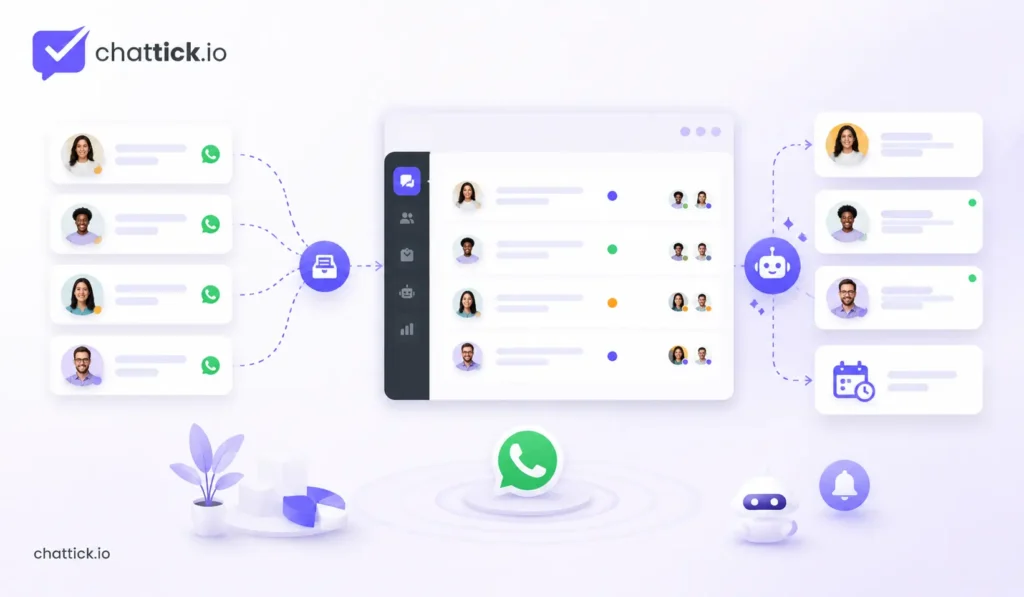
After-Hours Messages Are Useful Because They Set Expectations
An automated after-hours response is probably one of the least exciting examples of WhatsApp automation. It is also one of the easiest to understand. If someone contacts a business at 11 PM, they may not expect an employee to respond immediately. What they do want is some indication that the message reached the correct place. A simple response can say that the team is currently unavailable and provide the usual response time. That small acknowledgment removes uncertainty. The mistake is turning the away message into a long marketing script. A customer who asked one question does not need an automated paragraph describing every service the company offers.
Keep it useful. “Thanks for your message. Our team is offline now and will respond after 9 AM tomorrow.” That is enough in many cases. The automation has done its job without pretending that somebody is available when they are not.
Lead Qualification Can Save Time Before Sales Gets Involved
Sales teams often spend a surprising amount of time collecting information that is necessary but predictable. A customer says, “I’m interested.” The salesperson asks which service. The customer replies. The salesperson asks where they are based. Then budget, company size, preferred date or another basic question follows. Sometimes a real sales conversation begins only after several messages have already been exchanged. Basic qualification can be automated when the questions are genuinely standard.
A software company might need to know team size and the system the prospect currently uses. A property company may need location and budget range. A consultant may ask which service the prospect wants and when they hope to begin. The point is not to interrogate the customer. It is to collect enough useful context so the employee who joins the conversation does not have to begin from zero. Qualification should be short. If the workflow starts asking twelve questions before the customer can reach a person, the automation has probably gone too far.
WhatsApp Flows Can Make Structured Tasks Easier
Some customer interactions are conversations. Others are really small forms disguised as conversations. Booking an appointment is a good example. The business needs a service, date, time and perhaps some basic contact information. Asking for each detail through separate chat messages works, but it can create unnecessary back-and-forth. WhatsApp Flows are designed for structured experiences that customers can complete inside WhatsApp. WhatsApp currently highlights use cases such as lead capture, signups, personalized offers, appointments and other multi-step interactions. Flows can be created using templates or built into more advanced experiences with developer tools.
A Flow can therefore handle the structured part while leaving the conversation available for anything that actually needs a human. That balance is important. The customer should not have to wait for an employee to ask a predictable question. They also should not be trapped inside a form when what they really need is advice.
CRM Integration Is Where Automation Becomes Much More Useful
A WhatsApp conversation without customer context is just a conversation. Connect it to a CRM and the business can understand much more. Who is this customer? Have they contacted the company before? Which service are they interested in? Who owns the lead? Was a quotation already sent? Is there a follow-up due? Did they buy previously? That information can change what the automation should do. Suppose an existing customer messages the company. A disconnected system may treat them like a new lead and ask qualification questions they already answered months ago.
A CRM-connected workflow can recognize the customer and route the conversation appropriately. The same connection works in the other direction. Information collected through WhatsApp can update the CRM instead of waiting for someone to copy it manually. This reduces duplicate work and, more importantly, helps the team continue the relationship instead of restarting it.
Automation Should Know When to Stop
A good workflow needs an exit. That is easy to overlook. A business builds a chatbot for common questions and becomes very proud of how many scenarios it can handle. Then a customer asks something outside those scenarios. The automation sends another menu. The customer tries again. Another automated response appears. Eventually they type, “Can I speak to someone?” The system sends the menu again. At that point, automation has stopped saving time and started creating frustration. Human handoff should be designed into the workflow from the beginning.
There may be several reasons to hand over: the customer asks for a person, the automation does not understand the request, the conversation involves a complaint, payment issue, negotiation or another situation that requires judgment. The best automated experience is not the one that avoids humans at all costs. It is the one that uses people where people are valuable.
Automatic Routing Helps the Right Team See the Right Conversation
A growing business may have sales, support, billing and appointment enquiries arriving through the same WhatsApp number. Without routing, somebody has to look at every message and decide where it belongs. That works at low volume. At higher volume, it becomes repetitive. Routing rules can use information from the conversation, customer record or selected option to assign the chat. A customer requesting a quotation goes to sales. An existing customer reporting a problem goes to support. A payment question goes to billing.
A booking enquiry goes to the appointments team. This is simple automation with a practical effect: less internal forwarding and less waiting for the customer. The conversation reaches somebody who is more likely to solve it.
Appointment Confirmations and Reminders Are Natural Automation Candidates
Appointments involve repetitive communication because the event itself is predictable. A customer books. The business confirms. The appointment approaches. The customer receives a reminder. If they cancel or reschedule, the record changes. None of those steps requires somebody to remember every appointment manually. A booking system can trigger the confirmation and reminder automatically. Depending on the workflow, a response can also update the customer record or route a rescheduling request. This is particularly useful for clinics, consultants, salons, repair services, education providers and any business where missed appointments cost time.
The message should still be clear and simple. Automation does not improve an appointment reminder by adding five paragraphs of promotional copy. The customer mainly needs to know what is booked, when it is happening and what to do if something changes.
Order Notifications Are Another Good Example
Customers often contact businesses because they do not know what happened after purchasing. Was the order received? Has it shipped? Is there a delay? When will it arrive? Automated order notifications can answer many of those questions before the customer needs to ask. The WhatsApp Business Platform supports business messaging across customer journeys, and WhatsApp specifically lists order confirmations, shipment updates and reminders among common Platform use cases. An ecommerce system can therefore trigger messages based on actual order events.
Order confirmed. Order shipped. Delivery attempted. Order delivered. The customer gets useful information without an employee checking each order. Support volume may fall simply because fewer customers need to ask for updates.
Business-Initiated Messages Have Rules
Automation does not mean a business can send anything to anybody whenever it wants. For business-initiated messaging through the WhatsApp Business Platform, WhatsApp requires the customer’s opt-in and uses customizable message templates. Those templates can include text, media and interactive elements. This matters for automated follow-ups, reminders, promotions and other outbound communication. The fact that an automation can technically send a message does not mean it should. The customer relationship still matters.
A reminder someone expected is useful. An unsolicited series of promotional messages because their phone number exists in a database is a very different experience. Build the automation around permission and relevance rather than simply around reach.
Follow-Ups Are Valuable Because Humans Forget Them
A lead requests a quotation on Monday. The quotation goes out. Nothing happens. The salesperson plans to follow up on Thursday. Thursday becomes busy. Friday passes. The lead disappears. This is one of the simplest problems automation can solve. The CRM can record when the quotation was sent. If the customer has not replied after the agreed period, a follow-up task can be created or an appropriate message can be sent depending on the process and messaging rules. This does not require an advanced bot.
It requires the system to remember something people frequently forget. That is a good principle for automation in general. Let software remember repetitive timing. Let people handle the conversation.
Marketing Automation Needs Better Segmentation Than “Everyone”
WhatsApp supports marketing messages across the customer journey, including lead nurturing, promotions, targeted offers, product recommendations, abandoned-cart re-engagement and lapsed-customer campaigns. That does not make every customer an appropriate recipient. A strong automated marketing workflow uses context. Someone abandoned a cart recently. A subscription is approaching renewal. A customer asked about a product that is available again. A lead downloaded something and later asked for pricing.
Those are specific reasons to communicate. “We have a list of 20,000 numbers” is not. Good marketing automation makes messages more relevant. Bad marketing automation simply makes irrelevant messaging faster.
A Chatbot and an Automation Workflow Are Not the Same Thing
This distinction is useful when planning a system. A chatbot mainly deals with the conversation itself. A workflow deals with what happens around the conversation. The chatbot may ask a question. The workflow may store the answer in the CRM. The chatbot may let the customer choose “Sales.” The workflow assigns the conversation to a salesperson. The customer may book an appointment through a structured interaction. The workflow creates the appointment, updates the record and schedules the reminder.
These pieces can work together, but they solve different problems. A business that says “we need a WhatsApp bot” may actually need a routing workflow, CRM integration or follow-up system instead. Define the problem before choosing the tool.
Webhooks Let Other Systems Know Something Happened
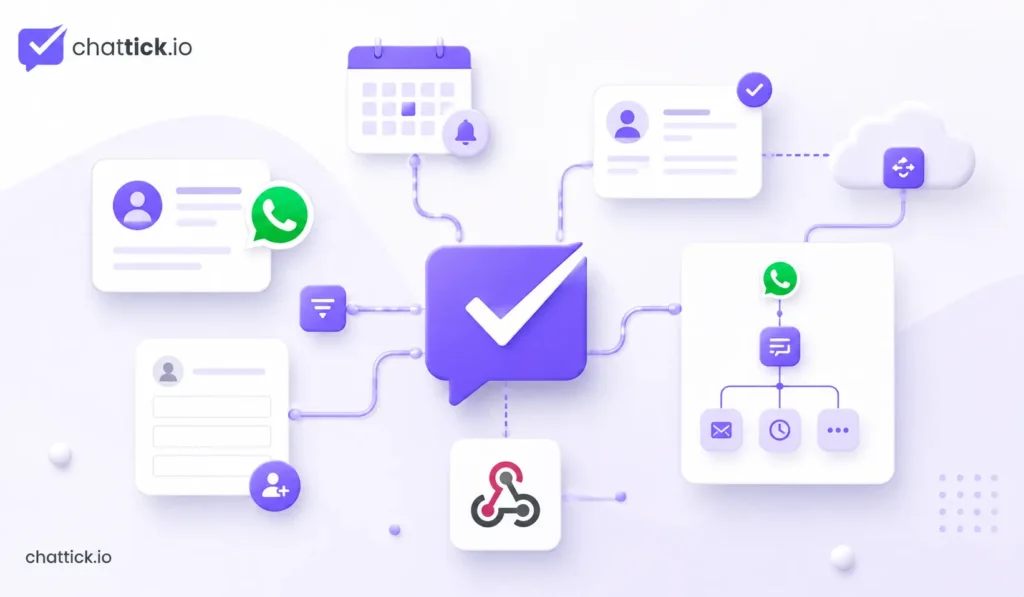
For more technical WhatsApp setups, webhooks are an important part of automation. A webhook is essentially a way for one system to notify another when an event happens. A customer sends a message. A delivery status changes. An interaction occurs. That event can be passed to another system, which then decides what to do next. The webhook itself is not the whole automation. It is often the signal that starts it. A workflow platform or custom backend may receive the event, look up the customer, update the CRM, trigger another system or send information somewhere else.
This event-driven structure is what allows WhatsApp to become connected with business systems instead of operating as a separate inbox.
You Do Not Need AI for Every Automation
AI is useful in the right situations. It can help classify enquiries, summarize conversations, understand less structured messages or generate responses where flexibility is genuinely needed. That does not mean every workflow needs it. If a customer selects “Billing,” you do not need an AI model to decide that the conversation should go to billing. If an appointment is tomorrow, a normal scheduling rule can trigger the reminder. If an order status changes to shipped, a simple event can start the notification.
Traditional rules are often easier to understand, easier to test and easier to maintain. Use AI when the problem requires interpretation. Use ordinary automation when the answer is already obvious.
Support Automation Works Best Around Repetitive Questions
Customer support teams often see the same questions repeatedly. Where is my order? How do I reset this? Can I change my appointment? What are your opening hours? Do you deliver to my location? Some of these can be answered automatically or guided through structured steps. WhatsApp’s Business Platform materials specifically describe automated conversational flows and smart routing as ways to deal with high-volume support requests while involving live agents when needed. The important part is deciding which questions are actually predictable.
A simple delivery-status request may be easy to automate if the order system is connected. A complicated complaint involving several previous interactions may not be. Automation should reduce the queue for the support team, not create a second problem the team eventually has to untangle.
Shared Inboxes and Automation Work Better Together
A shared inbox gives several employees access to customer conversations. Automation can make that inbox easier to manage. New chats can be assigned automatically. High-priority conversations can be flagged. Leads can go to sales while support issues go elsewhere. A conversation can reopen when the customer replies. Follow-up tasks can be tied to ownership. Without clear assignment, a shared inbox can still become crowded. Everybody can see everything, but nobody knows who is responsible. Automation is useful when it adds structure to the shared environment rather than simply creating more notifications.
Do Not Automate a Broken Process
This is one of the most important rules. If the business does not know who should handle a lead, automation cannot magically solve that organisational problem. If nobody agrees when a follow-up should happen, building a follow-up workflow simply hides the disagreement inside software. If customer information is inaccurate, automating messages from that information can spread the problem faster. Fix the process first. Then automate it. Write down what should happen when a new enquiry arrives. Decide what information is actually required. Decide who owns each stage. Decide when a person should take over.
Once those decisions are clear, the automation becomes much easier to design.
Too Many Automations Can Create Their Own Problems
Automation is attractive because every repetitive task looks like an opportunity. Soon the business has one workflow for new leads, another for abandoned carts, another for reminders, another for support routing and six more running in the background. Then two workflows react to the same customer event. The customer receives duplicate messages. One automation changes a CRM stage that triggers another automation, which moves the record somewhere unexpected. Nobody remembers why a workflow was created six months ago.
This is not an argument against automation. It is an argument for maintaining it like any other business system. Keep documentation. Use clear workflow names. Know what triggers each automation. Review workflows when the business process changes. Remove things that no longer serve a purpose. A smaller number of reliable automations is better than a huge collection nobody understands.
Test the Unhappy Path, Not Just the Perfect One
Automation demos usually show the happy path. The customer selects the expected option. The CRM contains the correct information. The API responds instantly. The message sends successfully. Real customers are less cooperative. They send incomplete answers. They change their mind. They type something unexpected. A system is temporarily unavailable. A customer already exists twice in the CRM. A message fails. Good testing includes these situations. What happens if the customer does not answer? What happens if the CRM lookup finds nothing?
What happens if a workflow fails halfway through? What happens if the person asks for a human immediately? The best automation is not only designed for what should happen. It has a sensible response when something does not.
Measure Whether the Automation Improved Anything
An automation can work technically and still be useless. The workflow ran. The message was sent. The CRM record updated. Fine. Did it improve the business process? Maybe lead response time became faster. Perhaps appointment no-shows fell. Maybe salespeople spend less time entering data. Support enquiries reach the correct team more consistently. Follow-ups happen more reliably. Those are meaningful outcomes. A business should know what problem the automation was supposed to solve before measuring it.
Otherwise, success becomes “the workflow ran 5,000 times.” That is activity, not necessarily value.
When Manual WhatsApp Is Still the Better Option
A small company receiving ten WhatsApp conversations a day may not need a complex automation stack. One employee can answer the messages. Customer details are easy to manage. Nobody is missing follow-ups. The team knows what is happening. That is a working process. Automating it may create more maintenance than value. Businesses should move toward advanced automation when manual work becomes a real operational limitation, not because automation looks impressive. If there is no problem, there is nothing urgent to automate.
When More Advanced WhatsApp Automation Makes Sense
The signs usually become obvious. Message volume is increasing. Several people need to handle conversations. Leads are getting lost. Employees keep copying information between WhatsApp and another system. Follow-ups depend on memory. Customers ask for updates that another platform already knows. Appointments require repetitive confirmations. Support conversations repeatedly go to the wrong team. These are good reasons to connect WhatsApp more deeply with business systems. At that point, the Business Platform, CRM integration, workflow automation, Flows and shared inbox tools start solving real problems rather than adding features for their own sake.
WhatsApp Automation Best Practices for 2026
Begin with one repetitive process that is already understood. Make the trigger clear. Keep customer-facing automation short and useful. Use customer data carefully so existing customers are not treated like strangers. Build human handoff into any conversational workflow. Respect opt-in and template requirements for business-initiated messages. Do not use AI where a simple rule can solve the problem more reliably. Test failures and unusual customer behaviour before launching the workflow. Document what the automation does.
Finally, measure whether it actually saved time, improved response speed, reduced missed conversations or produced another useful business result. Automation should make the business easier to operate. If it needs constant attention just to keep functioning, something is wrong.
Frequently Asked Questions
What Is WhatsApp Automation?
WhatsApp automation is the use of rules, software, APIs and integrations to automate parts of customer communication or the work happening behind it. Examples include after-hours responses, lead qualification, CRM updates, routing, appointment reminders, order notifications and follow-ups.
Can I Automate WhatsApp Business?
Yes. The WhatsApp Business app provides some simple automation features, while the WhatsApp Business Platform supports much more advanced automation through APIs, integrations, templates and WhatsApp Flows.
Do I Need WhatsApp Business API for Automation?
Not for every automation. Small businesses can use built-in Business app features for simple use cases. The Business Platform becomes more relevant when WhatsApp needs to connect with a CRM, booking system, ecommerce platform, multiple agents or more advanced workflows.
What Can Be Automated on WhatsApp?
Common examples include greeting and away messages, lead capture, customer qualification, routing, CRM updates, appointment confirmations, reminders, order notifications, support triage, marketing follow-ups and internal tasks triggered by customer activity.
Is WhatsApp Automation the Same as a Chatbot?
No. A chatbot is one form of automation focused mainly on customer conversation. WhatsApp automation can also include CRM updates, internal routing, reminders, notifications, workflow triggers and other actions the customer may never see.
Can WhatsApp Automation Use AI?
Yes. AI can be useful for tasks such as classifying messages, interpreting less structured customer requests or assisting with responses. It is not required for every workflow. Rules and standard automation are often better when the decision is predictable.
What Are WhatsApp Flows?
WhatsApp Flows are structured experiences that customers can complete inside WhatsApp. WhatsApp currently highlights uses including lead capture, signups, offers, appointments and other interactive customer journeys.
Can WhatsApp Connect With a CRM?
Yes. Businesses using the WhatsApp Business Platform can integrate WhatsApp with backend systems including CRM and marketing automation platforms. This can help keep customer records, assignments, sales activity and conversations connected.
Can I Automatically Follow Up With WhatsApp Leads?
Follow-ups can be automated, but outbound messaging must still follow WhatsApp’s requirements. Business-initiated messages through the Platform require appropriate opt-in and use customizable message templates.
Is WhatsApp Automation Good for Small Businesses?
It can be, but the automation should solve a real problem. Simple features such as greetings, away messages and quick responses may be enough for a small team. More advanced workflows usually become worthwhile when message volume, multiple employees or integrations make manual management unreliable.
Final Thoughts
Good WhatsApp automation rarely begins with a chatbot. It begins with somebody noticing that the same work keeps happening. Employees copy customer details into a CRM every day. Salespeople forget follow-ups. Appointment reminders are sent manually. Support messages are forwarded between people. Customers ask for order information the company already has in another system.
Those are automation opportunities because the problem is already visible. Start there. A small business may only need a few simple responses inside the WhatsApp Business app. A growing company may need WhatsApp connected to its CRM, booking system, ecommerce platform or shared inbox. A larger operation may use the Business Platform, Flows, templates, APIs and more advanced workflow logic to manage thousands of customer interactions. WhatsApp itself positions the Platform around automated customer experiences, conversational flows, CRM integration, commerce, marketing and support at scale.
The technology can become sophisticated behind the scenes. The customer experience should not. They should receive the right information, reach the right person and avoid repeating work the business could have handled automatically. That is the standard worth aiming for. Automation is working well when the customer barely notices it — and the team wonders how they ever managed the process manually.