

A business decides it wants to use WhatsApp for customer support, appointment reminders, order updates, lead generation or sales conversations. At first, the idea sounds simple: connect a WhatsApp number and start messaging customers. In practice, the setup can involve a Meta business account, phone-number registration, message templates, customer opt-in, billing, CRM integration, automation and technical configuration.
During that research, another term usually appears: WhatsApp Business Solution Provider, often shortened to BSP. The phrase has been widely used for companies that help businesses set up and operate WhatsApp Business Platform solutions. However, Meta’s partner terminology has evolved, and businesses may now also encounter terms such as Tech Provider, Tech Partner and Solution Partner.
For most companies, the terminology itself is not the biggest concern. What matters is much more practical: who will set up the account, what the provider controls, how WhatsApp will connect with existing systems, what the service will cost and whether moving away from the provider later will be straightforward.
What Is a WhatsApp Business Solution Provider?
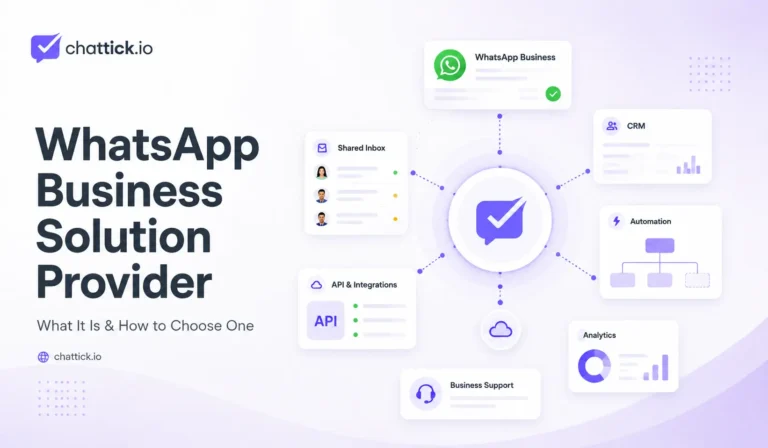
A WhatsApp Business Solution Provider is generally understood as a company that helps businesses implement and manage solutions built around the WhatsApp Business Platform. Depending on the provider, that may involve everything from initial onboarding to ongoing automation, CRM integration and customer-support tools.
A provider may help with services such as:
- WhatsApp Business Platform onboarding
- Phone-number and account configuration
- Shared team inboxes
- CRM integration
- Message template management
- Chatbots and automated workflows
- Lead routing and assignment
- Appointment and order notifications
- Analytics and reporting
- Technical support and troubleshooting
The exact service varies considerably. One provider may mainly offer API infrastructure, another may provide a complete communication platform, while another may focus on custom implementation work for larger companies.
That difference is important because simply seeing the words “WhatsApp provider” on a website does not tell you what the business will actually receive.
BSP Is Still Common Language, but the Partner Structure Has Changed
The abbreviation BSP, meaning Business Solution Provider, is still commonly used throughout the WhatsApp software industry. Businesses searching online will continue to find vendors, comparison pages and older documentation using that terminology.
At the same time, the current WhatsApp partner ecosystem includes distinctions such as Tech Partners and Solution Partners. Tech-focused partners generally build technology on top of the WhatsApp Business Platform, while Solution Partners provide broader implementation and customer-support services.
For a company trying to launch WhatsApp, this can make the ecosystem look more complicated than it needs to be. Instead of focusing only on the label, ask the provider to explain its role clearly. You should know what access it has, what it manages on your behalf and which parts of the setup remain under your own Meta business account.
Why Businesses Use a WhatsApp Solution Provider
Companies with strong technical teams can build directly on the WhatsApp Cloud API and manage much of the infrastructure themselves. That approach provides control, but somebody still needs to develop, monitor and maintain the messaging system.
A working WhatsApp setup may require webhooks, API requests, customer records, message-status handling, authentication, shared inbox functionality, CRM synchronization and workflow automation. For a software company that already has its own internal systems, this may be reasonable. For a small or mid-sized business, building all of it from scratch can create work that has little to do with the company’s actual service.
A provider reduces that burden by giving the business access to infrastructure, software or implementation expertise that already exists. Instead of spending months building a messaging environment, the company can focus on how WhatsApp should fit into its sales and support process.
Direct WhatsApp Cloud API vs Using a Provider
There is no requirement that every business must purchase a large third-party platform to use WhatsApp professionally. Companies with experienced developers can work directly with the WhatsApp Cloud API and connect it with their own software.
Direct integration often makes sense when a business already has:
- Its own CRM or customer database
- An internal support dashboard
- Development resources
- Existing automation infrastructure
- Custom reporting systems
- A team capable of maintaining APIs and webhooks
Imagine a SaaS company that already operates its own support interface. It does not need another inbox simply because it wants WhatsApp. The development team may prefer to connect WhatsApp directly into the software employees already use.
A smaller business may have the opposite situation. It might need ten employees to answer messages, automatically create CRM contacts, send appointment reminders and see basic reporting, but have no development team capable of building those features. For that company, a provider may be the faster and more practical option.
Neither approach is automatically better. The right choice depends on what the business already has and what it wants WhatsApp to do.
A Provider Should Make Onboarding Easier
One of the first things a provider should help with is getting the business connected correctly. The onboarding process may involve the Meta business portfolio, WhatsApp Business Account, phone number, permissions and platform access.
A good provider should be able to explain the structure without turning onboarding into a mystery. Before completing setup, the business should understand:
- Which Meta business portfolio owns the account
- Who owns and controls the phone number
- Who has access to the WhatsApp Business Account
- Which provider applications have permissions
- How billing is handled
- What happens if the provider relationship ends
These details may feel unimportant while everything is working, but they become critical during migration, account changes or technical problems.
Your WhatsApp Account Should Not Feel Like the Provider’s Property
A business may use the same WhatsApp number for years. Customers save it, employees share it, advertisements point to it and the number may appear across websites, invoices, packaging and social media.
That makes account ownership important.
Before signing with a provider, ask what happens if you decide to leave. Can the number be moved? Can the account be migrated? Will you continue to control the Meta business assets associated with it? What customer or conversation data can be exported?
The goal is not to assume the provider will cause problems. It is simply good business practice to understand what you own before becoming dependent on a platform.
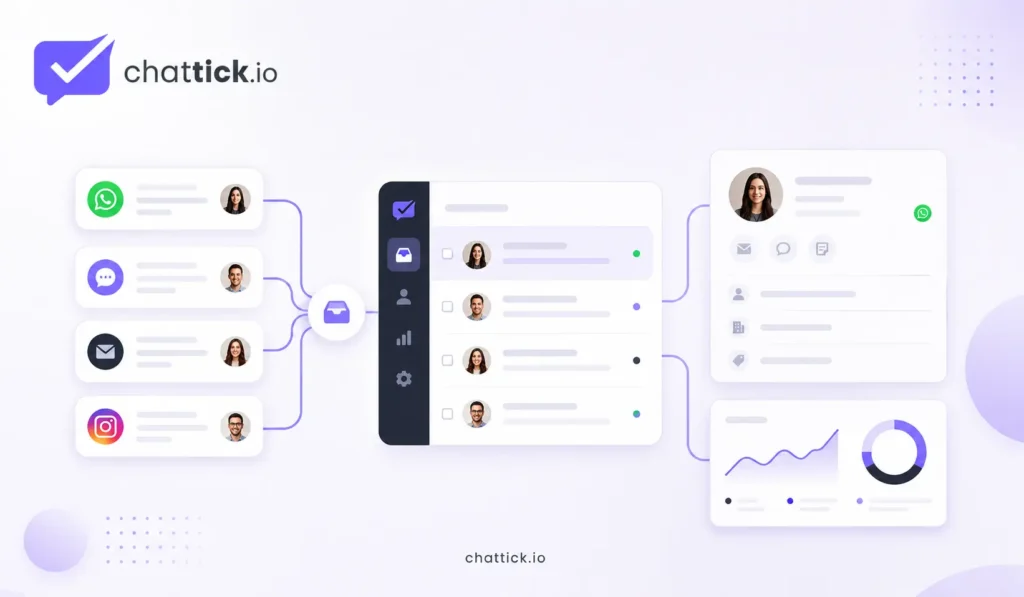
A Shared Inbox Is Often What Teams Actually Need
Many companies begin by saying, “We need the WhatsApp API,” when their immediate problem is much simpler: several employees need to answer conversations coming into one business number.
That is primarily a shared inbox problem.
A useful shared inbox lets team members view conversations, assign ownership and avoid multiple employees responding to the same customer. Some systems also support internal notes, labels, departments, conversation status and performance reporting.
For example, conversations might be distributed according to purpose:
- New sales enquiries → Sales team
- Existing customer issues → Support team
- Invoice questions → Billing
- Appointment requests → Booking team
The API connection makes the communication possible, but the inbox determines how easily employees can actually work with those conversations.
CRM Integration Can Be More Important Than the Inbox
WhatsApp becomes much more useful when messages are connected with customer information already stored elsewhere. Without CRM integration, an employee may see only a phone number and the history inside that conversation.
With CRM integration, the same employee may also see the customer’s name, service interest, sales owner, opportunity stage, previous interactions and upcoming follow-up tasks. The conversation immediately has context.
Information can also move from WhatsApp into the CRM. A new enquiry might automatically create a lead, while information collected during qualification can update the existing contact record.
Before choosing a provider, ask exactly what the integration does. “Integrates with CRM” can mean many things. One provider may only create a contact, while another can synchronize opportunities, owners, conversation history and workflow triggers.
Automation Is Another Major Difference Between Providers
Two WhatsApp providers may offer similar-looking inboxes but very different automation capabilities. One may support simple automatic replies, while another may allow businesses to build complete workflows involving customer data and external systems.
Depending on the platform, automation may include:
- Automatically creating CRM leads
- Assigning conversations to the correct employee
- Sending appointment confirmations
- Sending appointment reminders
- Triggering order updates
- Following up with inactive leads
- Routing support enquiries
- Updating CRM stages
- Starting chatbot interactions
- Triggering actions through webhooks or external automation tools
The important thing is not how many automation features appear on the provider’s website. Start with the process the business actually wants to improve.
A clinic may care most about appointments and reminders. An ecommerce company may need order updates and customer-service automation. A consultancy may mainly want lead qualification and sales follow-up.
The provider should fit the workflow rather than forcing the workflow to fit the software.
WhatsApp Flows May Matter for Structured Customer Journeys
Some interactions are difficult to manage through repeated question-and-answer messages. A business may need several structured pieces of information before it can move the customer forward.
For example, a company may want a customer to select a service, choose a date and provide contact details. Asking each question separately can make the conversation longer than necessary.
WhatsApp Flows can help create more structured experiences inside WhatsApp. They can be useful for processes such as lead capture, appointment booking, registrations and other multi-step interactions.
If Flows are important to the business, ask the provider how they are handled. Can your team create and edit them? Does the provider need to build them? Where does the submitted information go? Can Flow responses update the CRM automatically?
Those implementation details matter more than simply seeing “WhatsApp Flows supported” on a feature page.
Message Templates Still Matter
Businesses using the WhatsApp Business Platform need to understand message templates, particularly when messages are initiated by the business.
Templates may be used for different purposes, including appointment reminders, customer updates, authentication and marketing communication. Providers often include tools for creating, submitting and organizing templates.
A useful provider should make it easy to understand which template is being used, why it is needed and how its performance is monitored. It should also make clear which rules come from WhatsApp and which settings belong to the provider’s own software.
Using a third-party dashboard does not remove Meta’s platform requirements.
Providers Do Not Control Meta’s Approval Decisions
A provider can guide a business through onboarding, account configuration and template submission. It can help troubleshoot issues and reduce technical mistakes.
It cannot become Meta.
Business verification, template approval, platform policies, messaging quality and account restrictions are ultimately controlled within Meta and WhatsApp’s ecosystem. Because of this, providers making unrealistic guarantees about approvals should be treated carefully.
A good provider helps the business follow the correct process. It should not pretend to control decisions that belong to the platform.
Support Quality Matters More After Launch
A polished sales demonstration is easy to deliver when everything works. The real test starts after the system has been operating for a few weeks.
A template may be rejected. Messages may stop syncing with the CRM. A webhook could fail. A workflow might create duplicate leads. A number may need to be migrated.
When comparing providers, find out how technical support actually works:
- Is support available through email, chat or phone?
- Is there a dedicated account manager?
- Can technical engineers investigate integration problems?
- What response times should you expect?
- Is implementation support included?
- Are advanced support plans charged separately?
A platform that costs slightly more but provides reliable technical help may save far more money than a cheaper system that leaves the business stuck whenever something breaks.
Understand the Pricing Structure Before Comparing Providers
WhatsApp messaging charges and provider software charges are not necessarily the same thing. A company may pay for WhatsApp usage and also pay the provider for the software and services built around it.
Depending on the platform, additional costs may include:
- Monthly subscription
- User or agent fees
- Additional WhatsApp numbers
- Automation features
- CRM integrations
- Implementation
- Custom development
- Support plans
- Usage markups
This is why two providers can be difficult to compare using the headline price shown on their websites.
Ask for an estimate based on your actual situation. If the business expects eight employees, two WhatsApp numbers and a specific volume of monthly communication, request pricing for that configuration.
A real estimate is more useful than comparing two “starting from” prices.
Ask Who Handles WhatsApp Billing
The billing arrangement can also vary depending on the provider relationship and account structure. Some businesses prefer billing to remain as direct and transparent as possible, while others prefer a provider that combines software, implementation and messaging costs into a more convenient arrangement.
Before launch, understand:
- Who receives the messaging charges
- Whether the provider adds any markup
- Which currency is used
- Whether taxes are included
- Where usage can be reviewed
- Whether billing changes if the provider changes
These questions become much more important once message volume grows.
Check Whether the Provider Supports Your Existing Systems
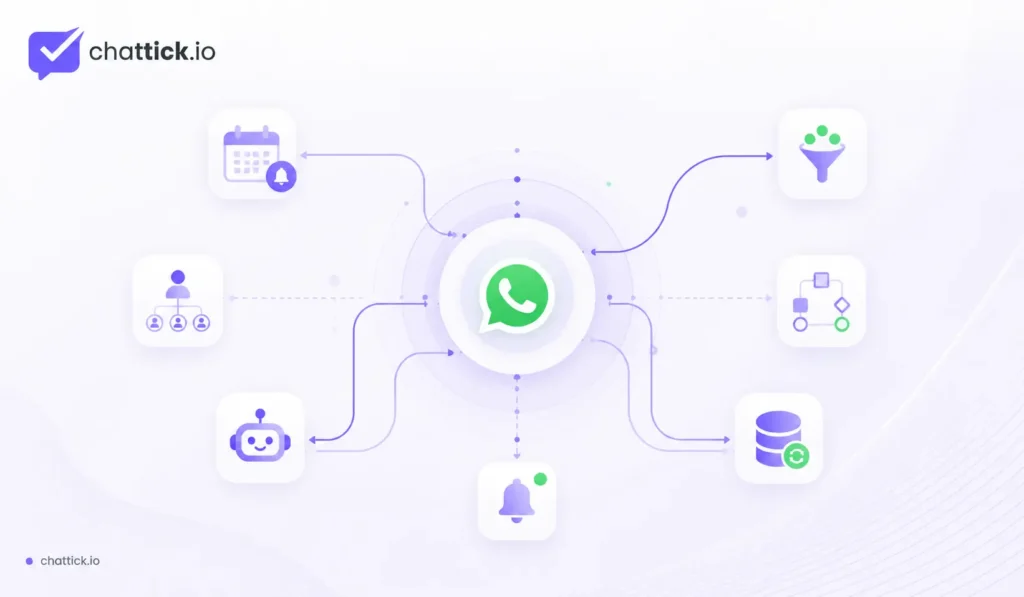
Most businesses already use other software before adding WhatsApp. The value of the WhatsApp provider often depends on how easily it connects with those systems.
That may include:
- HubSpot
- Salesforce
- Zoho CRM
- GoHighLevel
- Shopify
- WooCommerce
- Booking platforms
- Help-desk software
- Marketing automation tools
- Internal databases
Do not evaluate integrations only by looking at company logos on a provider’s website.
Ask what the integration actually does.
Can a new WhatsApp lead create a contact? Can a reply update a deal? Can the CRM trigger a WhatsApp reminder? Can the employee see conversation history inside the CRM?
Those questions reveal whether the integration is useful or simply technically present.
Webhooks and APIs Matter for Custom Integrations
Businesses with more technical requirements should also evaluate the provider’s developer capabilities. A visually attractive dashboard may work well today, but the business may eventually want to connect WhatsApp with software the provider does not support directly.
Ask whether the provider offers API access and webhook events. Developers may also need to know how authentication works, whether rate limits are documented, how failed requests are handled and whether testing environments are available.
These technical details may seem excessive for a small business, but they are important for companies expecting to build custom workflows later.
Data Access and Security Should Be Discussed Clearly
WhatsApp conversations may contain customer names, contact details, order information, appointment data and support history. Any software storing or processing that information should therefore be reviewed like other important business systems.
The business should understand who has access to the information, how employee permissions are managed and what happens after the provider relationship ends.
Useful questions include:
- Where is provider-controlled data stored?
- Can different employees have different permissions?
- Can access be revoked immediately?
- Are activity or audit records available?
- Can customer data be exported?
- What happens to stored information after cancellation?
The specific requirements depend on the business, but relying on WhatsApp does not remove the need to review the provider itself.
Do Not Choose a Provider Only Because It Has More Features
Software comparison pages make feature counting look easy.
Provider A supports a shared inbox, bots, CRM, automation, broadcasts, analytics, Flows and several other features. Provider B supports two fewer features, so Provider A appears better.
That is not always how real business software works.
A support-focused business may care far more about assignment, conversation history and human handoff than campaign tools. A sales company may prioritize CRM synchronization and lead routing. An ecommerce business may care more about product communication and order updates.
Choose the platform that handles the important workflows well. Features nobody uses still create complexity.
Ask How Human Handoff Works
Automation is useful until a conversation genuinely needs human judgment. When that happens, the handoff should be simple.
If the customer has already answered several qualification questions, the employee should see those answers. The customer should not have to begin again.
A good handoff setup may include:
- Automatic conversation assignment
- Full previous conversation history
- Customer information from the CRM
- Clear indication that automation has stopped
- Internal notes
- Priority settings
- Manual reassignment
- Department routing
These small operational details often have more impact on customer experience than the chatbot itself.
Analytics Should Answer Business Questions
A dashboard full of graphs can look impressive without helping the business make better decisions.
Useful analytics should help answer questions such as:
- How quickly are customers receiving replies?
- How many conversations are unresolved?
- Which team handles the highest volume?
- Which automation generates qualified leads?
- Where are customers leaving a Flow?
- Are follow-ups receiving responses?
- Are appointment reminders reducing missed bookings?
If reporting is important, also check whether the information can be exported or connected to the business’s existing analytics tools.
The goal is not another dashboard. The goal is better visibility into what is happening.
Migration Should Be Discussed Before You Need It
Migration is rarely the first topic a business asks about when signing up with a new provider, but that is exactly when it should be understood.
The company may grow beyond the provider, change its CRM, develop its own integration or simply decide another platform fits better.
Before onboarding, ask how switching works. Understand what happens to the WhatsApp number, account configuration, templates, CRM data and stored conversation information.
Planning for migration does not mean the company expects the provider relationship to fail. It simply prevents unnecessary dependency.
When Direct WhatsApp Cloud API Makes More Sense
Direct integration may be appropriate when a company already has strong development resources and wants control over the complete messaging architecture.
It is particularly suitable when the business already has its own inbox, CRM integration, automation engine, reporting tools and customer-data infrastructure. Adding another SaaS platform may only duplicate features the company has already built.
The advantage is control.
The disadvantage is responsibility.
The internal team becomes responsible for building, testing, monitoring and maintaining the integration.
When a WhatsApp Solution Provider Makes More Sense
A provider is usually more attractive when the company wants to get WhatsApp operational without building every supporting component internally.
Common signs include:
- Several employees need to answer one WhatsApp number
- Leads need to enter a CRM automatically
- Follow-ups are being missed
- Appointments require repetitive reminders
- Customer enquiries need automatic routing
- Shared inbox functionality is required
- The company has limited development resources
- Technical support is important
- Management wants reporting and visibility
These are practical reasons to use a provider.
The goal is not to outsource every decision. It is to avoid spending unnecessary time building infrastructure that a suitable platform already provides.
Questions to Ask Before Choosing a WhatsApp Business Solution Provider
Before signing a contract, ask the provider to explain the setup in plain language.
Start with ownership and platform structure:
- Who owns the WhatsApp Business Account?
- Who controls the phone number?
- What Meta assets will remain under our company?
- What happens if we cancel?
- How does migration work?
Then examine the actual product:
- Does it provide a shared inbox?
- Which CRM integrations are supported?
- Can we build automated workflows?
- Are WhatsApp Flows supported?
- How does chatbot-to-human handoff work?
- What analytics are available?
- Are APIs and webhooks available?
Finally, ask about pricing and support. Find out what is included, what costs extra and who helps when an integration or workflow stops working.
If these answers remain vague during the sales process, they are unlikely to become clearer after the contract is signed.
Red Flags to Watch For
Some warning signs are worth taking seriously.
Be cautious if the provider cannot clearly explain who owns the account or number. Avoid relying on promises of guaranteed Meta approval, and check whether an unusually low advertised price excludes most of the features demonstrated during the sales call.
Other warning signs include:
- Integrations described as “supported” without explaining what synchronizes
- No clear migration process
- Difficulty exporting customer data
- Hidden implementation fees
- Poor technical documentation
- No clear human handoff
- Automation being presented as a solution to every problem
- Unclear messaging or provider charges
A provider should make the system easier to understand, not make the business dependent on information only the provider knows.
WhatsApp Business Solution Provider Checklist for 2026
Before making the final decision, confirm the following:
- Provider role within the current WhatsApp ecosystem
- Ownership of the business account and phone number
- Shared inbox functionality
- CRM integration depth
- Automation capabilities
- WhatsApp Flows support
- Human handoff process
- Template-management tools
- Messaging and provider pricing
- API and webhook availability
- Reporting and analytics
- Data access and permissions
- Technical support
- Migration options
This checklist gives a much better picture than simply comparing which provider has the largest feature list.
Frequently Asked Questions
What Is a WhatsApp Business Solution Provider?
A WhatsApp Business Solution Provider is commonly understood as a company that helps businesses implement and operate solutions around the WhatsApp Business Platform. Depending on the company, services may include onboarding, shared inboxes, CRM integration, automation, templates, reporting and technical support.
What Does BSP Mean in WhatsApp?
BSP stands for Business Solution Provider. The term remains widely used in the industry, although businesses may now also encounter terms such as Tech Provider, Tech Partner and Solution Partner within the current WhatsApp ecosystem.
Does My Business Need a WhatsApp BSP?
Not necessarily. A business with capable developers can build directly using the WhatsApp Cloud API. A provider becomes more useful when the company wants ready-made inbox, automation, CRM integration, onboarding or technical support rather than building everything internally.
What Is a WhatsApp Solution Partner?
A Solution Partner generally provides broader implementation and support around the WhatsApp Business Platform. The exact services depend on the partner, so businesses should still evaluate implementation capabilities, integrations, pricing and support rather than relying only on the partner label.
What Is a WhatsApp Tech Partner?
A Tech Partner generally builds technology and value-added solutions around the WhatsApp Business Platform. These solutions may include messaging platforms, automation software, integrations or other tools businesses use to manage WhatsApp communication.
Can I Use WhatsApp Business API Without a Provider?
Yes. Businesses with the necessary technical resources can build directly using the WhatsApp Cloud API. Using a provider becomes helpful when the company needs additional software or services such as shared inboxes, automation, CRM integration, reporting or technical support.
Can a WhatsApp Provider Integrate With My CRM?
Many providers offer CRM integrations, but the depth varies considerably. One provider may only create contacts, while another can synchronize lead ownership, conversation history, opportunity stages and automation triggers. Always ask what data and actions are actually supported.
Can I Change WhatsApp Providers Later?
Changing providers may be possible depending on the account structure and platform configuration. Migration should be discussed before onboarding so the business understands how its phone number, Meta assets and data can be moved later.
Do WhatsApp Solution Providers Charge Extra Fees?
They can. Provider subscriptions, employee seats, automation, onboarding, integrations, custom development and technical support may be charged separately from WhatsApp messaging costs. Request a complete pricing estimate based on the configuration your business actually needs.
How Do I Choose the Best WhatsApp Business Solution Provider?
Start with the workflows your business needs rather than the provider’s feature count. Compare account ownership, CRM integration, shared inbox functionality, automation, support quality, pricing, security, developer access and migration options before making a decision.
Final Thoughts
A WhatsApp Business Solution Provider should make WhatsApp easier for a business to operate, not harder to understand. The partner ecosystem and terminology may evolve, but the questions companies need to ask remain practical.
Start by defining what WhatsApp is supposed to solve.
Do several employees need access to one number? Should new leads automatically enter the CRM? Do appointments need reminders? Should order events trigger customer updates? Does the business need automated qualification, human handoff or custom API integration?
Once those requirements are clear, comparing providers becomes much easier.
The right provider is not necessarily the platform with the longest feature list. It is the one that fits WhatsApp into the way the business already handles customers, sales, support and internal information.
Most importantly, the company should still understand what it owns, how the setup works and what options remain available if its requirements change later.